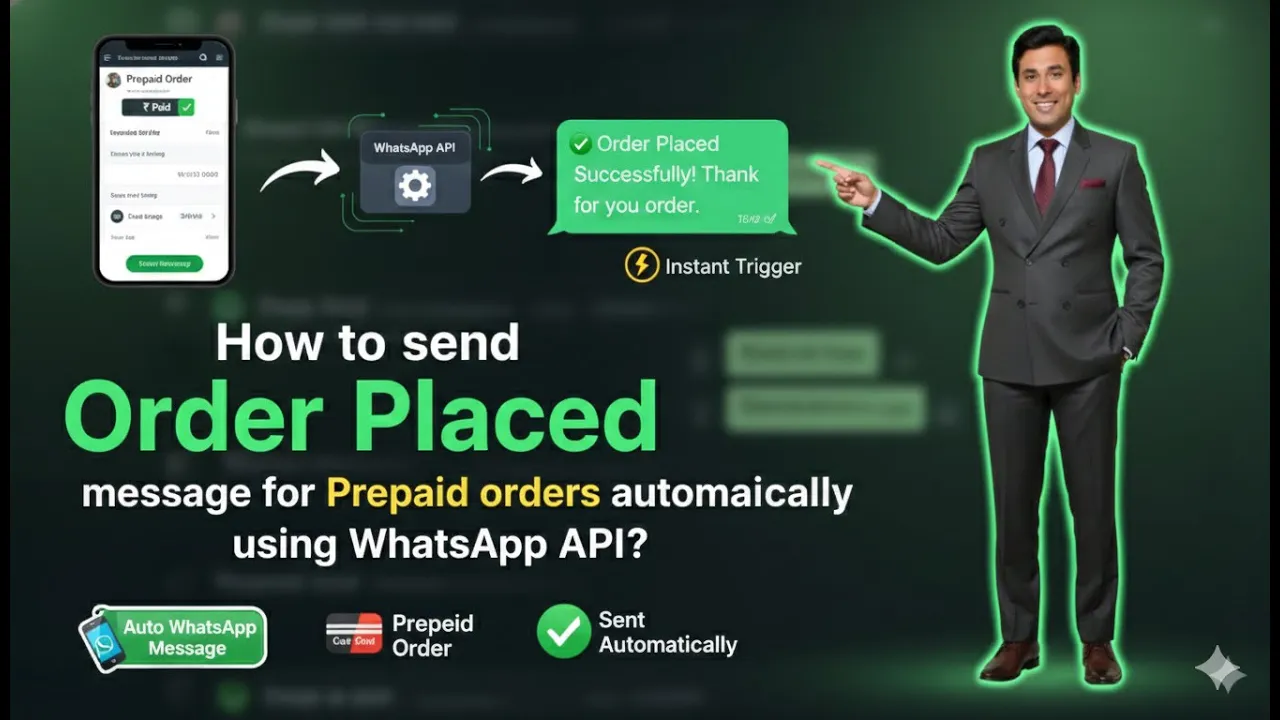
Sending automatic order placed messages is an essential part of customer communication for any Shopify-based business. When a customer completes a prepaid order, sending a confirmation message on WhatsApp builds trust, improves transparency, and enhances the overall shopping experience. In this article, we will learn how to send order placed messages to customers who select a prepaid payment method using WhatsApp Business API, integrated with a Shopify store through Interakt.
Prerequisites Before Creating the Campaign
Before creating an order placed campaign for prepaid orders, a few things must already be completed.
Your WhatsApp Business API must be integrated with your Shopify store using Interakt. This integration allows Shopify order data to sync automatically with WhatsApp Business API, enabling event-based message delivery.
If this integration is not completed, the campaign will not work correctly, and automatic triggers will not function.
Accessing the Campaign Section in Interakt
Once the integration is completed, the next step is accessing the campaign section where automated messages are created and managed.
You must be logged in to your Interakt dashboard to proceed.
How to Send Order Placed Messages for Prepaid Orders Using WhatsApp API?
Step 1: Open the Campaign Section
Navigating to Campaigns
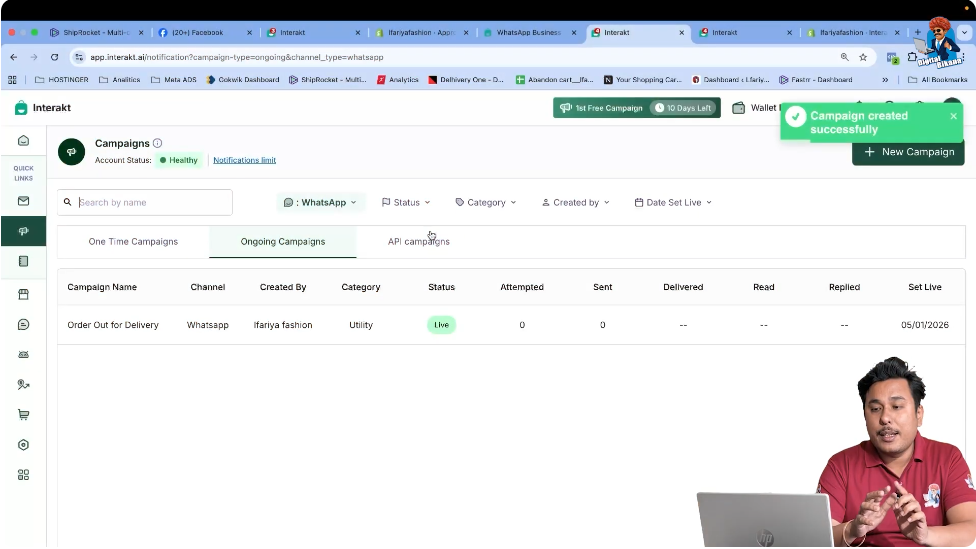
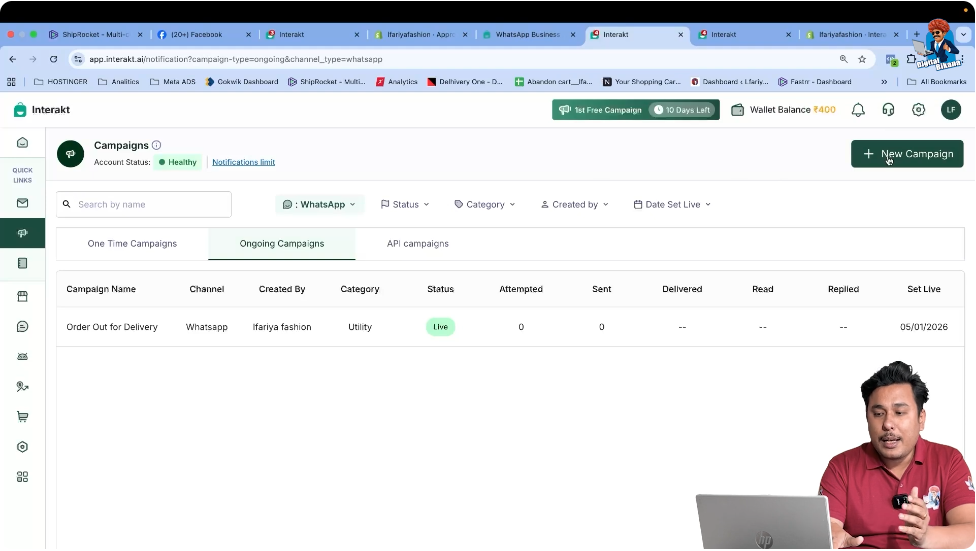
After logging in to your Interakt account, go to the left-hand menu. From the available options, click on the Campaign section.
This section is used to create automated WhatsApp Business API messages that trigger based on Shopify events such as order placed, order cancelled, or order out for delivery.
Step 2: Create a New Campaign
Clicking on New Campaign
Inside the campaign section, click on the New Campaign button.
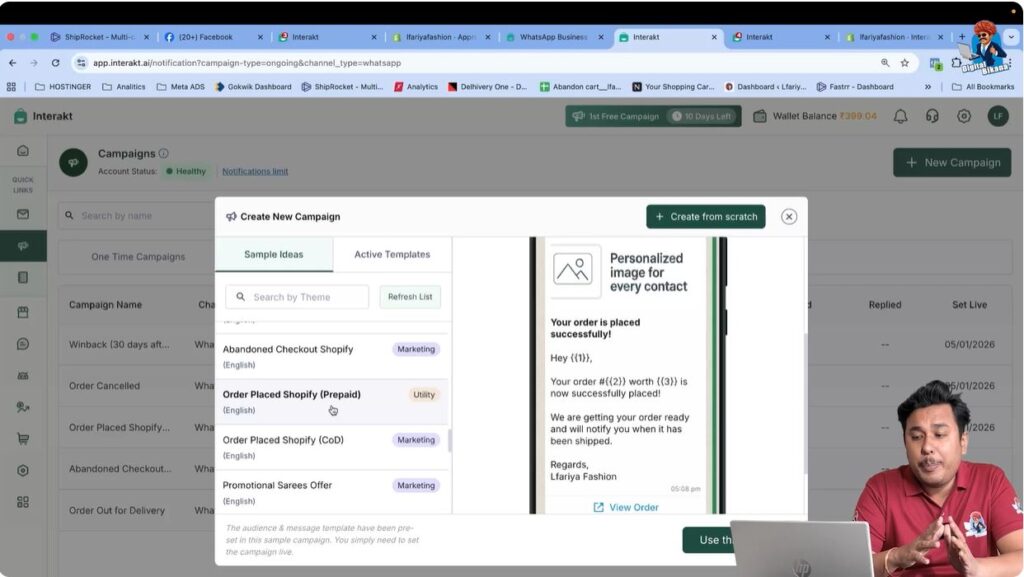
This action opens a screen where different predefined campaign sample ideas are available. These samples are designed specifically for Shopify-integrated WhatsApp Business API automation.
Step 3: Select the Order Placed Shopify Prepaid Sample
Choosing the Correct Sample
From the list of available sample ideas, select Order Placed – Shopify Prepaid.
This sample is specifically designed for customers who have placed an order using a prepaid payment method. It ensures that messages are sent only to prepaid order customers and not to COD customers.
Step 4: Use the Selected Sample
Applying the Sample Campaign
After selecting the Order Placed Shopify Prepaid sample, click on Use This Sample.
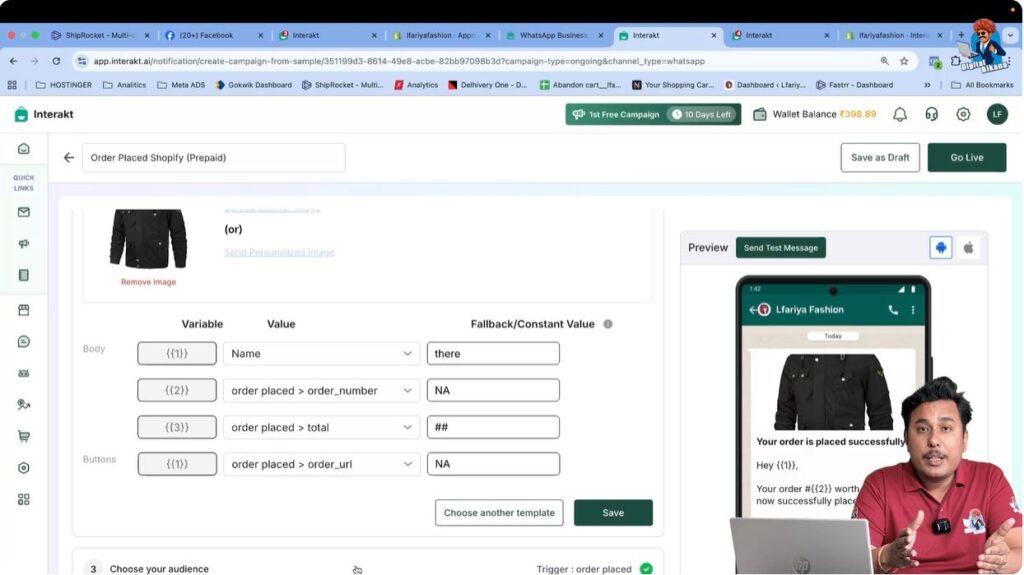
Once selected, the campaign setup screen opens with all required details already filled in.
Step 5: Review Automatically Prefilled Campaign Details
Understanding Auto-Filled Data
At this stage, you will notice that:
- The message template is already selected
- Variable values are automatically mapped
- Audience conditions are already defined
- The trigger event is correctly set
This happens because your WhatsApp Business API is already connected to your Shopify store. Shopify automatically passes order-related data to Interakt, allowing the campaign to configure itself correctly.
Step 6: Do Not Change Any Campaign Settings
Why No Changes Are Required
It is very important not to modify any settings in this campaign.
Changing any value may result in:
- The campaign not triggering correctly
- Missing order data
- Message delivery failure
Everything required for this campaign is already correctly set, and no manual input is needed.
Step 7: Verify the Trigger Event
Confirming the Correct Trigger
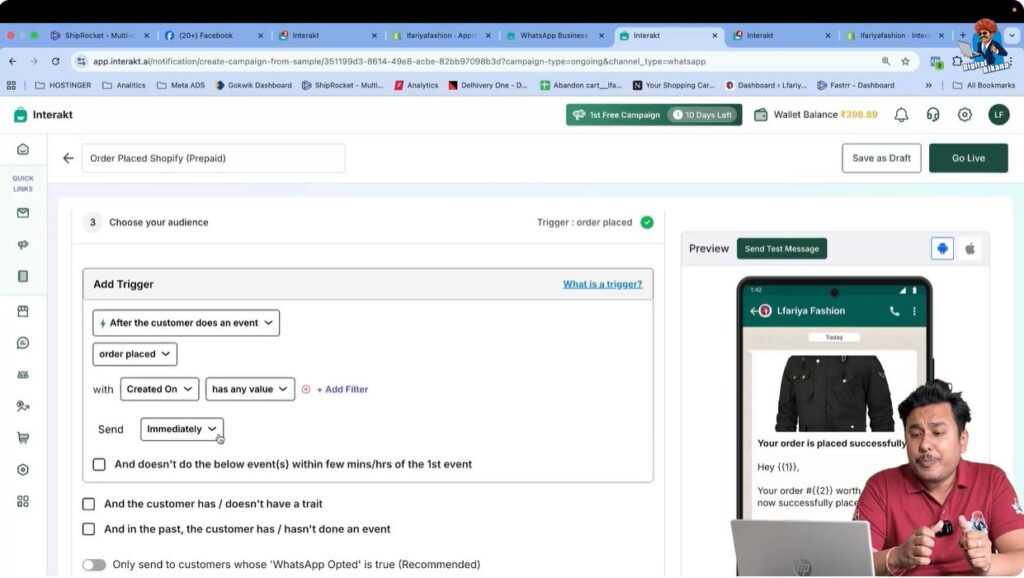
The trigger event for this campaign is Order Placed (Prepaid).
This ensures that:
- The message is sent only after a prepaid order is placed
- The message is delivered immediately after order confirmation
- Customers receive timely communication
The trigger is automatically selected and does not require any changes.
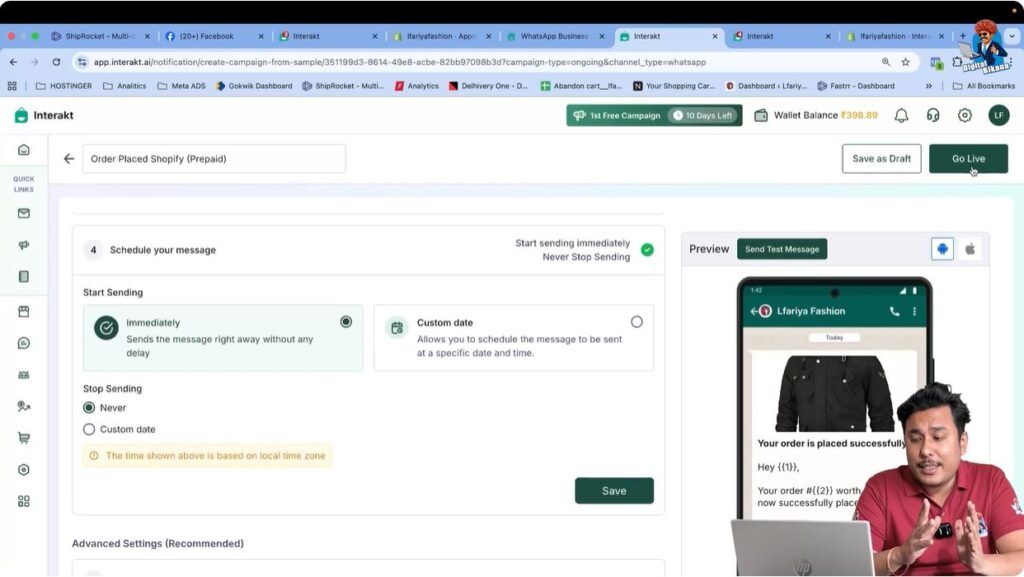
Step 8: Go Live With the Campaign
Activating the Campaign
Once everything is reviewed, click on Go Live.
This action activates the campaign. From this point onward, the automation is live and ready to function.
How the Campaign Works After Going Live
After the campaign is live, the process becomes fully automatic.
Whenever a customer:
- Places an order on your Shopify website
- Selects a prepaid payment method
- Successfully completes the payment
The system automatically sends an order placed confirmation message to the customer via WhatsApp Business API.
No manual action is required after the campaign is live.
Benefits of Sending Order Placed Messages via WhatsApp Business API
Sending order placed messages using WhatsApp Business API offers several advantages:
- Instant order confirmation
- Increased customer trust
- Reduced customer support queries
- Better post-purchase experience
- Professional and automated communication
Customers receive real-time updates directly on WhatsApp, which improves engagement and satisfaction.
Important Notes to Remember
- This campaign works only for prepaid orders
- Shopify and WhatsApp Business API integration must be active
- Campaign settings should not be edited
- The trigger must remain unchanged
Following these rules ensures smooth and reliable message delivery.
Summary
In this article, we learned how to send order placed messages for prepaid orders using WhatsApp Business API with Shopify integration through Interakt.
The complete process included:
- Opening the campaign section
- Creating a new campaign
- Selecting the prepaid order placed sample
- Using the predefined campaign
- Reviewing auto-filled details
- Keeping settings unchanged
- Verifying the trigger event
- Going live with the campaign
Once activated, the campaign automatically sends order placed messages to customers who complete prepaid purchases.
Conclusion
Automating order placed messages using WhatsApp Business API is a powerful way to improve customer communication and streamline post-purchase engagement. With Shopify integration, the entire process becomes effortless, accurate, and reliable.
This completes the setup for sending prepaid order placed messages using WhatsApp Business API.

Related Posts