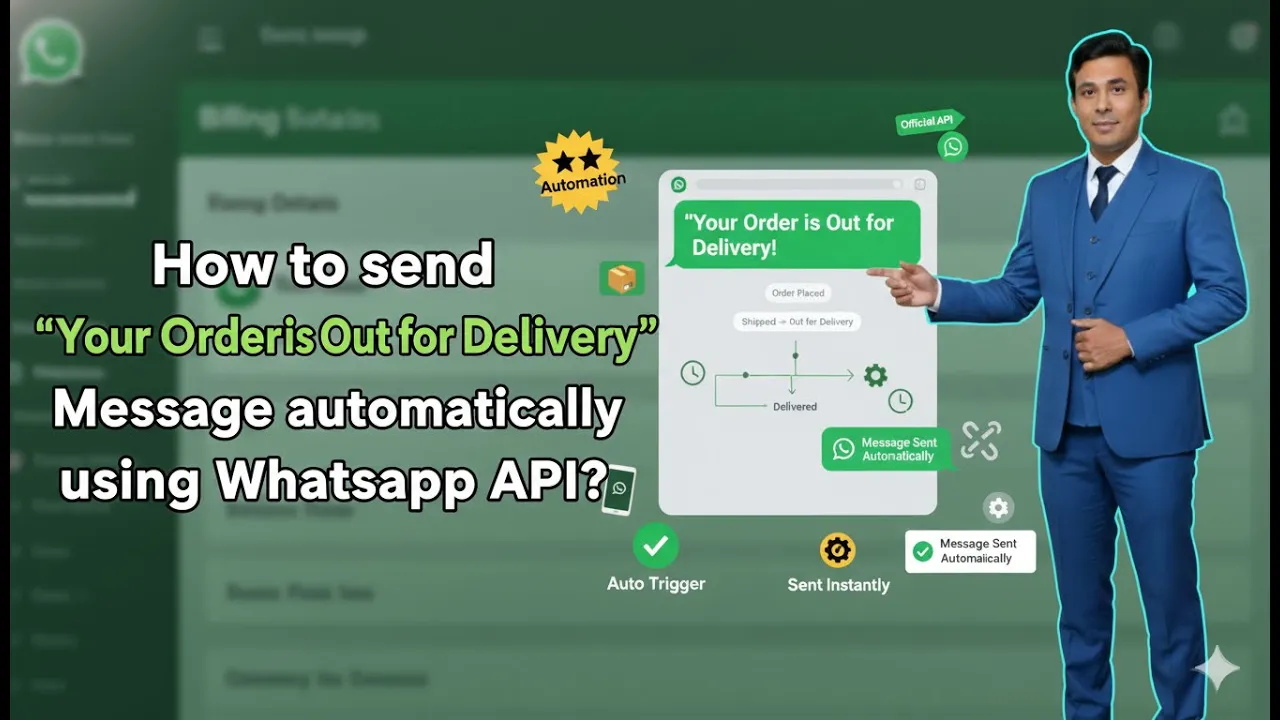
Sending timely order updates is a crucial part of customer communication for any eCommerce business. When customers are informed about their order status, it builds trust, reduces support queries, and improves overall customer experience. One of the most important updates is the “Order Out for Delivery” notification.
In this article, we will understand how to automatically send Order Out for Delivery messages to customers using WhatsApp Business API, when your Shopify store is integrated with Interakt. This process allows messages to be sent automatically without manual effort whenever an order reaches the “Out for Delivery” stage.
Understanding “Order Out for Delivery” Messages in WhatsApp Business API
An “Order Out for Delivery” message is an automated WhatsApp notification sent to customers when their Shopify order status changes to Out for Delivery.
When WhatsApp Business API is properly integrated with Shopify through Interakt:
- Order status updates are detected automatically
- Predefined message templates are triggered
- Customers receive real-time WhatsApp notifications
This removes the need for manual follow-ups and ensures consistent communication.
Prerequisites Before Creating the Campaign
Before creating the “Order Out for Delivery” campaign, the following setup must already be completed:
- A Shopify website must be live
- Shopify must be integrated with Whatsapp Business API
- WhatsApp Business API must be active
- An active Interakt subscription must be purchased
Once these steps are completed, Interakt automatically syncs Shopify events and templates.
Accessing the Interakt Dashboard
To begin, log in to your Interakt dashboard.
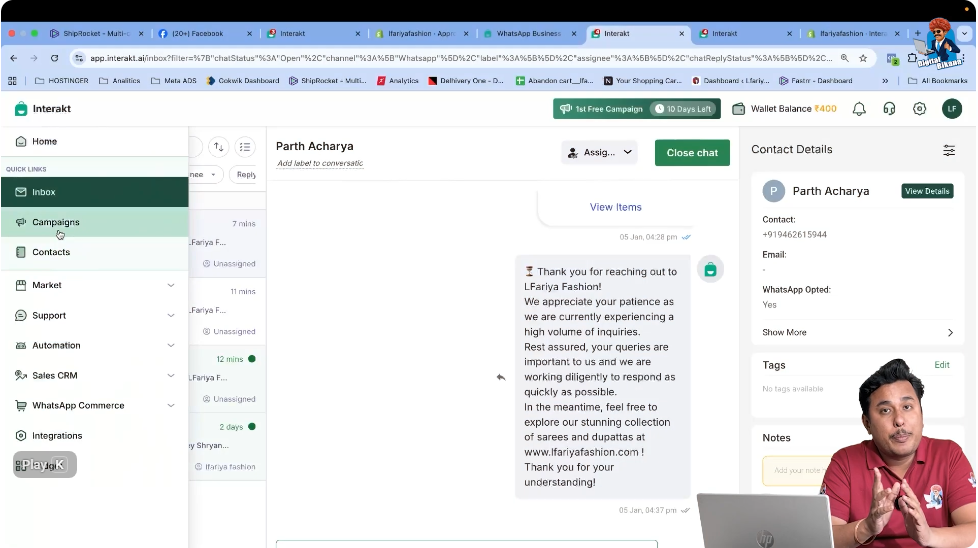
After logging in, you will see the main dashboard interface with multiple sections on the left-hand side. These sections control different WhatsApp Business API features such as contacts, campaigns, automation, and commerce.
For sending delivery status messages, the Campaigns section is used.
How to Send “Order Out for Delivery” Messages Using WhatsApp Business API with Shopify?
Step 1: Open the Campaigns Section
From the left-hand side menu inside the Interakt dashboard, click on Campaigns.
This section is where all WhatsApp Business API campaigns are created and managed, including transactional and event-based campaigns.
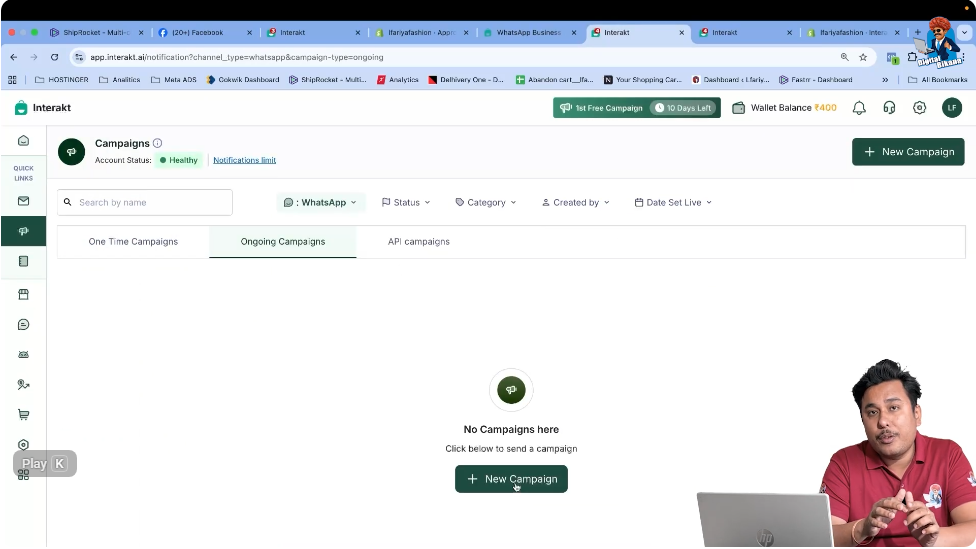
Step 2: Create a New Campaign
Inside the Campaigns section, click on Create New Campaign.
This action opens the campaign creation flow where different predefined Shopify-based campaign templates are available.
Step 3: Select “Order Out for Delivery” Campaign Template
From the available campaign samples, select the Order Out for Delivery campaign.
This template is already designed specifically for Shopify order delivery status updates.
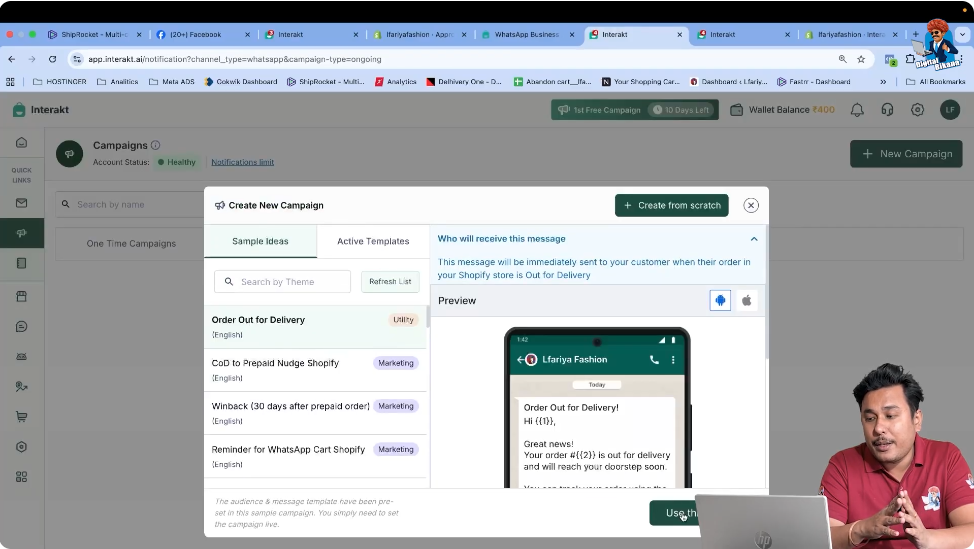
Why This Template Requires No Manual Setup
Once the Shopify store is integrated with Interakt:
- The message template is already predefined
- Variables such as order ID, customer name, and delivery status are auto-mapped
- The triggering event is already selected
This means you do not need to enter:
- Message content
- Variable values
- Event conditions
Everything is handled automatically by the Shopify–Interakt integration.
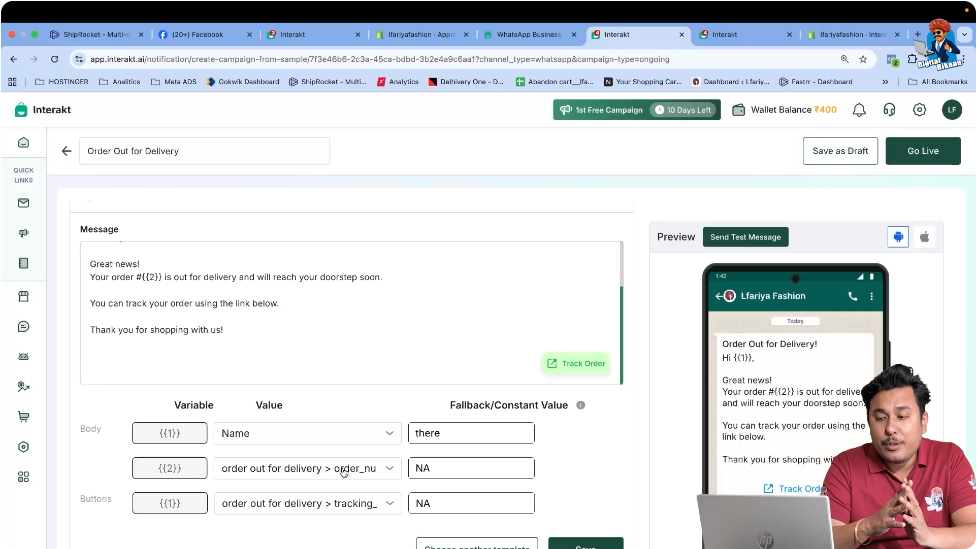
Step 4: Verify Predefined Campaign Settings
After selecting the Order Out for Delivery campaign:
- The correct WhatsApp Business API template is auto-selected
- All variable values are already filled
- The audience trigger is set to Order Out for Delivery
No changes are required at this stage.
This setup ensures accuracy and prevents configuration errors.
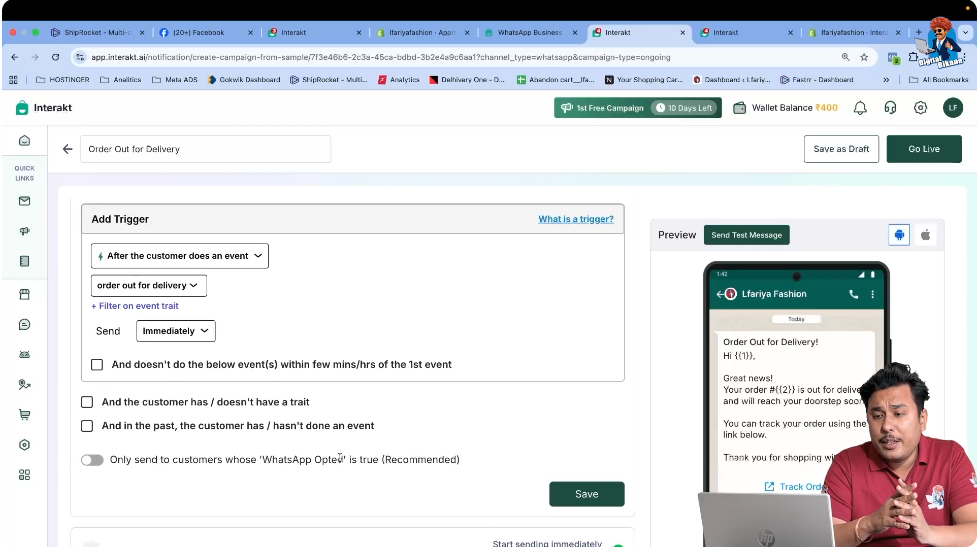
Step 5: Check the Audience Trigger Event
In the Audience section of the campaign, the triggering event is already selected as Order Out for Delivery.
This means:
- The campaign will not run for all users
- The message will trigger only when a Shopify order reaches the “Out for Delivery” status
This event-based trigger ensures messages are sent only to relevant customers.
Step 6: Go Live With the Campaign
Once everything is verified, simply set the campaign live.
There is no need to:
- Modify templates
- Adjust variables
- Add filters
After going live, the campaign becomes active immediately.

How the Automation Works After Campaign Activation
Once the campaign is live:
- A customer places an order on the Shopify website
- The order status updates to Out for Delivery in Shopify
- Shopify sends the event to Interakt
- Interakt triggers the predefined WhatsApp Business API template
- The customer receives an automatic WhatsApp message
This entire process happens automatically without any manual involvement.
Customer Experience After Campaign Activation
From the customer’s point of view:
- They receive a WhatsApp message informing them that their order is out for delivery
- The message arrives at the right time
- The communication feels professional and reliable
This improves customer satisfaction and reduces delivery-related inquiries.
Benefits of Using WhatsApp Business API for Delivery Updates
Using WhatsApp Business API with Shopify for order delivery notifications provides several advantages:
- Real-time delivery communication
- Reduced customer support workload
- Higher customer trust
- Automated message flow
- No manual follow-ups required
These benefits are especially useful for businesses handling a high volume of orders.
Why Interakt Makes This Process Simple
Interakt simplifies WhatsApp Business API automation by:
- Providing predefined Shopify event-based campaigns
- Automatically mapping Shopify variables
- Eliminating manual template setup
- Handling triggers accurately
This makes it easy even for non-technical users to send automated WhatsApp notifications.
Summary
In this article, we learned how to send Order Out for Delivery messages automatically using WhatsApp Business API when integrated with Shopify through Interakt.
The process included:
- Opening the Campaigns section in Interakt
- Creating a new campaign
- Selecting the predefined Order Out for Delivery template
- Verifying auto-filled settings
- Activating the campaign
Once activated, customers automatically receive WhatsApp messages when their order is out for delivery.
Conclusion
Automated order delivery notifications are an essential part of modern eCommerce communication. With WhatsApp Business API integrated with Shopify via Interakt, sending these messages becomes effortless and reliable.
By simply creating and activating the predefined campaign, businesses can ensure that customers are always informed about their delivery status, improving trust and overall shopping experience.
This completes the setup for sending Order Out for Delivery messages using WhatsApp Business API.

Related Posts