Buying a subscription is a mandatory step if you want to actively use WhatsApp Business API through the Interakt platform, especially when it is integrated with a Shopify store. Without an active subscription, WhatsApp Business API features such as messaging, automation, and commerce integrations cannot function. The process is simple and works directly through Shopify billing when Shopify integration is used.
This guide explains the entire flow clearly, from accessing the subscription section to confirming that the plan is activated.
Understanding Subscription Requirement for WhatsApp Business API
Before using WhatsApp Business API at scale, Interakt requires users to activate a paid Whatsapp API subscription. This subscription allows access to:
- WhatsApp Business API messaging
- Automation features
- Shopify integration
- Campaign and commerce features
When Interakt is connected with Shopify, the subscription payment is not made directly to Interakt. Instead, the amount is approved and billed through the Shopify store.
Accessing the Interakt Dashboard
To start the subscription process, you must already be logged in to your Interakt account.
Once logged in, you will be able to access the admin dashboard where all account-related settings are available, including subscription management.
How to buy Whatsapp Business API Subscription?
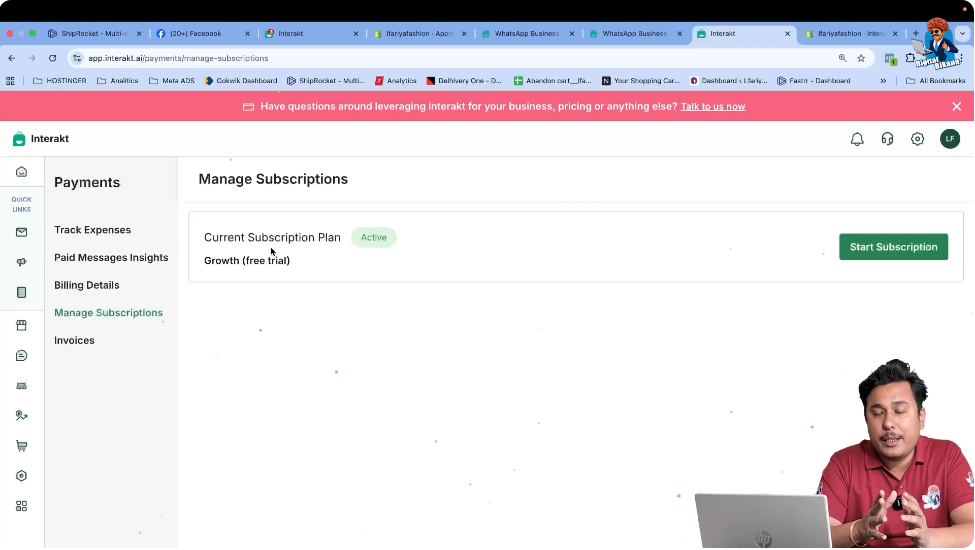
Step 1: Open Manage Subscription in Interakt
Navigating to the Subscription Section
From the Interakt dashboard, go to the Settings area.
Inside the settings section, you will find the option Manage Subscription.
This section is used to:
- Start a new subscription
- View the current plan
- Check subscription status
Once you are inside Manage Subscription, you will see a button labeled Start Subscription.
Step 2: Click on Start Subscription
Initiating the Subscription Process
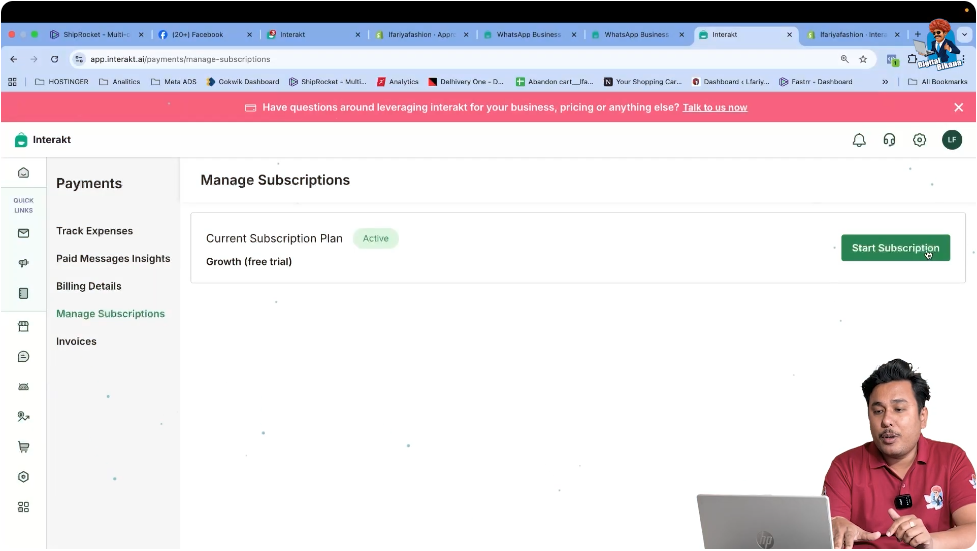
Click on the Start Subscription button to begin the plan selection process.
This action opens the plan selection screen where available subscription options are displayed.
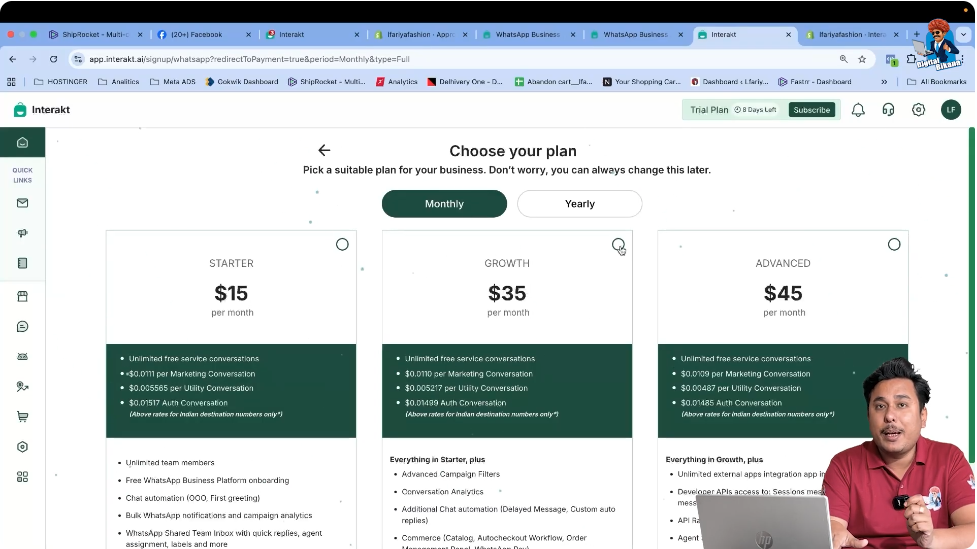
Step 3: Select the Monthly Subscription Plan
Choosing the Correct Plan
From the available plans, select the monthly plan priced at 35 USD.
This plan is recommended if:
- You are integrating Interakt with a Shopify store
- You want to use WhatsApp Business API with commerce features
The video clearly mentions that when Shopify is connected with Interakt, the same 35 USD plan should be selected.
It is also noted that pricing may increase in the future, so selecting the plan at the current rate is advisable.
After selecting the plan, click on Continue.
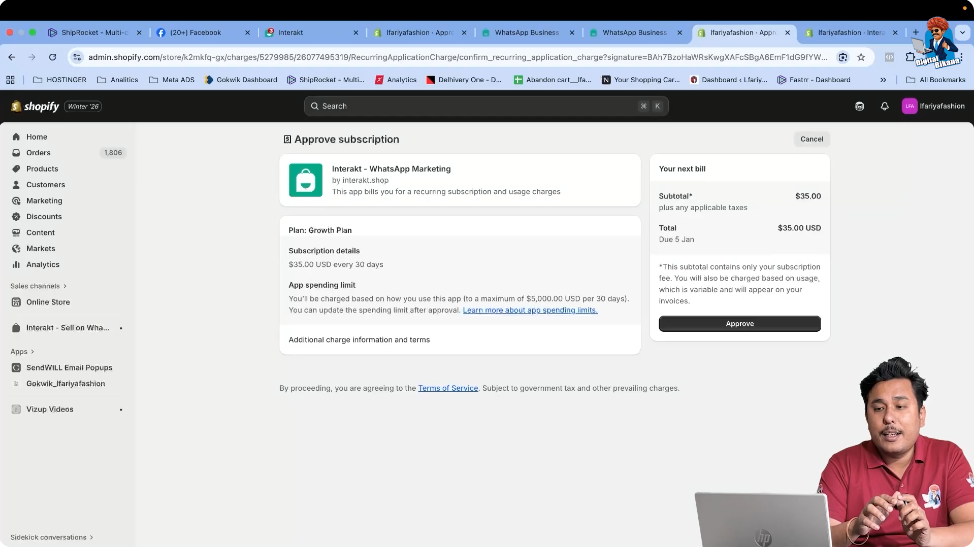
Step 4: Approve the Subscription via Shopify
Understanding Shopify-Based Billing
Once you click Continue, the system does not ask you to pay Interakt directly.
Instead, the subscription must be approved from your Shopify store.
This happens because:
- Interakt is integrated with Shopify
- Subscription charges are added to Shopify billing
- Payments are managed through Shopify invoices
You will see a prompt indicating that approval is required from Shopify.
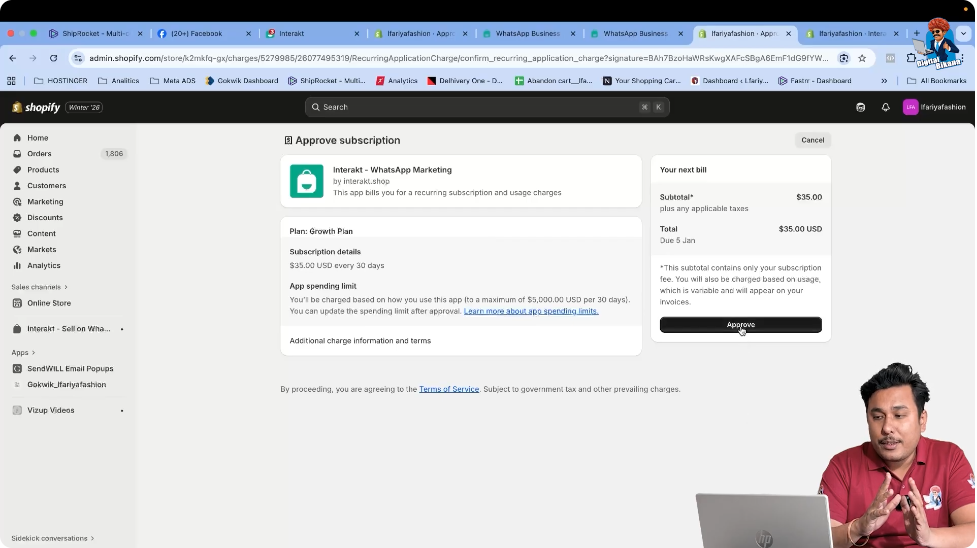
Step 5: Approve the Charge in Shopify Store
Confirming the Subscription Payment
Click on the approval option shown on the screen.
This action redirects or connects the approval to your Shopify store.
Once approved:
- The Interakt subscription amount is added to Shopify billing
- No separate payment is required on Interakt
- The subscription becomes active automatically
Step 6: Verify Subscription Activation
Checking Subscription Status
After approving the subscription, return to the Interakt dashboard.
Again, navigate to:
Settings → Manage Subscription
Here, you will be able to see that:
- The selected plan is active
- The subscription status shows as successfully activated
- WhatsApp Business API access is now enabled
This confirms that the subscription process is complete.
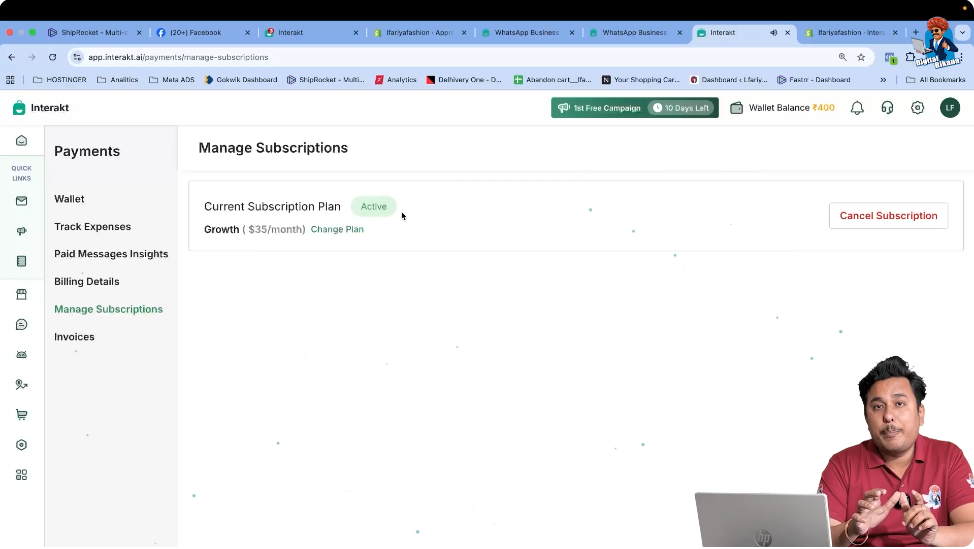
Subscription Activation Confirmation
Once the plan is activated, your Interakt account becomes fully functional for WhatsApp Business API usage.
You can now:
- Send WhatsApp Business API messages
- Use automation features
- Integrate Shopify commerce flows
- Run campaigns and manage conversations
The active plan will remain visible inside the Manage Subscription section for reference.
Important Note for Shopify Users
If you are using Interakt along with a Shopify website:
- Always approve the subscription through Shopify
- Do not look for direct payment options inside Interakt
- All billing will reflect inside Shopify invoices
This ensures smooth integration and centralized billing management.
Summary
In this article, we learned how to buy a subscription for Interakt WhatsApp Business API when integrated with Shopify.
The complete process included:
- Logging into the Interakt dashboard
- Opening Manage Subscription
- Starting the subscription
- Selecting the 35 USD monthly plan
- Approving the subscription via Shopify
- Verifying successful plan activation
Conclusion
Buying a subscription is an essential step for using WhatsApp Business API through Interakt. When Shopify integration is involved, the subscription approval and billing are handled directly through the Shopify store, making the process simple and transparent.
Once the plan is active, all WhatsApp Business API features become available, allowing businesses to communicate, automate, and sell more effectively on WhatsApp.
This completes the subscription purchase process for Interakt WhatsApp Business API.

Related Posts