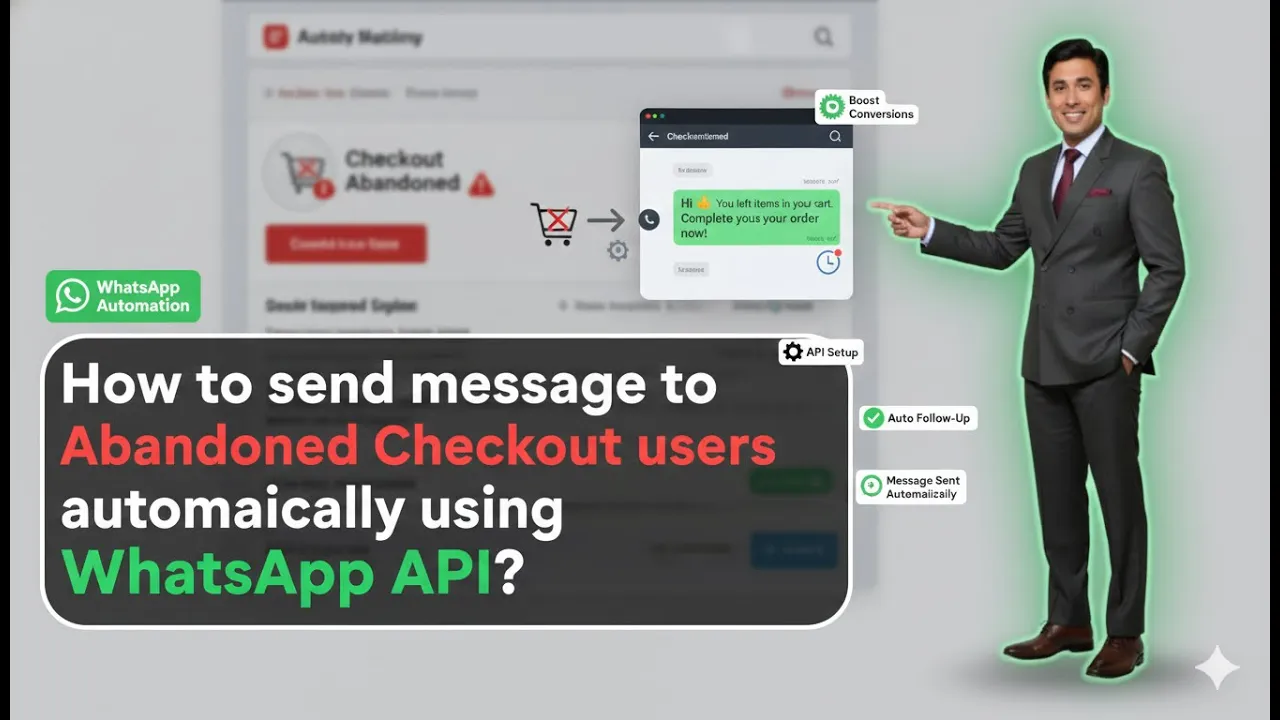
Sending abandoned cart messages is one of the most effective ways to recover lost sales from users who added products to their cart but did not complete the purchase. When your Shopify store is integrated with WhatsApp Business API using Interakt, this entire process can be automated without manual effort. In this article, we will understand how to send abandoned cart or abandoned checkout messages to users using WhatsApp Business API.
Understanding Abandoned Cart Messaging in WhatsApp Business API
An abandoned cart message is sent to users who:
- Added products to the cart
- Reached the checkout stage
- Did not complete the purchase
Using WhatsApp Business API with Shopify integration, these users can be automatically identified and messaged without any manual intervention.
This setup works only if your Shopify store is already integrated with WhatsApp Business API through Interakt, as shown in earlier sessions.
Prerequisites Before Creating the Abandoned Cart Campaign
Before proceeding, the following setup must already be completed:
- Shopify store must be integrated with Interakt
- WhatsApp Business API must be active
- Campaign section access must be available
- Previous Shopify-based automated campaigns must be visible
Once these conditions are met, the abandoned cart campaign can be created easily.
How to Send Abandoned Cart Messages Using WhatsApp Business API?
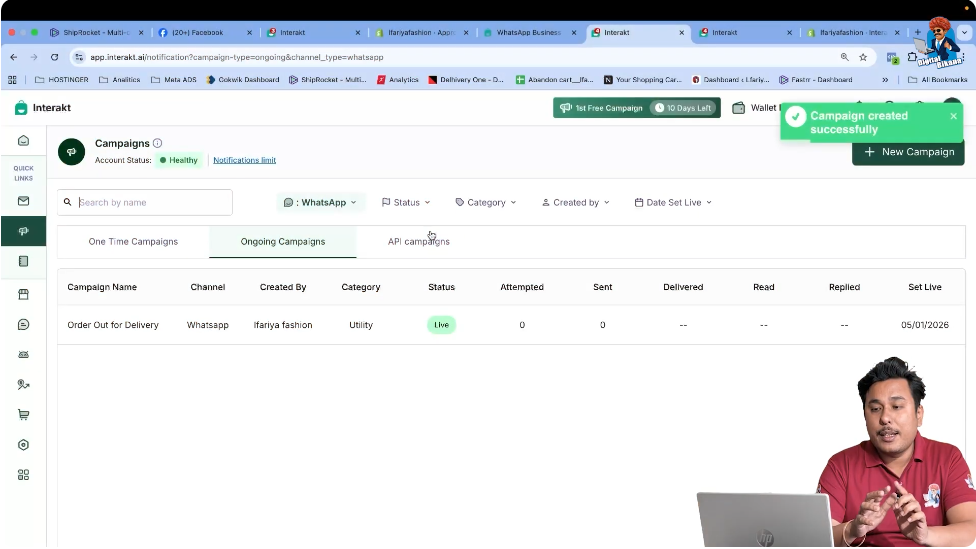
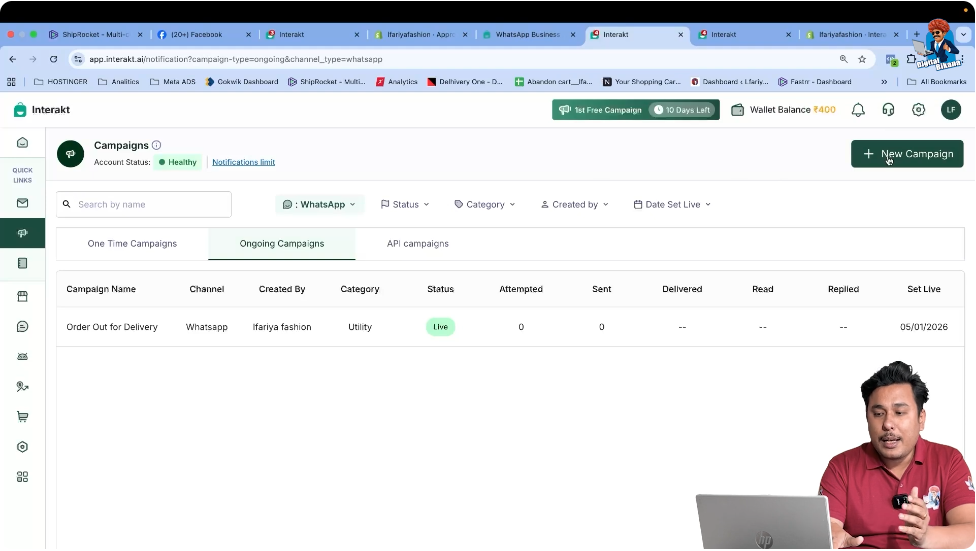
Step 1: Open the Campaign Section in Interakt
Accessing the Campaign Area
Log in to your Interakt dashboard and navigate to the Campaign section.
This is the same section where other automated Shopify campaigns are created.
Since this section was covered in previous videos, no additional setup is required here.
Step 2: Create a New Campaign
Starting a Fresh Campaign
Inside the Campaign section:
- Click on Create New Campaign
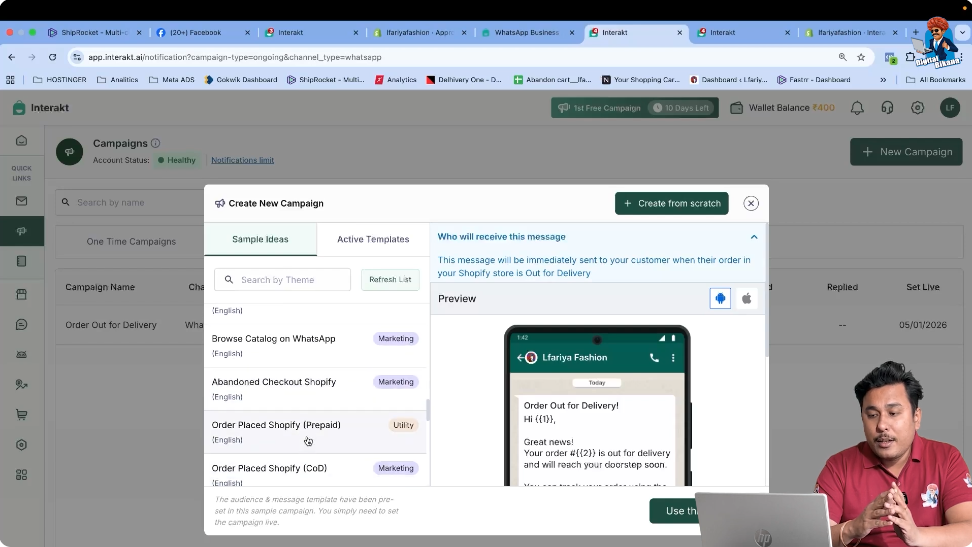
- This opens the campaign creation interface with predefined sample ideas
This is where Shopify-based automated message templates are available.
Step 3: Locate the Abandoned Checkout Shopify Campaign
Finding the Correct Campaign Template
Scroll down through the sample ideas list until you find:
Abandoned Checkout – Shopify
This campaign is designed specifically for users who:
- Added products to the cart
- Left without completing the checkout
Step 4: Select the First Abandoned Checkout Message
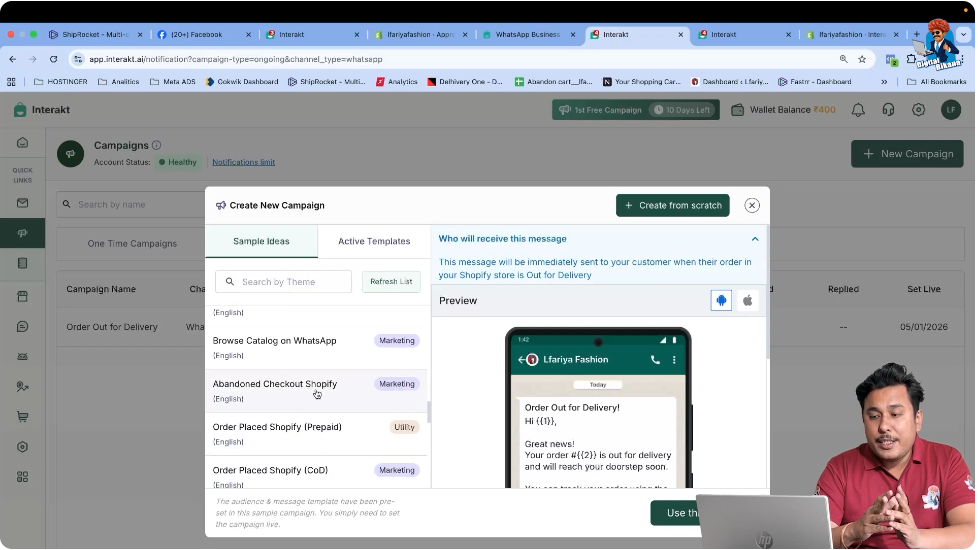
Choosing the Correct Abandoned Checkout Option
Select the first abandoned checkout campaign.
You do not need to select:
- Abandoned checkout 2
- Abandoned checkout 3
The first message is sufficient because:
- All required details are already prefilled
- Shopify integration automatically handles the logic
Step 5: Review the Pre-Filled Campaign Details
Automatic Data Sync from Shopify
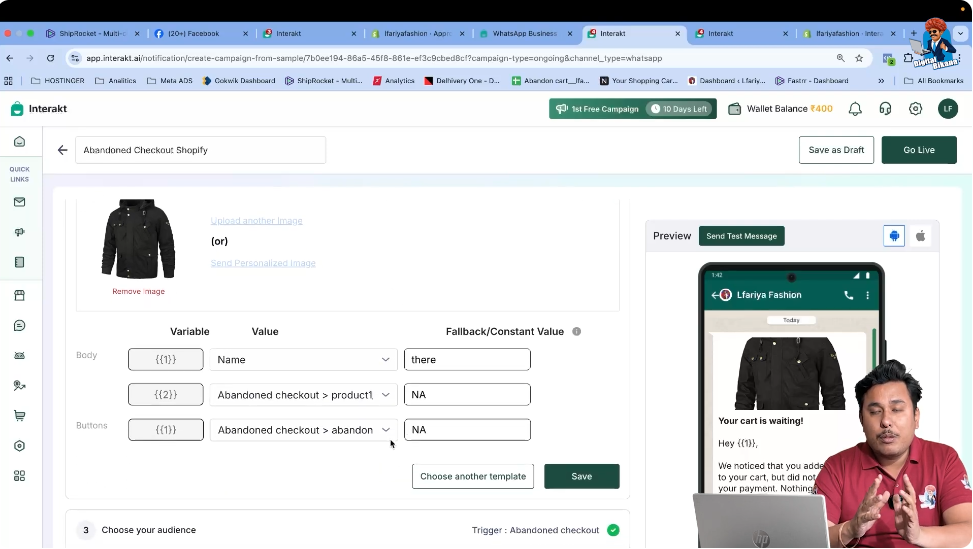
Once selected, you will notice that:
- Message content is already filled
- Product preview is displayed
- Variables are automatically mapped
- No manual input is required
This happens because your Shopify store is already connected with WhatsApp Business API via Interakt.
Step 6: Understand the Product Preview
Why a Product Image Is Shown
You may see a product image inside the campaign setup.
This image is only a preview to help you understand how the message will look.
In real usage:
- The actual product image from your Shopify store is sent
- The image corresponds to the abandoned product
This preview is only for explanation and reference.
Step 7: Verify the Triggering Event
Confirming the Abandoned Checkout Trigger
The triggering event is already selected as:
Abandoned Checkout Trait Updated
This means the message will be sent only when:
- A user abandons checkout
- The Shopify abandoned checkout condition is met
You should not change this triggering event.
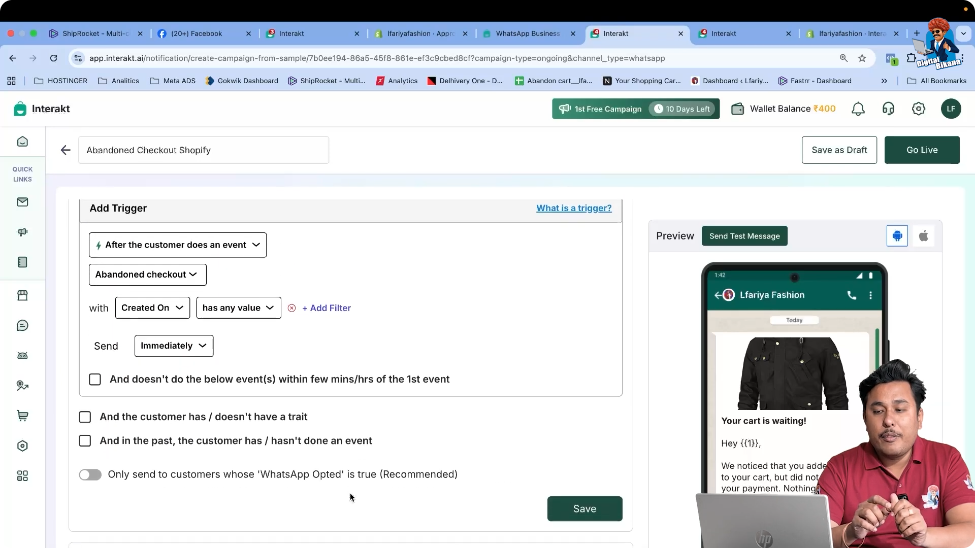
Step 8: Do Not Modify Any Campaign Settings
Why No Changes Are Required
All campaign settings are already correctly configured:
- Audience logic
- Trigger condition
- Message structure
- Product mapping
Changing anything may cause:
- Campaign not triggering
- Missing data issues
- Incorrect message delivery
Therefore, no edits are required.
Step 9: Go Live With the Campaign
Activating the Abandoned Cart Campaign
Click on Go Live.
Once the campaign is live:
- The abandoned cart automation is active
- Messages will be sent automatically
- No further action is required
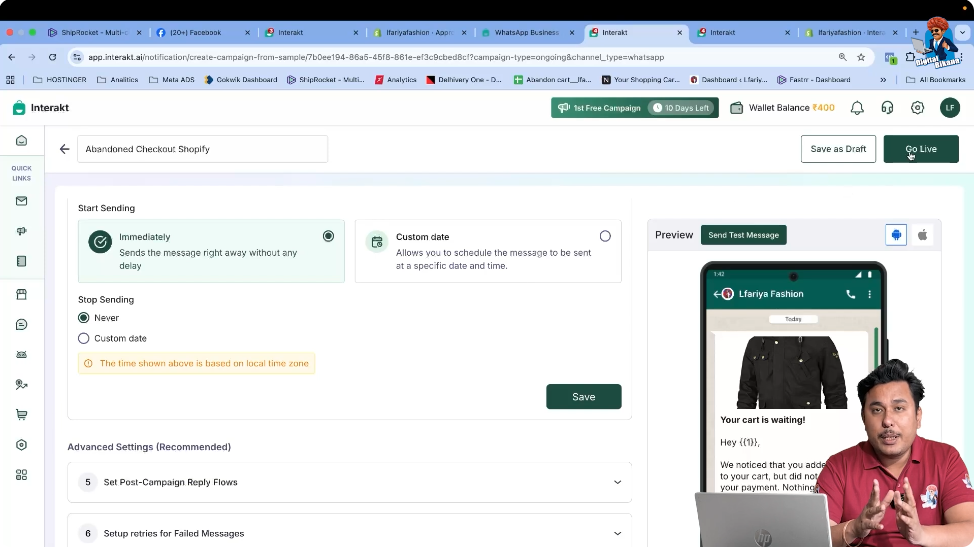
How the Abandoned Cart Campaign Works After Going Live
After activation:
- A user adds a product to the cart
- The user leaves without purchasing
- Shopify detects the abandoned checkout
- WhatsApp Business API automatically sends the message
- The user receives the abandoned cart reminder on WhatsApp
This entire process happens without manual involvement.
Benefits of Abandoned Cart Messaging Using WhatsApp Business API
Using this setup provides several advantages:
- Automatic recovery of abandoned carts
- Real-time message delivery
- Product image included in message
- Higher chances of conversion
- No manual follow-up required
Important Notes to Remember
- This setup works only with Shopify integration
- WhatsApp Business API must be active
- Campaign settings should not be modified
- Only the first abandoned checkout campaign is required
Summary
In this article, we learned how to send abandoned cart messages using WhatsApp Business API with Shopify integration through Interakt.
The process included:
- Opening the campaign section
- Creating a new campaign
- Selecting the abandoned checkout Shopify template
- Reviewing prefilled details
- Verifying the triggering event
- Going live with the campaign
All steps were based strictly on the video content, without adding any external methods.
Conclusion
Abandoned cart messaging using WhatsApp Business API is a powerful automation feature for Shopify store owners. Once the campaign is live, users who leave their carts without purchasing automatically receive reminders on WhatsApp, increasing the chances of recovery and sales.
This completes the abandoned cart campaign setup process using WhatsApp Business API and Interakt.

Related Posts