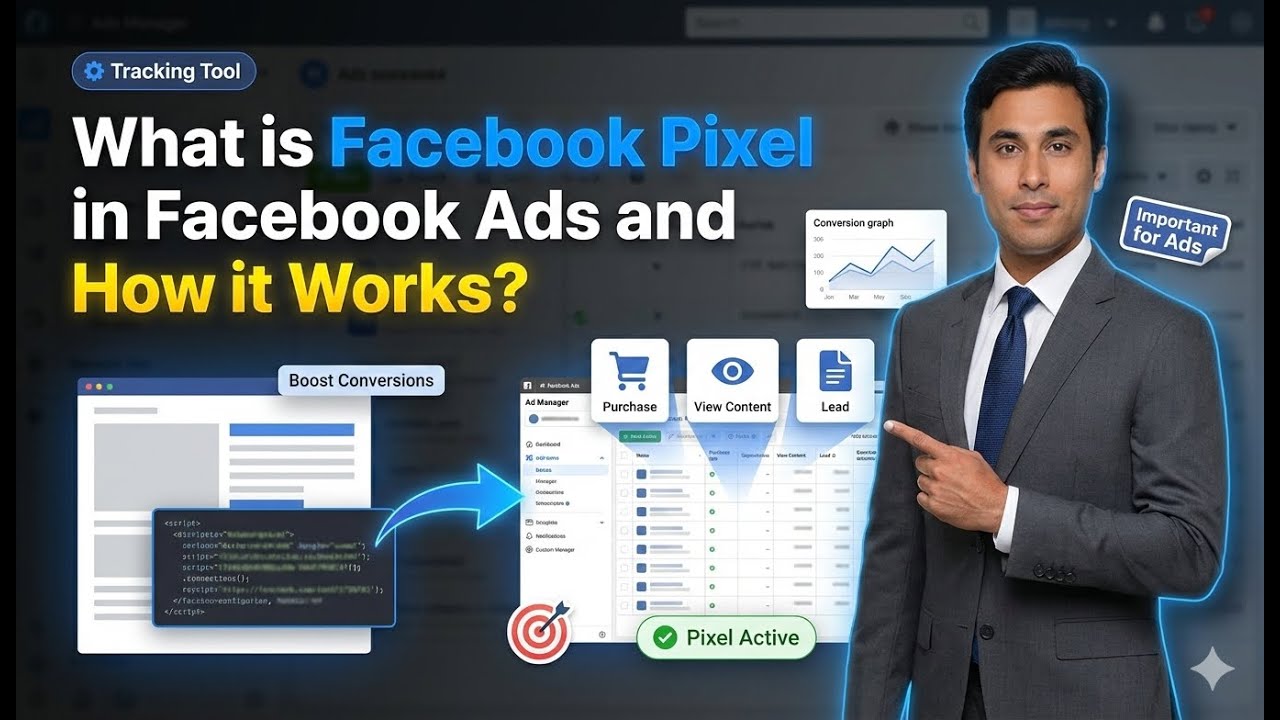
In this article, we are going to understand what Meta Pixel is and why it is required in Facebook Ads. Meta Pixel plays a very important role when you want to create custom audiences of website visitors and run ads based on user behavior on your website.
If you are running ad campaigns that send users to your website and you want to track what those users do after landing on your site, Meta Pixel becomes essential. Without Meta Pixel, Meta cannot track detailed user activity on your website.
This article explains what Meta Pixel is, how it works, why it is needed, and how it helps in creating website-based custom audiences.
What is Meta Pixel?
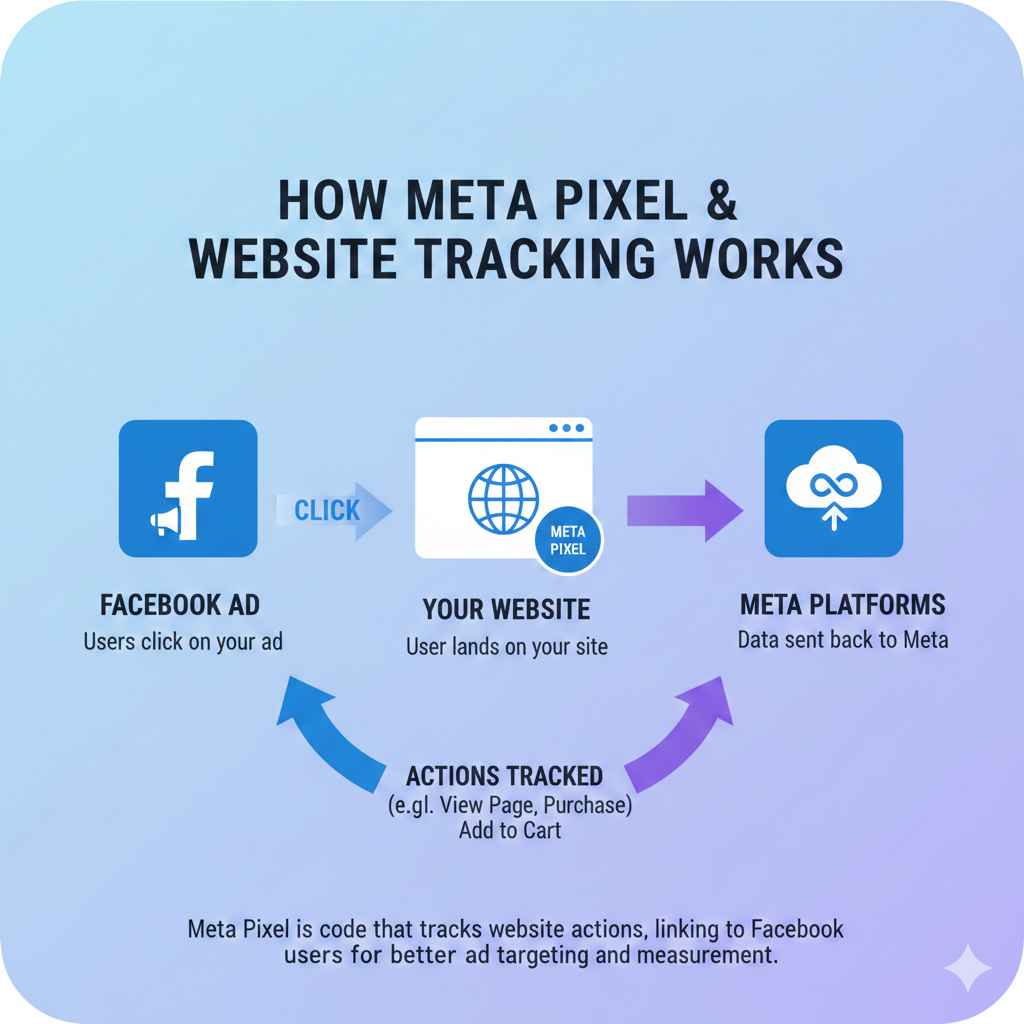
Meta Pixel is a tracking code developed by Meta. This code helps Meta track user activity on your website.
When Meta Pixel is installed on your website, it allows Meta to understand:
- Which users are visiting your website
- Which pages they are visiting
- How much time they are spending on specific pages
In simple words, Meta Pixel helps connect user activity on Meta platforms with user behavior on your website.
Why Meta Pixel Is Required in Facebook Ads
Meta Pixel is required when you want to run ad campaigns using custom audiences of website visitors.
If you want to:
- Retarget website visitors
- Create page-specific custom audiences
- Track user behavior after clicking ads
Then Meta Pixel is mandatory.
Understanding Saved Audience and Website Traffic Campaigns
Before understanding Meta Pixel deeply, it is important to understand how ads work without it.
How Ads Work Without Meta Pixel
Suppose you run an ad campaign on a saved audience, meaning a general audience based on location or interest.
Your campaign objective is website traffic.
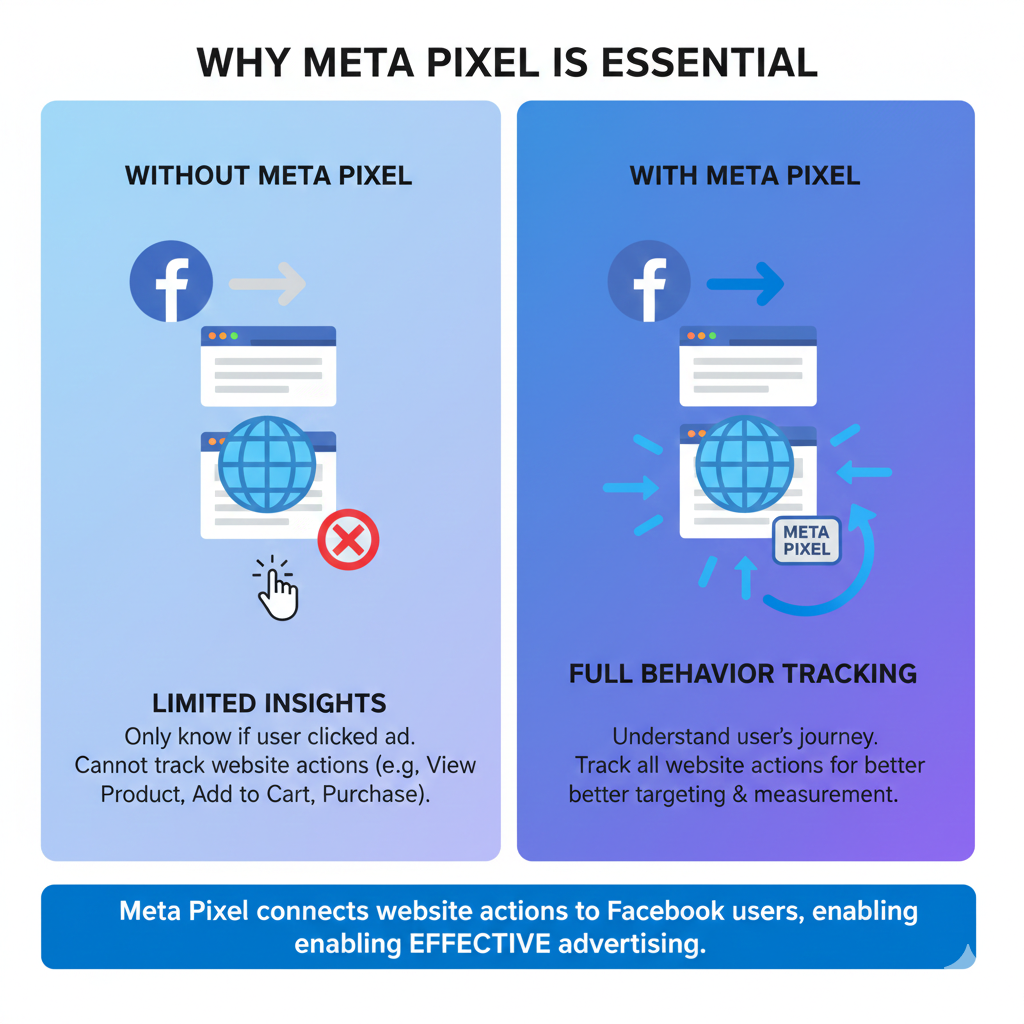
What Meta Knows Without Meta Pixel
When users see your ad:
- Meta knows who is watching your ad
- Meta knows who clicks on the CTA button
When users click the CTA button:
- Meta knows the user landed on your website
But this is where Meta’s knowledge stops.
What Meta Does Not Know Without Meta Pixel
Without Meta Pixel:
- Meta does not know which page the user visits
- Meta does not know how long the user stays on a page
- Meta does not know which product page the user viewed
- Meta does not know whether the user added anything to cart
Meta only knows that a user clicked the CTA and landed on the website.
Why Meta Cannot Track Website Behavior Without Meta Pixel
Once a user leaves the Meta platform and enters your website:
- Meta loses visibility
- Meta cannot see page-wise behavior
- Meta cannot track time spent on pages
This is because your website is a separate platform.
Need for Meta Pixel to Track Website Activity
If you want Meta to understand:
- Which Meta user visited which website page
- How long they stayed
- Which actions they took
You must install Meta Pixel on your website.
Understanding Website-Based Custom Audience With an Example
Let us understand this with a detailed example.
Example: E-Commerce Website Scenario
Suppose you are running an e-commerce website selling 10 products.
You run an ad campaign on a saved audience and send users to your homepage.
Homepage Traffic
- 5,000 users land on your homepage
- Some users exit immediately
- Some users browse further
Category Pages
Your website has three categories:
- Sweets
- Snacks
- Cakes
Out of 5,000 users:
- 2,000 users exit from the homepage
- 1,000 users visit the sweets category
Product Pages
In the sweets category, you sell:
- Rasgulla
- Kaju Katli
- Ras Malai
- Gulab Jamun
Out of 1,000 users:
- 200 users open the Rasgulla product page
Cart and Checkout Funnel
Out of those 200 users:
- 100 users add Rasgulla to cart
- 50 users go to checkout
- 15 users visit payment page
- 5 users complete purchase
The Retargeting Problem Without Meta Pixel
Now your goal is:
- To retarget the 195 users who visited the Rasgulla page
- To exclude the 5 users who already purchased
Why This Is Not Possible Without Meta Pixel
These 195 users:
- Did not submit email
- Did not submit phone number
- Did not reach checkout
So:
- You do not have their details
- Meta does not know their page-wise behavior
Meta only knows they clicked the ad.
How Meta Pixel Solves This Problem
Meta Pixel tracks:
- Page visits
- Page paths
- Time spent on pages
By installing Meta Pixel:
- Meta knows which user visited Rasgulla page
- Meta knows who added to cart
- Meta knows who purchased
What Meta Pixel Actually Does
Meta Pixel sends website activity data back to Meta.
This helps Meta understand:
- Which Meta user visited which page
- Which product they viewed
- Which step of funnel they reached
How Meta Pixel Helps Create Custom Audiences
Once Meta Pixel is installed:
- You can create a custom audience of homepage visitors
- You can create a custom audience of category page visitors
- You can create a custom audience of product page visitors
- You can exclude purchasers
This makes retargeting extremely accurate.
Where Meta Pixel is Required in Ads Manager
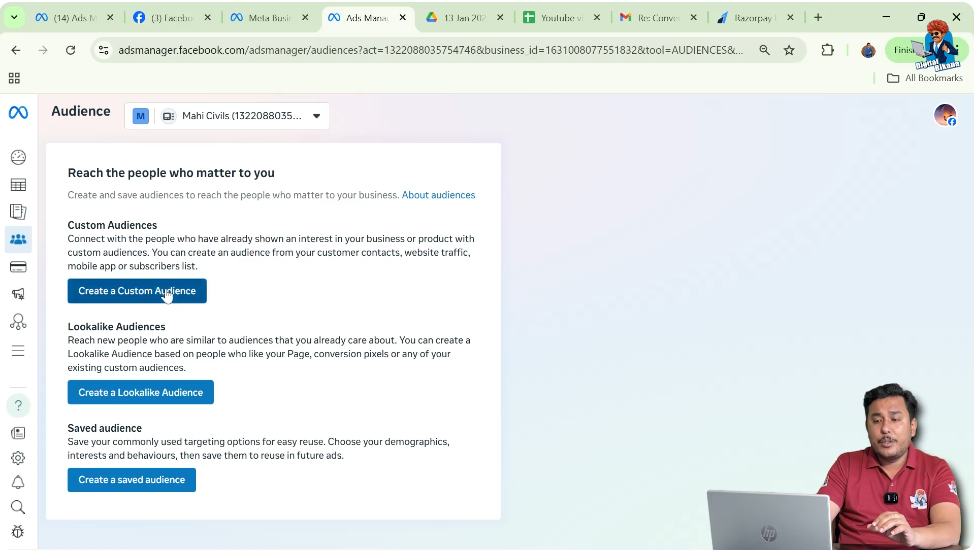
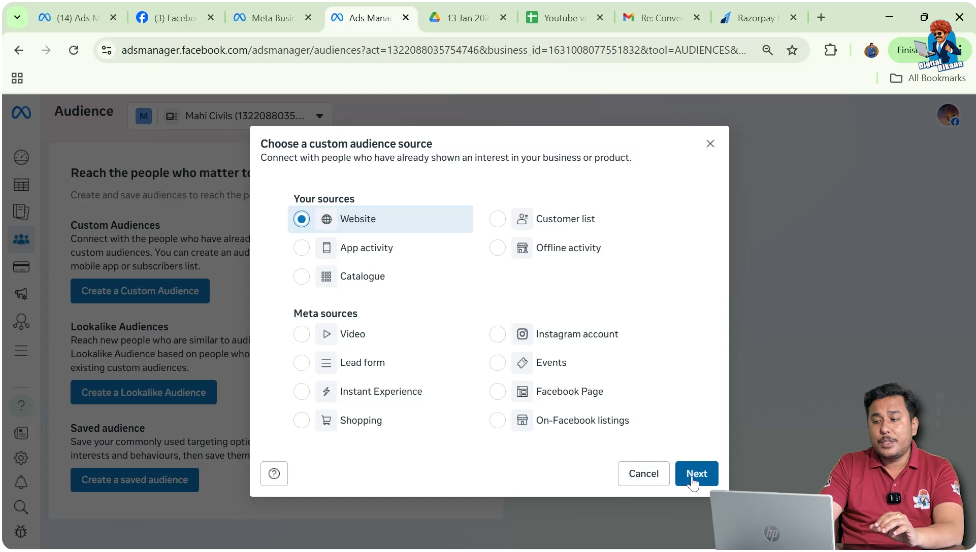
When you go to Audiences and click on Create Custom Audience:
- If you select Website as the source
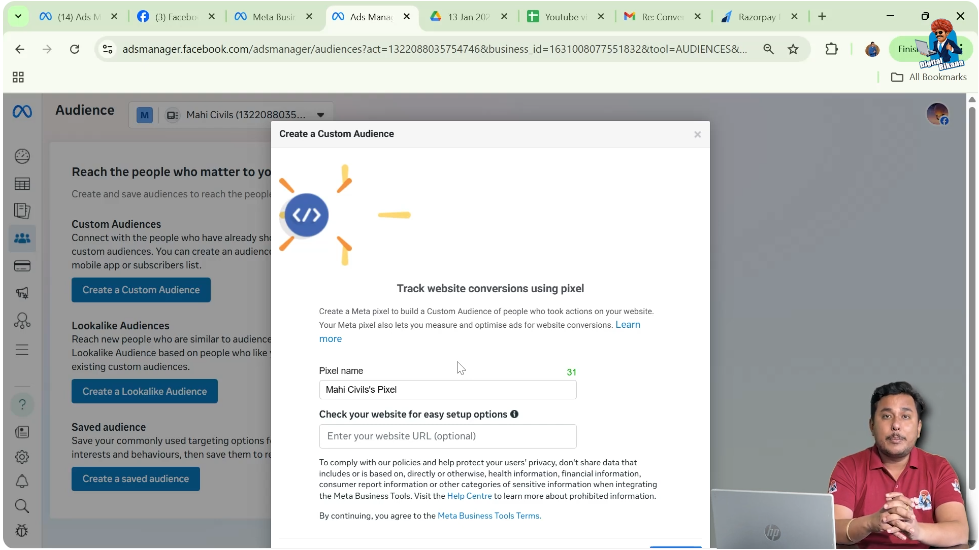
- Meta asks you to create or select a pixel
This shows that website-based audiences cannot work without Meta Pixel.
Step-by-Step Explanation of Meta Pixel Requirement
Step 1: Create Custom Audience
Choose Website as Source
When creating a custom audience and selecting Website, Meta requires pixel data.
Step 2: Pixel Requirement Appears
Meta Asks for Pixel Creation
If no pixel exists, Meta prompts you to create one.
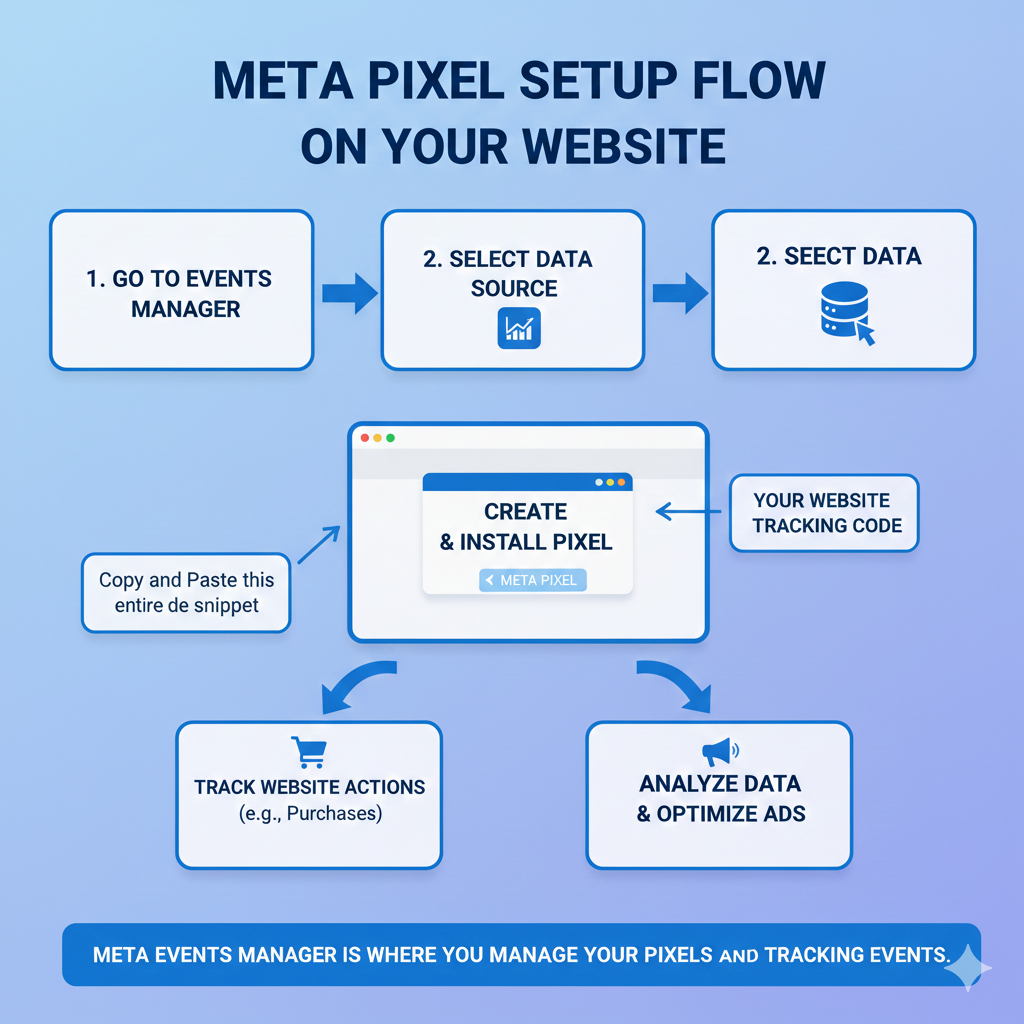
Step 3: Create Meta Pixel in Events Manager
Pixel Is Created in Events Manager
Meta Pixel is created inside the Events Manager of Meta Business Suite.
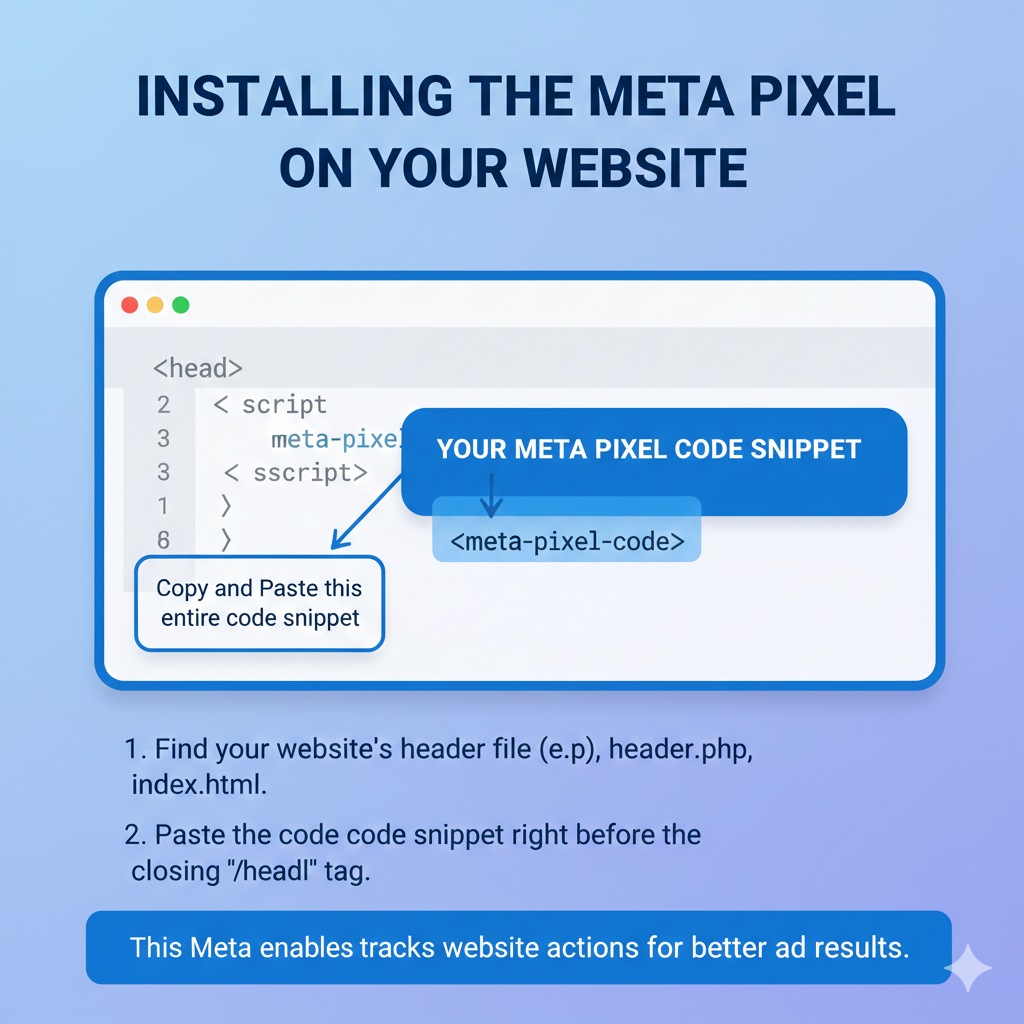
Step 4: Add Meta Pixel to Website Header
Pixel Code Installation
The Meta Pixel code must be added to the header section of your website.
Step 5: Start Tracking Website Activity
User Behavior Tracking Begins
Once installed, Meta starts tracking:
- Page visits
- Actions
- Behavior
Why Meta Pixel Is Mandatory for Website Retargeting
Without Meta Pixel:
- No website-based custom audience can be created
- No page-specific retargeting is possible
- No funnel-based targeting is possible
Meta Pixel is the bridge between Meta platforms and your website.
Meta Pixel Explained in Simple Words
In simple words:
- Meta Pixel is a tracking code
- It tracks website visitors
- It tells Meta which user visited which page
- It helps create custom audiences
- It enables retargeting
Key Benefits of Meta Pixel
Meta Pixel helps you:
- Track website visitors
- Understand user behavior
- Create high-quality custom audiences
- Exclude converted users
- Improve ad performance
Common Misunderstanding About Meta Pixel
Many people think:
- Meta automatically tracks website pages
This is incorrect.
Meta only tracks:
- Ad views
- Ad clicks
Website tracking requires Meta Pixel.
When Meta Pixel Becomes Most Important
Meta Pixel is most important when:
- Running traffic campaigns
- Running conversion campaigns
- Running retargeting campaigns
- Running e-commerce ads
Final Conclusion
Meta Pixel is a crucial component of Facebook advertising when website tracking and retargeting are involved. It is a tracking code developed by Meta that allows advertisers to understand what users do after landing on their website.
Without Meta Pixel, Meta can only track users up to the point of ad clicks. It cannot track page visits, time spent, or user actions on the website. By installing Meta Pixel on your website, Meta gains visibility into user behavior, making it possible to create powerful custom audiences of website visitors.
If you want to run ads using website-based custom audiences, Meta Pixel is mandatory. It enables accurate retargeting, better audience segmentation, and improved ad performance.

Related Posts