Google is a search engine where users search for different types of keywords based on their requirements. Whenever someone needs information, services, treatments, or businesses, they enter a keyword into the Google search bar. Based on that keyword, Google displays different types of results on the Search Engine Result Page, commonly known as the SERP.
These results can include website links, videos, images, knowledge panels, maps, business listings, and other special sections. All these elements together form the Google search result page. Understanding how these elements work is important, especially when discussing the Google Local Pack.
Understanding Keyword Searches on Google
Keywords are the words or phrases that users type into Google while searching for something. These keywords can be non-branded, branded, business-related, or informational.
For example, if a user searches for a medical treatment like angioplasty, this is a non-branded and non-business-related keyword. In such cases, Google mainly shows website search results related to that topic. These results are displayed in the search engine result page and usually consist of informative articles or medical websites explaining the treatment.
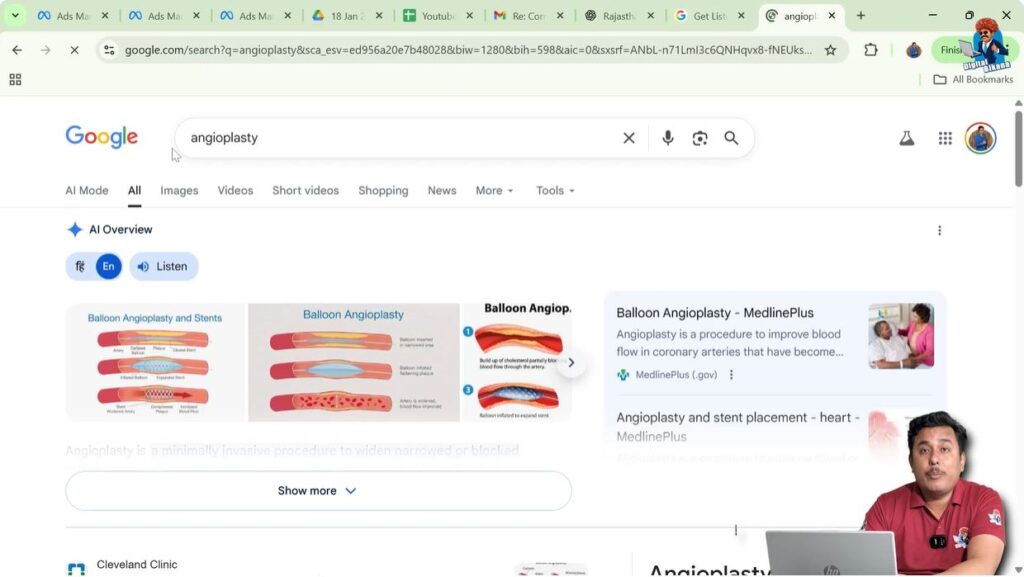
Along with website links, Google may also display videos and images related to that keyword. This shows that Google does not rely only on text-based results but also includes visual and video content in its search results.
Website Search Results on Google
When a user searches for a keyword, one of the most common results shown by Google is website search results. These results appear as clickable links that take the user to a specific webpage. These webpages are ranked by Google based on various factors and are displayed directly on the search engine result page.
Website search results are a core part of Google’s search system. They appear for both informational keywords and business-related keywords, though their position on the page can vary depending on the type of search.

Videos and Images in Google Search Results
Apart from websites, Google also displays videos and images for many searches. Videos can appear from platforms like YouTube and are shown directly in the search results. Similarly, images related to the keyword can also be displayed.
This means that Google provides multiple content formats for users, making it easier for them to find information in the way they prefer. All these elements are visible on the same search engine result page.

Branded Searches and Company Name Searches
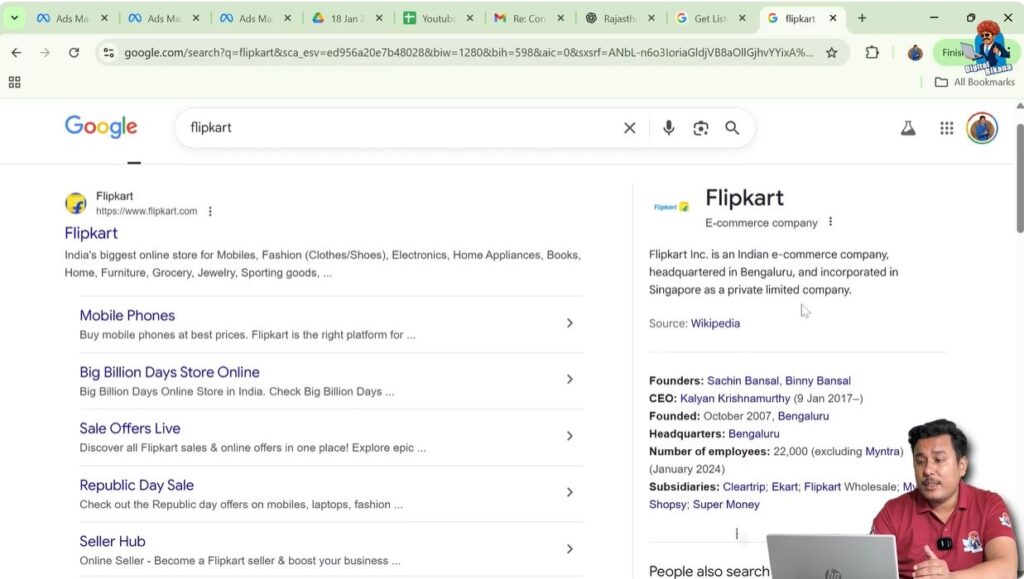
When a user searches for a company name, the search results change slightly. In this case, Google often displays the company’s website along with its social media handles. These results help users quickly find official online profiles related to that business.
Such searches are known as branded searches because they are directly related to a specific company or brand. Google recognizes that the user is looking for a particular business and adjusts the results accordingly.

Knowledge Graph in Google Search Results
When searching for a company or a known entity, Google often displays a special section on the right side of the search results. This section is known as the Knowledge Graph.
The Knowledge Graph provides summarized information about the searched company. While the left side of the page shows website results, the right side highlights key details in a structured format. This helps users get quick information without visiting multiple websites.
Additional Sections on the Search Result Page
Google search results also include other important sections that enhance the user experience.
People Also Search For
This section shows related searches that users commonly look for after searching a particular keyword. It helps users explore more related topics directly from the search results.
People Also Ask
The “People Also Ask” section displays common questions related to the searched keyword. These questions are based on what other users frequently ask on Google. Clicking on a question expands it and shows a brief answer.
AI Overview
Google also displays an AI Overview in some searches. This overview provides a summarized explanation of the topic directly in the search results. It appears along with other sections and helps users quickly understand the searched topic.

Business-Related Keyword Searches
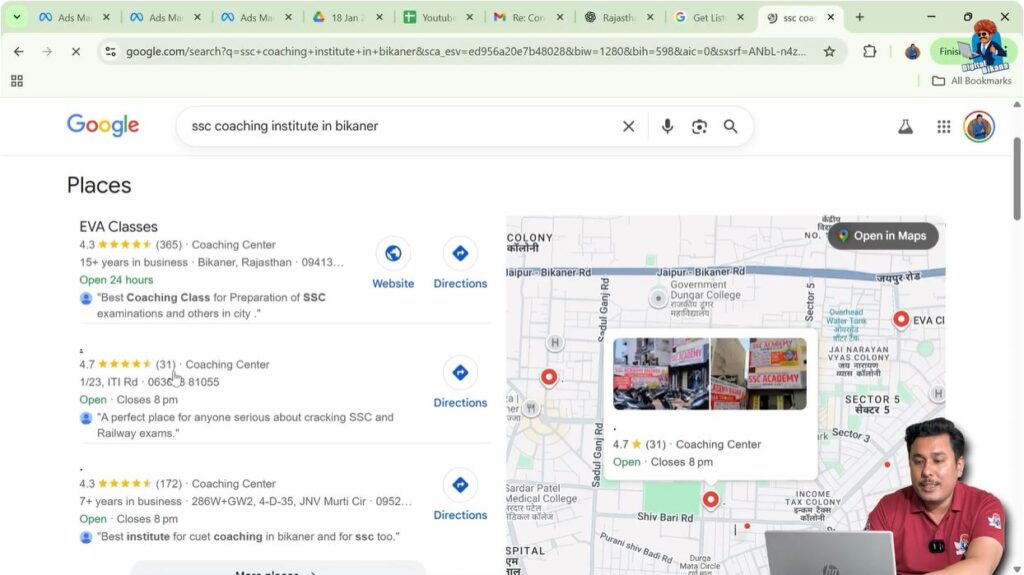
When users search for business-related keywords, the search results appear differently. For example, if someone searches for an SSC coaching institute along with a city name, Google understands that the user is looking for a local business.
In such cases, Google displays a special section that highlights nearby businesses related to the searched keyword. This is where the Google Local Pack appears.

What is Google Local Pack?
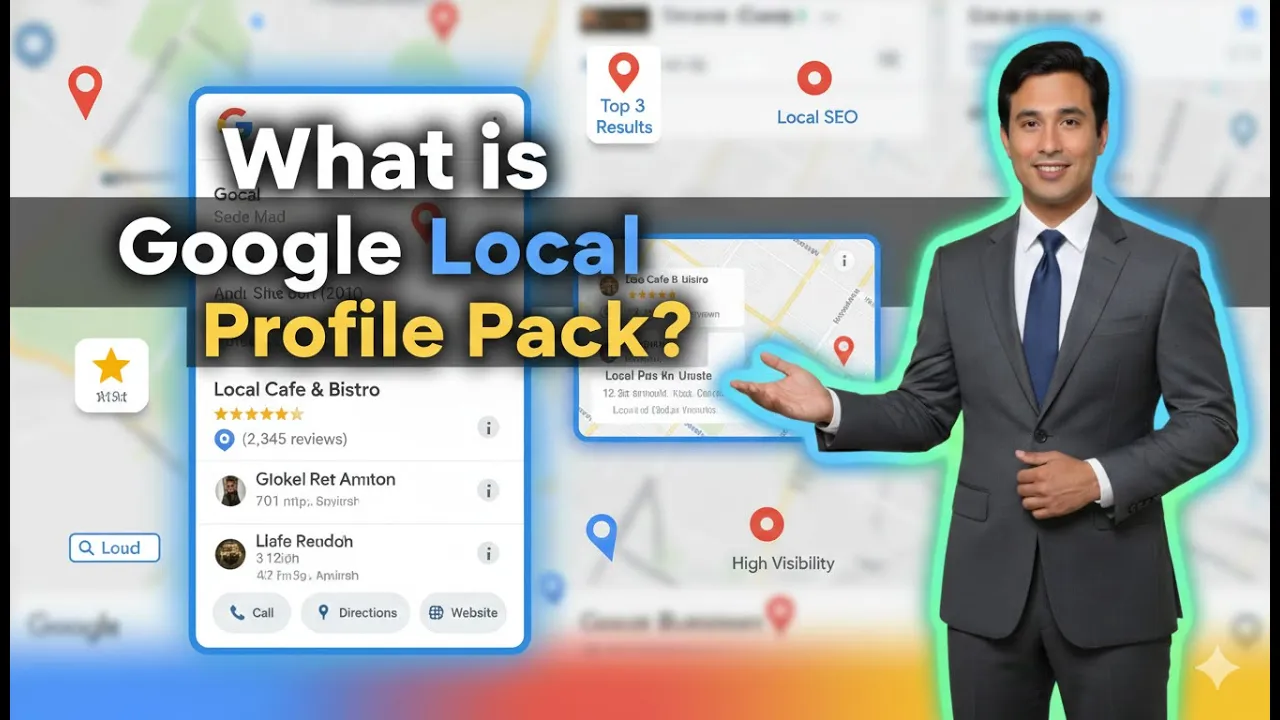
The Google Local Pack is a special section that appears in the search results for business-related keywords. It is usually displayed along with a map and business listings.
This section shows Google My Business listings of local businesses that are relevant to the searched keyword. It appears before the regular website search results, making it highly visible to users.
The Google Local Pack plays a very important role in local business visibility because it attracts a large number of clicks from users.
Structure of the Google Local Pack
The Google Local Pack is divided into two main parts.
On one side, Google displays a list of business listings. These listings come from Google My Business profiles. On the other side, a map overview is shown, highlighting the locations of these businesses.
Below the Google Local Pack, regular website search results are displayed. This means the Local Pack appears above traditional organic website listings.
Google My Business Listings in Local Pack
The businesses shown in the Google Local Pack are selected from Google My Business profiles. These profiles contain business information such as name, location, and other details.
Only a limited number of businesses are displayed in this section. Usually, three to five businesses appear in the Google Local Pack. Because of this limited space, competition to appear in this section is very high.
Importance of Google My Business Profile
To get a business displayed in the Google Local Pack, it is necessary to create a Google My Business profile. Without this profile, a business cannot appear in the Local Pack.
Creating a profile alone is not enough. The profile needs to be properly optimized so that Google considers it relevant for local searches.
Role of SEO in Google Local Pack Rankings
Search Engine Optimization plays a crucial role in determining which businesses appear in the Google Local Pack. Specifically, SEO for Google My Business listings is required.
If a business wants to appear at the top of the Google Local Pack, it needs to do proper SEO for its Google My Business listing. Only then can the listing rank higher and be shown prominently in the search results.
Steps to Get Business Displayed in Google Local Pack
Step 1: Create a Google My Business Profile
Importance of Profile Creation
Creating a Google My Business profile is the first step to appearing in the Google Local Pack. This profile allows Google to recognize the business as a local entity.
Step 2: Optimize the Google My Business Listing
SEO for Better Visibility
SEO needs to be applied to the Google My Business listing. This helps the business appear in the top positions of the Local Pack.
Step 3: Compete for Limited Listing Spots
Three to Five Business Limit
Only three to five businesses are displayed in the Google Local Pack. This makes optimization and SEO even more important.
User Behavior and Google Local Pack
Most users prefer clicking on the business listings displayed in the Google Local Pack. These listings are easily visible and provide quick access to business information.
Some users also click on the “More places” option to explore additional businesses. However, the majority of clicks usually go to the businesses shown directly in the Local Pack.
Importance of Google Local Pack for Business Reach
The Google Local Pack is extremely important for increasing business reach. Since it appears at the top of the search results, it attracts more attention compared to regular website listings.
Businesses that appear in the Local Pack gain higher visibility on both Google Search and Google Maps. This makes it a powerful tool for local marketing.
Google Maps and Local Pack Connection
The Google Local Pack is closely connected with Google Maps. The map shown in the Local Pack gives users a visual understanding of business locations.
Businesses that rank well in the Local Pack also appear prominently in Google Maps search results. This further increases their chances of being discovered by potential customers.
Additional Elements Shown by Google for Keyword Searches
Google does not limit search results to just websites and business listings. It also shows images related to the keyword, short videos, and map-based results.
These elements together provide a complete search experience for users. Depending on the keyword, different combinations of these elements may appear on the search engine result page.
Summary of Google Search Result Page Components
For any keyword search, Google may display:
- Website search results
- Videos
- Images
- Knowledge Graph
- People Also Ask section
- AI Overview
- Google Local Pack
- Google Maps results
All these components work together to deliver relevant information to the user.
Conclusion
The Google Local Pack is a crucial part of Google’s search engine result page for business-related searches. It displays a limited number of Google My Business listings along with a map, making it highly visible to users.
To appear in this section, businesses must create and optimize their Google My Business profiles and focus on SEO. Since most users click on Local Pack listings, ranking in this section can significantly improve business reach and visibility.
Understanding how Google search results work and how the Google Local Pack fits into the overall structure helps businesses make better decisions for local SEO and online presence.

Related Posts