In this article we are going to understand the difference between Facebook Ads Manager and Meta Business Suite in detail. Many beginners get confused between these two platforms because both appear inside Facebook and both are related to business activities. However, Facebook Ads Manager and Meta Business Suite are completely different platforms, created for different purposes.
Understanding the Initial Interface on Facebook Page
When you switch your Facebook account to your Facebook page and land on the homepage of the page, you will notice two options on the left-side menu.
These two options are:
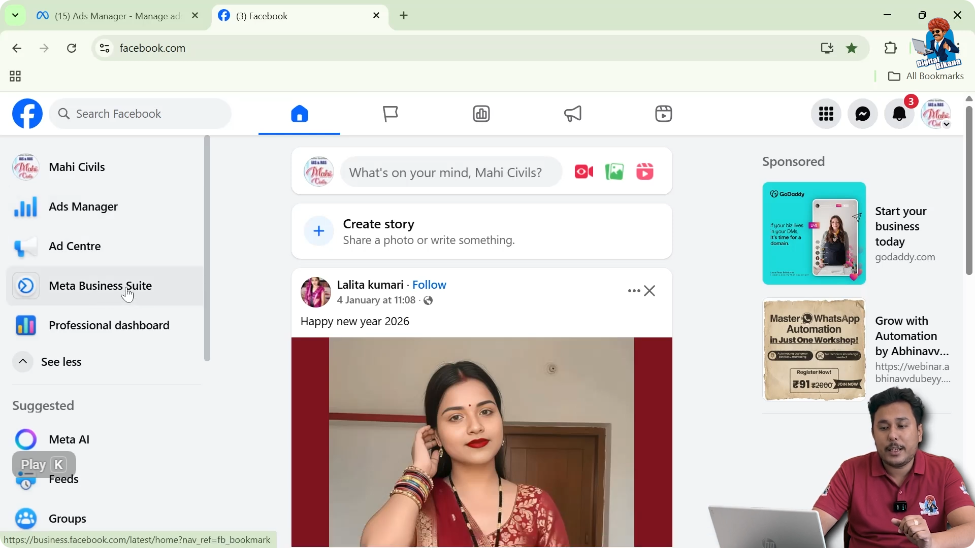
Both options are visible at the same time, but they serve very different purposes.
Accessing Both Platforms from Facebook Page
Step 1: Switch Facebook Profile to Facebook Page
First, you switch your Facebook account from your personal profile to your Facebook page.
Once switched, you are on the homepage of your Facebook page.

Step 2: Locate Ads Manager and Meta Business Suite
On the left-side menu of the Facebook page homepage, you can see:
These are displayed as separate options.
Step 3: Open Ads Manager or Meta Business Suite
If you want to visit Ads Manager, you can simply click on Ads Manager.
If you want to visit Meta Business Suite, you can click on Meta Business Suite.
Both open in separate tabs and function independently.
What Is Meta Business Suite?
Meta Business Suite is a free platform provided by Meta for managing all Meta business assets at a single place.
It allows businesses to manage their Facebook page and Instagram professional account together from one dashboard.
Purpose of Meta Business Suite
The main purpose of Meta Business Suite is business management, not advertising alone.
It helps you manage:
- Facebook page
- Instagram professional account
- Content posting
- Messages
- Notifications
- Leads
- Business tools
All from one platform.
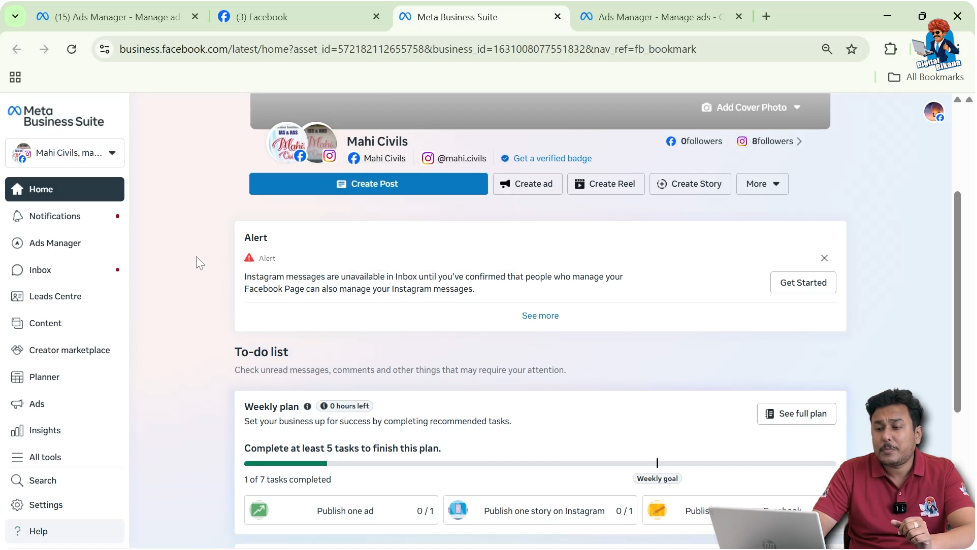
Connecting Facebook Page and Instagram Account
If your Facebook page is connected with your Instagram professional account, Meta Business Suite allows you to manage both platforms together.
This connection enables cross-platform content management.
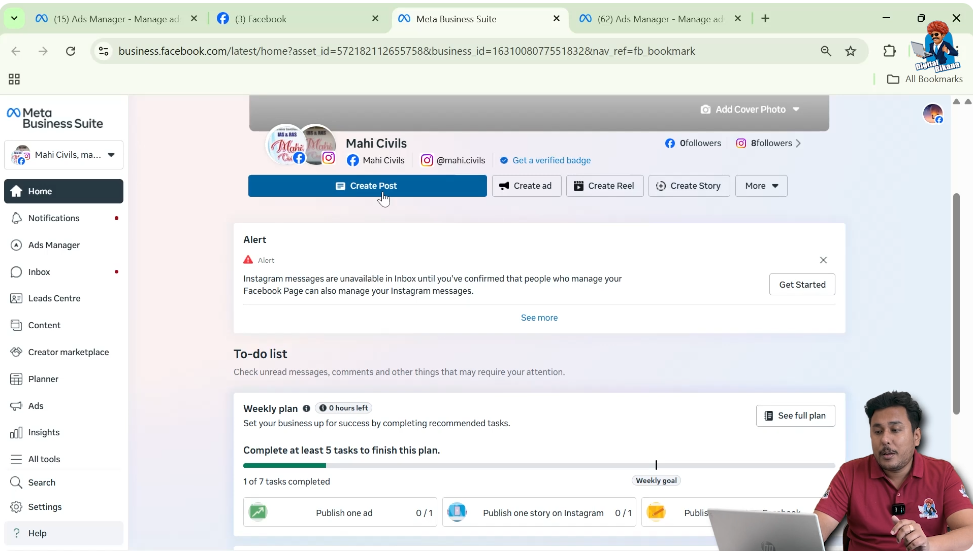
Creating Posts Using Meta Business Suite
Posting on Facebook and Instagram Together
From Meta Business Suite, you can create a post and publish it on:
- Facebook page
- Instagram account
At the same time.
Posting Reels on Both Platforms
You can also create and post reels on both Facebook and Instagram together using Meta Business Suite.
Posting Stories on Both Platforms
Meta Business Suite also allows you to post stories on both platforms together without switching apps.
Scheduling Content in Meta Business Suite
One of the important features of Meta Business Suite is content scheduling.
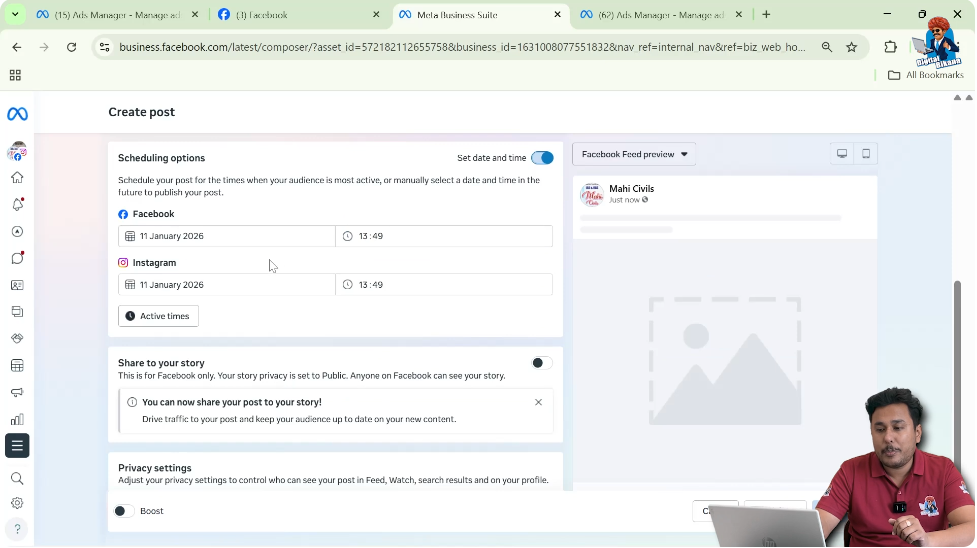
Step 1: Click on Create Post
Inside Meta Business Suite, you click on Create Post.
Step 2: Upload Media and Add Caption
You can:
- Upload media files
- Add captions
Step 3: Schedule for Future Date
You can schedule your post for a future date.
You can also:
- Set different timings for Facebook and Instagram
- Choose whether to post on stories
Step 4: Schedule the Post
After setting everything, you can simply schedule the post.
This allows planned and organized content posting.
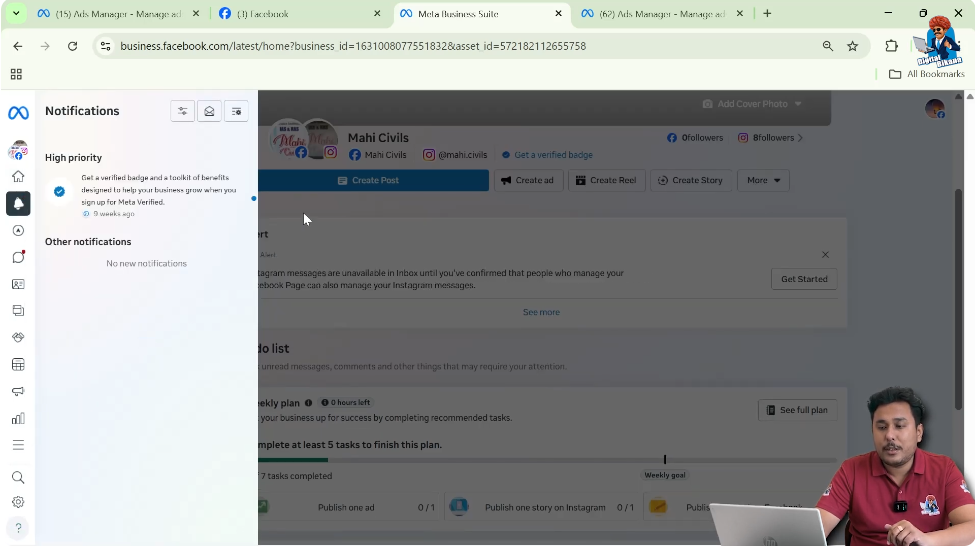
Managing Notifications in Meta Business Suite
Meta Business Suite allows you to read notifications from both platforms together.
You do not need to open Facebook and Instagram separately to check notifications.
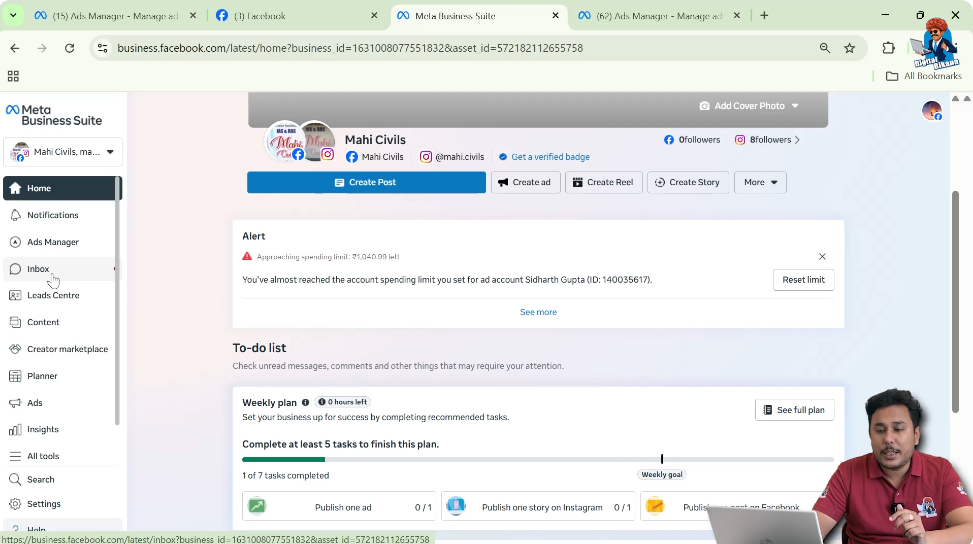
Managing Messages in Meta Business Suite
From Meta Business Suite, you can:
- Read messages from Facebook page
- Read messages from Instagram account
All in one inbox.
This saves time and makes communication easier.
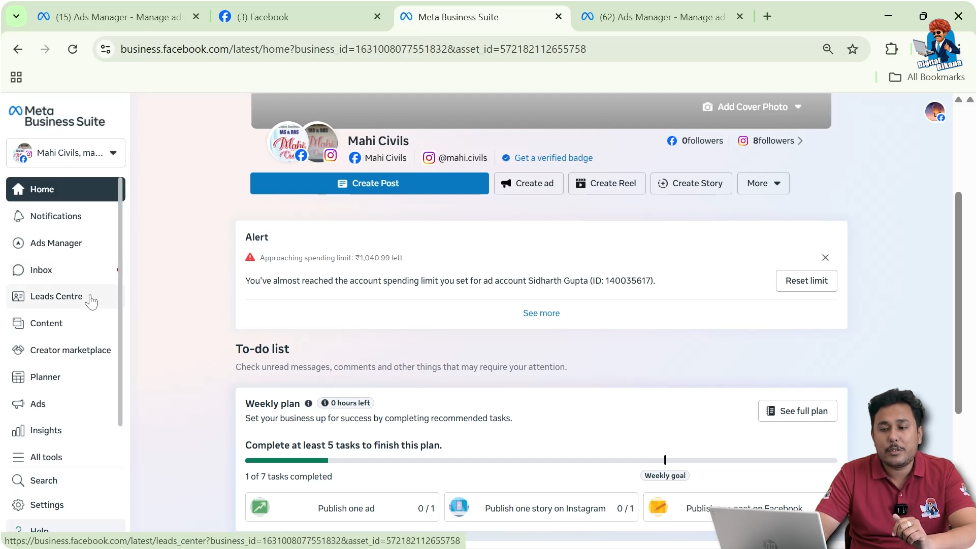
Viewing Leads in Meta Business Suite
Meta Business Suite also allows you to check leads received from Facebook ad campaigns.
You can view these leads directly inside Meta Business Suite without visiting Ads Manager.
Viewing Published Content in Meta Business Suite
You can see:
- Posts published on Facebook
- Posts published on Instagram
All content is visible together inside Meta Business Suite.
Accessing All Tools in Meta Business Suite
Step 1: Go to All Tools Section
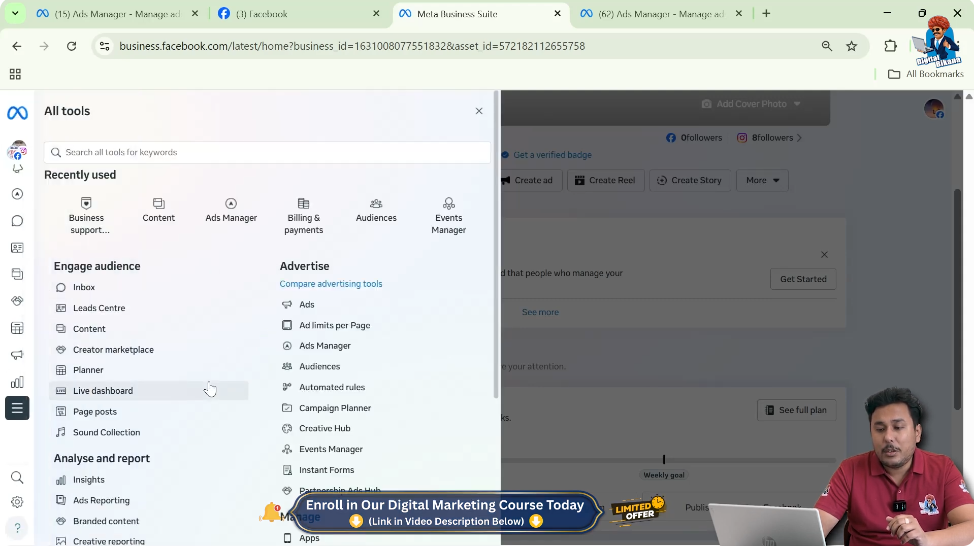
Inside Meta Business Suite, there is an option called All Tools.
Step 2: View Available Tools
In the All Tools section, you can see:
- Events Manager
- Ads Manager
- Audiences
- Other Meta business tools
All tools are available at a single place.
Role of Meta Business Suite in Business Management
Meta Business Suite is used to manage the complete Meta business ecosystem.
It helps businesses:
- Manage pages and accounts
- Handle messages and notifications
- Post and schedule content
- Monitor leads
- Access all tools centrally
What Is Facebook Ads Manager?
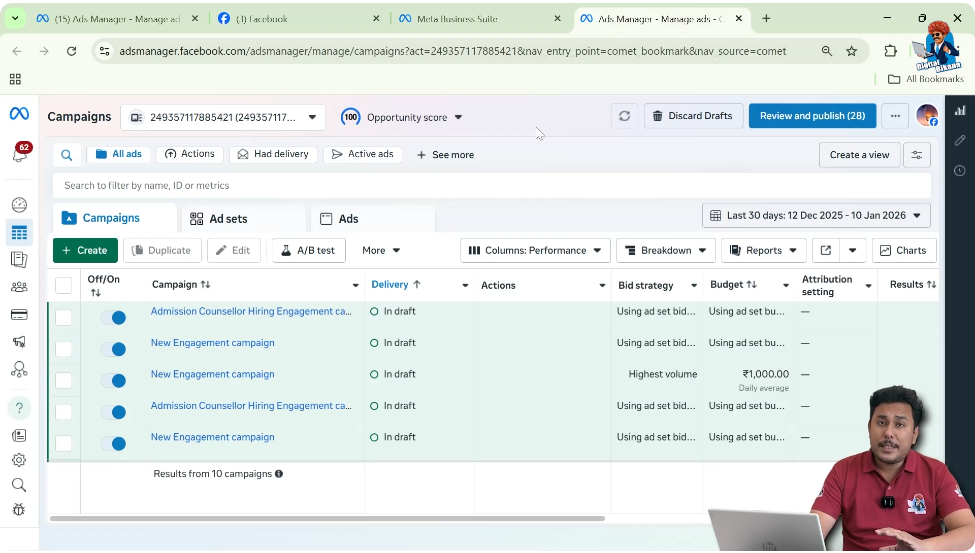
Facebook Ads Manager is a platform provided by Meta specifically for running ads on Facebook and Instagram.
Its only purpose is advertising.
Purpose of Ads Manager
Ads Manager is used to:
- Create ad campaigns
- Manage ad budgets
- Control targeting
- Manage ad creatives
It is focused entirely on paid advertisements.
Ad Campaign Structure in Ads Manager
Ads Manager follows a fixed structure:
Campaign Level
This is where the campaign objective is selected.
Ad Set Level
This is where:
- Audience
- Budget
- Placements
are defined.
Ad Level
This is where:
- Ad creatives
- Text
- Media
are managed.
Managing Ad Campaigns in Ads Manager
Inside Ads Manager, you can:
- Create new ad campaigns
- View existing campaigns
- Manage ad sets and ads
This platform is strictly for ad execution.
Adding Funds in Ads Manager
Ads Manager allows you to add funds to your ad account so that ads can run without interruption.
Creating Audiences in Ads Manager
From Ads Manager, you can create:
- Custom audiences
- Lookalike audiences
- Saved audiences
These audiences are used for ad targeting.
Difference in Core Functionality
The main difference between Facebook Ads Manager and Meta Business Suite lies in their functionality.
Facebook Ads Manager – Core Role
Facebook Ads Manager is used for:
- Running ads
- Managing campaigns
- Handling ad budgets
- Targeting audiences
It does not focus on organic content or page management.
Meta Business Suite – Core Role
Meta Business Suite is used for:
- Managing Facebook page
- Managing Instagram account
- Posting content
- Scheduling posts
- Reading messages and notifications
- Viewing leads
- Managing all Meta business tools
Ads Manager vs Meta Business Suite
Ads Manager
Meta Business Suite
- Business management platform
- Used for content, messages, leads, and tools
- Centralized control of Meta assets
Why Both Platforms Exist
Meta provides both platforms because:
- Advertising needs a dedicated system
- Business management requires a centralized dashboard
Each platform solves a different business need.
Common Confusion Among Beginners
Beginners often think both platforms are the same.
In reality:
- Ads Manager is for ads
- Meta Business Suite is for overall business management
Understanding this difference helps avoid confusion.
Final Conclusion
Facebook Ads Manager and Meta Business Suite are two different platforms provided by Meta.
Facebook Ads Manager is used exclusively for running and managing advertisements on Facebook and Instagram.
Meta Business Suite is used to manage Facebook pages and Instagram accounts together, including content posting, scheduling, messages, notifications, leads, and business tools.

Related Posts