If you are planning to create a website, you probably already know what a domain name is. But having a domain name alone is not enough to build a website. There is another very important element required to make your website accessible on the internet.
That element is called hosting.
In this article, we will clearly understand:
- What hosting is
- Why hosting is important
- Types of hosting
- Hosting storage and RAM
- How hosting affects website speed
- Which hosting plan is good for beginners
Let us understand everything step by step in simple language.
What Is Hosting?
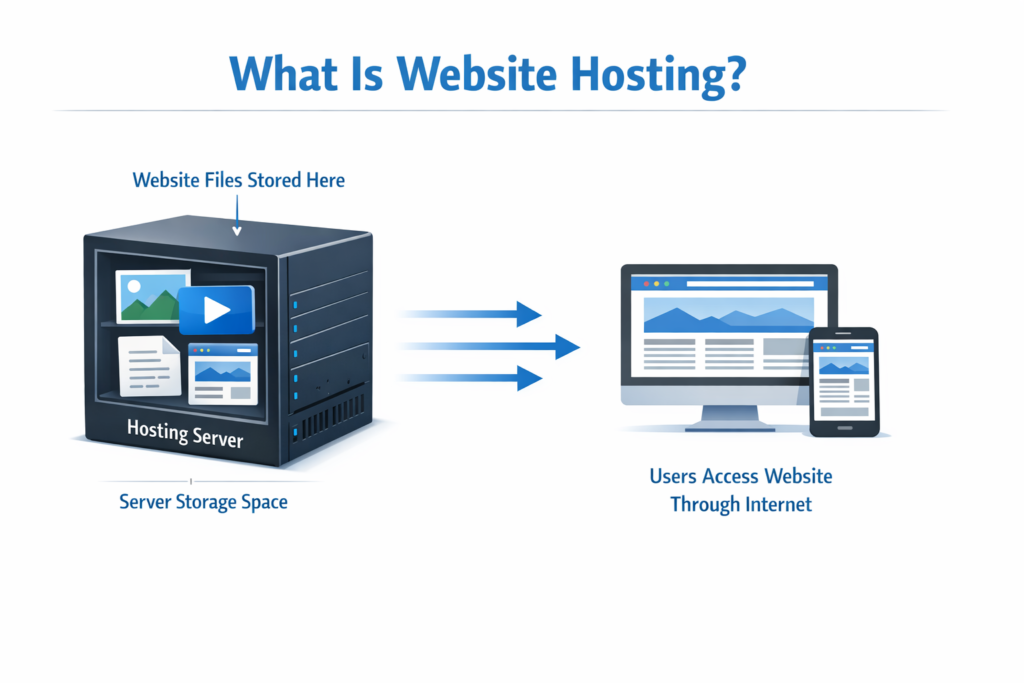
Hosting is basically a space on a server where all your website data gets stored.
When you create a website, you upload:
- Images
- Videos
- Text
- Files
- Website design elements
All these files need to be stored somewhere so that users can access them over the internet.
That storage space is called hosting.
Why Hosting Is Necessary
Imagine you have a domain name but no hosting.
If your website files are not stored anywhere, then:
- How will users open your website?
- From where will the data load?
If your website data is not available on the internet, your website cannot open.
So hosting is necessary because:
- It stores all your website files.
- It makes your website accessible online.
- It allows users to open your website by typing your domain name.
Whenever a user enters your domain name, the hosting server sends the stored files to the browser, and your website appears.

Hosting as a CPU Analogy
You can understand hosting by comparing it to a CPU (Central Processing Unit).
A CPU stores and processes data.
Similarly:
- Hosting stores your website data.
- It keeps all your files in one place.
- It makes the data available when required.
Just like a computer needs storage and RAM, hosting also has storage and RAM.

Types of Hosting
Hosting comes in different types. Depending on your website requirements, you can choose one of the following:
1. Shared Hosting
Shared hosting means:
- Your website shares server resources with other websites.
- It is economical.
- Suitable for beginners and small websites.
2. Dedicated Hosting
In dedicated hosting:
- You get a complete server dedicated only to your website.
- It is more powerful.
- Suitable for large websites.
3. Virtual Private Server (VPS)
VPS hosting provides:
- More control than shared hosting.
- Separate virtual environment.
- Better performance.
4. Cloud Hosting
Cloud hosting:
- Uses multiple servers.
- Provides flexibility.
- Handles higher traffic efficiently.

Hosting Storage Explained
Hosting plans offer different storage capacities.
For example:
- 10 GB
- 25 GB
- 50 GB
- 75 GB
- 100 GB
- 200 GB
- 300 GB
- 400 GB
Storage determines how much data you can upload on your website.
If you upload:
- High-quality images
- Videos
- Large files
Then you will require more storage.
All website content has size. So more content means more storage requirement.
Hosting RAM Explained
Hosting also includes RAM.
You may see hosting plans with:
- 4 GB RAM
- 8 GB RAM
- 16 GB RAM
- 32 GB RAM
- 64 GB RAM
- 128 GB RAM
RAM affects website speed.
If your website has higher RAM:
- It loads faster.
- It handles more visitors.
- It performs better.
For example:
If you choose a hosting plan with 16 GB RAM, your website will load faster compared to a plan with lower RAM.
When Do You Need More Storage?
If your website:
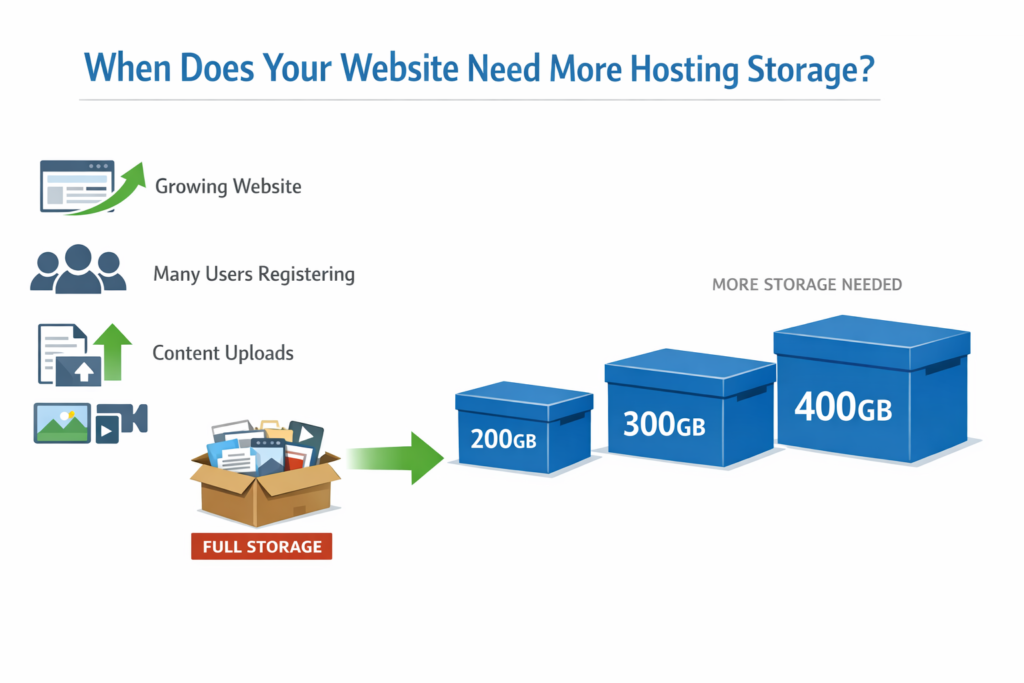
- Is growing
- Has many users registering
- Has more content uploaded
- Has videos and images added frequently
Then you need a higher storage plan such as:
- 200 GB
- 300 GB
- 400 GB
More storage ensures smooth functioning of a large website.
VPS Hosting Specifications
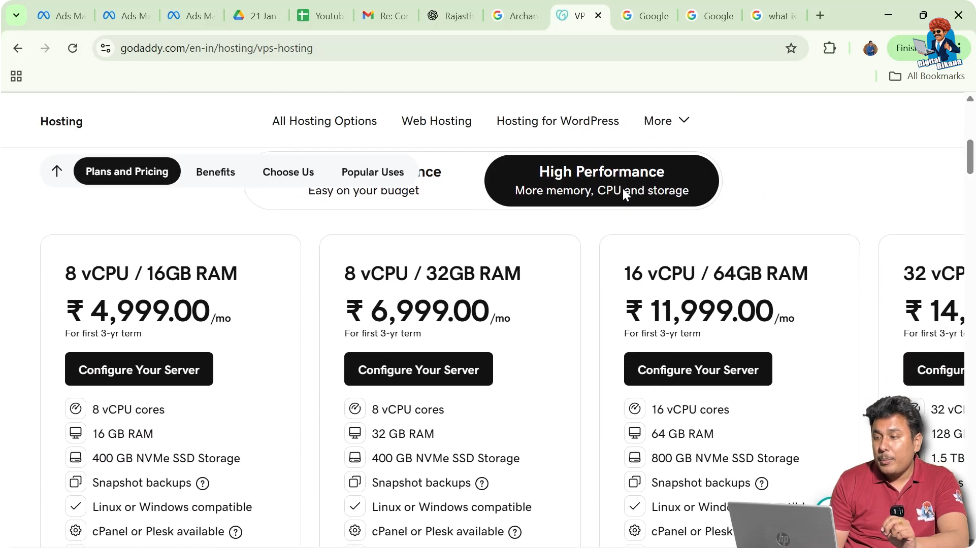
If you look at VPS plans, they offer:
- 8 virtual CPUs
- 16 virtual CPUs
- 32 virtual CPUs
- 16 GB RAM
- 32 GB RAM
- 64 GB RAM
- 128 GB RAM
- 400 GB SSD storage
- 800 GB SSD storage
- 1.5 TB SSD storage
VPS hosting provides higher performance, memory, CPU, and storage compared to regular web hosting.
Which Hosting Plan Is Good for Beginners?
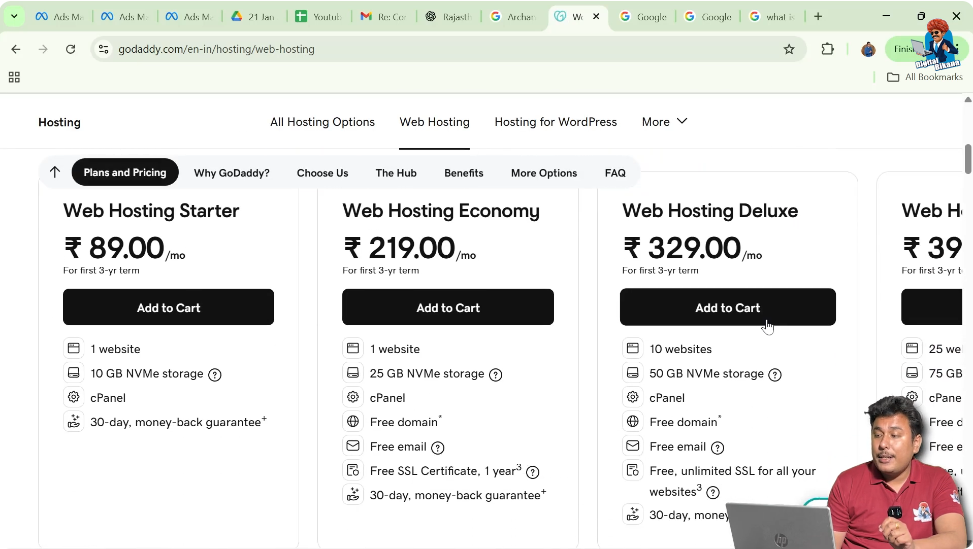
If you are planning to create a website for the first time and developing a small website, then it is recommended to purchase web hosting instead of high-performance VPS.
Recommended Option: Web Hosting Deluxe Plan
The Web Hosting Deluxe Plan is recommended because:
- It is economical.
- It offers free SSL.
- It provides free domain for the first year.
- It offers better value compared to the starter plan.
Why Not Choose the Starter Plan?
Many students ask why not choose the cheaper starter plan.
The reason is:
- The starter plan does not include free SSL.
- It may not include a free domain.
- It provides fewer features.
The Deluxe plan provides better benefits.
Importance of SSL Certificate
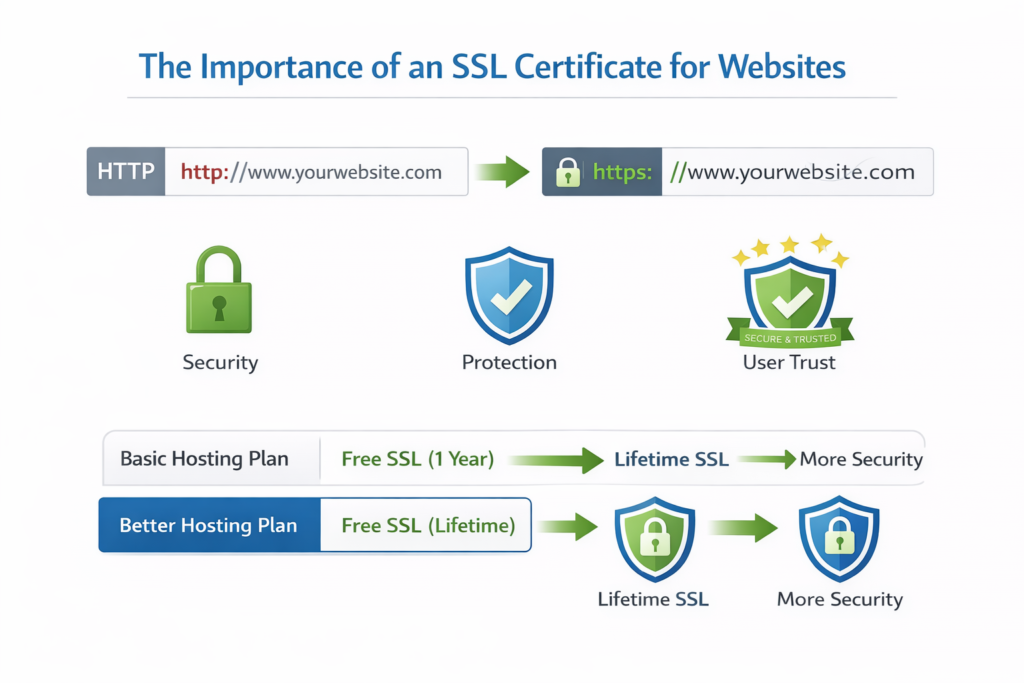
SSL certificate is important because:
- It secures your website.
- It builds trust.
- It shows HTTPS in browser.
In some hosting plans:
- SSL is free only for one year.
But in better plans:
- SSL is free for the lifetime of the hosting.
That is why choosing the correct hosting plan is important.
Why Hosting Is Required Along with Domain
Domain name alone is not enough.
To build a website, you need:
- Domain Name
- Hosting Plan
Domain is your website address.
Hosting is where your website data is stored.
Without hosting, your domain cannot show any website content.
Hosting and Website Speed
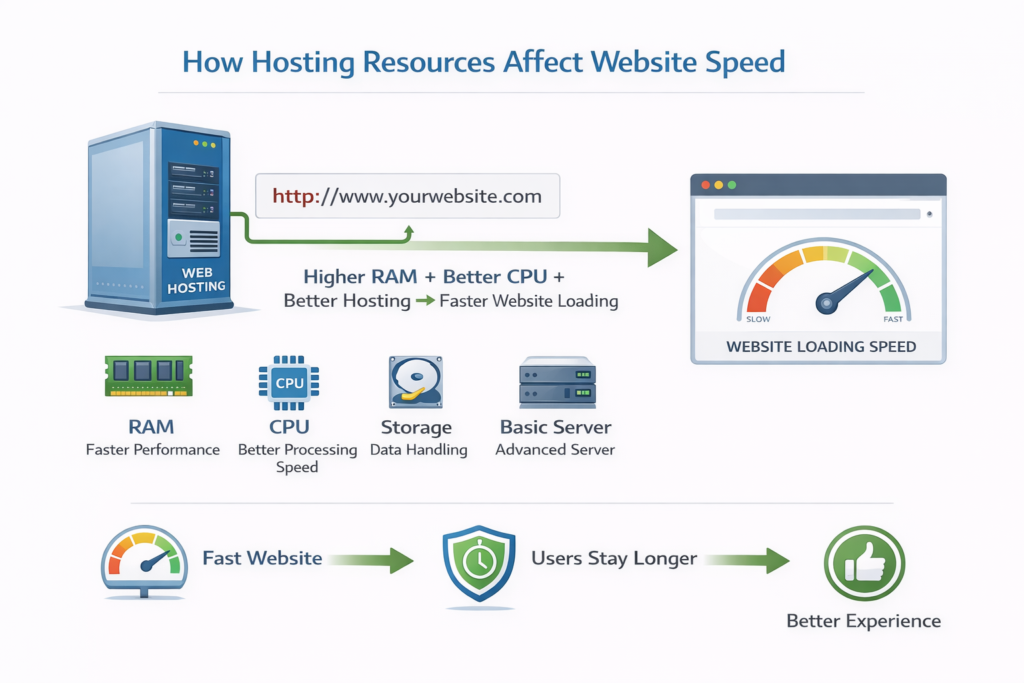
Website speed depends on:
- RAM
- CPU
- Storage
- Hosting type
Higher RAM and better CPU result in:
- Faster loading
- Better performance
- Smooth user experience
If your website loads quickly, users stay longer.
Hosting for Growing Websites
If your website grows over time:
- More users visit.
- More content is uploaded.
- More storage is required.
In that case, you can upgrade your hosting plan.
Summary of Hosting
Let us summarize everything:
- Hosting is a space on a server.
- It stores all website data.
- It is required to make your website live.
- Hosting has different types:
- Shared
- Dedicated
- VPS
- Cloud
- Storage determines how much data you can upload.
- RAM affects website speed.
- Beginners should start with economical web hosting.
- Free SSL and domain benefits should be considered while choosing hosting.
Conclusion
Hosting is an essential component for building a website. It acts as the storage space where all your website files, images, videos, and content are stored. Without hosting, your website cannot appear online even if you have a domain name.
There are different types of hosting available such as shared hosting, dedicated hosting, VPS, and cloud hosting. Each hosting plan offers different storage, RAM, and performance levels.
If you are starting a small website for the first time, choosing an economical web hosting plan with free SSL and domain benefits is a practical decision.
Understanding hosting helps you make better decisions while building your website and ensures smooth website performance in the long run.

Related Posts