
Google Search Console is a platform or service provided by Google that helps website owners track and monitor the performance of their websites in Google Search results. It provides detailed insights into how a website appears in search results, how users find it, and what issues may be affecting its visibility.
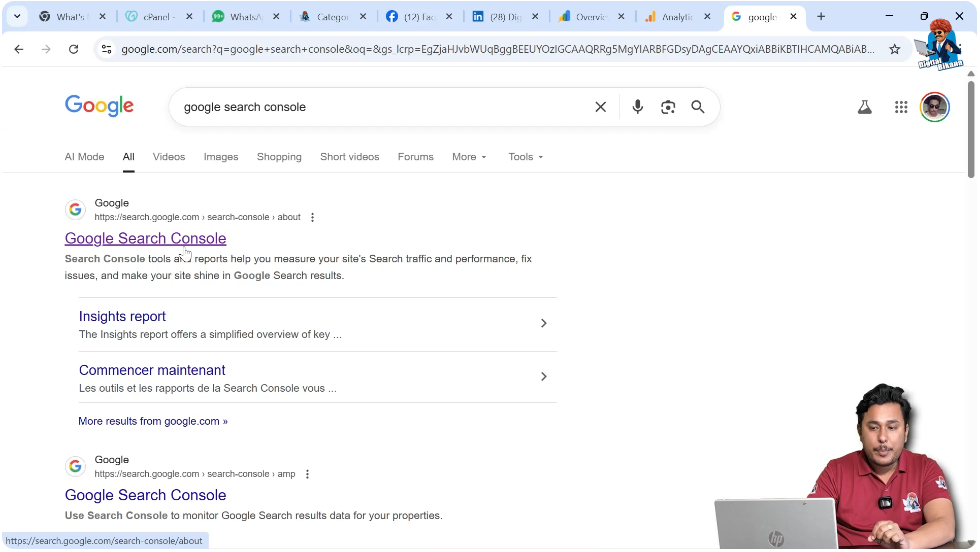
When you search for Google Search Console on Google, the first search result describes it as a tool that helps measure your site’s search traffic and performance, fix issues, and make your site shine in Google Search results. This clearly explains its purpose. It is designed to help website owners understand how their website is performing in search engine results and how they can improve it.
In this article, you will understand what Google Search Console is, how it works, what kind of data it provides, and how website owners can use it to improve their website’s performance.
Understanding Google Search Console from Search Results
When you search for Google Search Console in the Google search engine, you will see its official website appearing in the first position. The description explains that Search Console tools and reports help you measure your site’s search traffic and performance, fix issues, and make your site shine in Google Search results.
This means Google Search Console is a platform that allows website owners to:
- Track search traffic
- Monitor performance
- Identify technical issues
- Improve search visibility
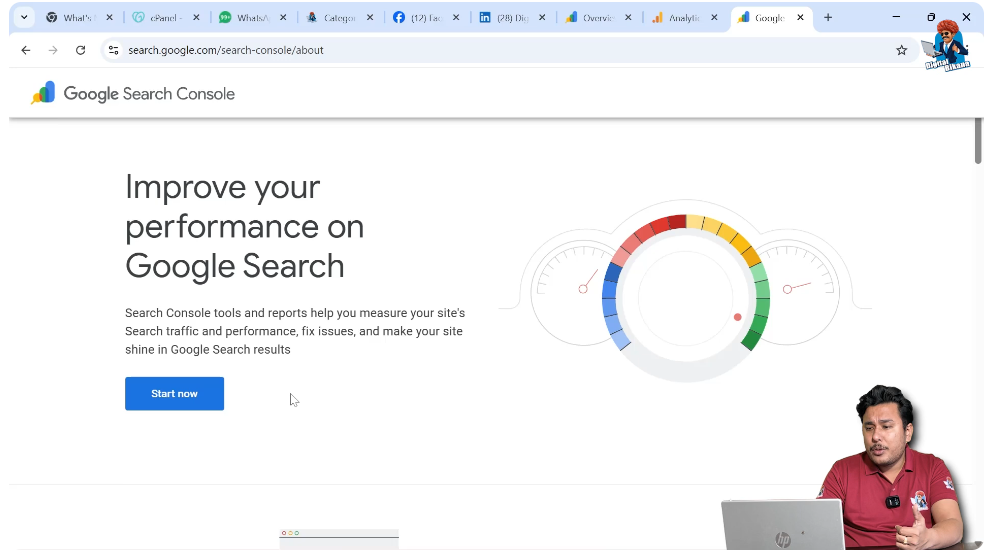
It is a free service provided by Google to help website owners manage their presence in search results.
Purpose of Google Search Console
Google Search Console is mainly used to monitor how a website performs in Google Search.
Website owners can:
- Check which pages are indexed
- Identify pages that are not indexed
- Understand why certain pages are not indexed
- Monitor search impressions and clicks
- Analyze keyword performance
It gives a complete overview of how Google views your website.
Tracking Website Indexing
One of the main functions of Google Search Console is to help website owners understand which pages are indexed.
Indexing means that Google has stored your web page in its database and can show it in search results.
Through Google Search Console, you can:
- Check which pages are indexed
- Identify pages that are not indexed
- See the reasons behind non-indexing
If a page is not indexed, it may not appear in Google Search results. Google Search Console helps you identify such issues so you can resolve them.
Monitoring Search Performance
Google Search Console allows website owners to monitor the performance of their pages in search results.
You can see:
- How many times your pages appeared in search results
- How many users clicked on your pages
- Which keywords triggered your pages
- The average position of your pages
This information helps website owners understand how their website is performing.
Understanding Impressions and Clicks
Impressions refer to the number of times your web page appears in Google Search results.
Clicks refer to the number of times users click on your web page from search results.
For example:
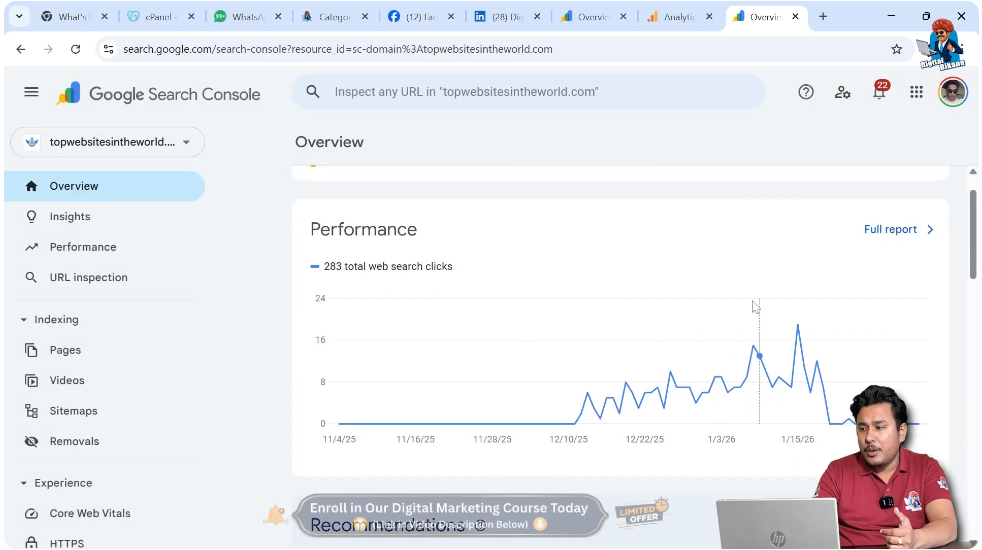
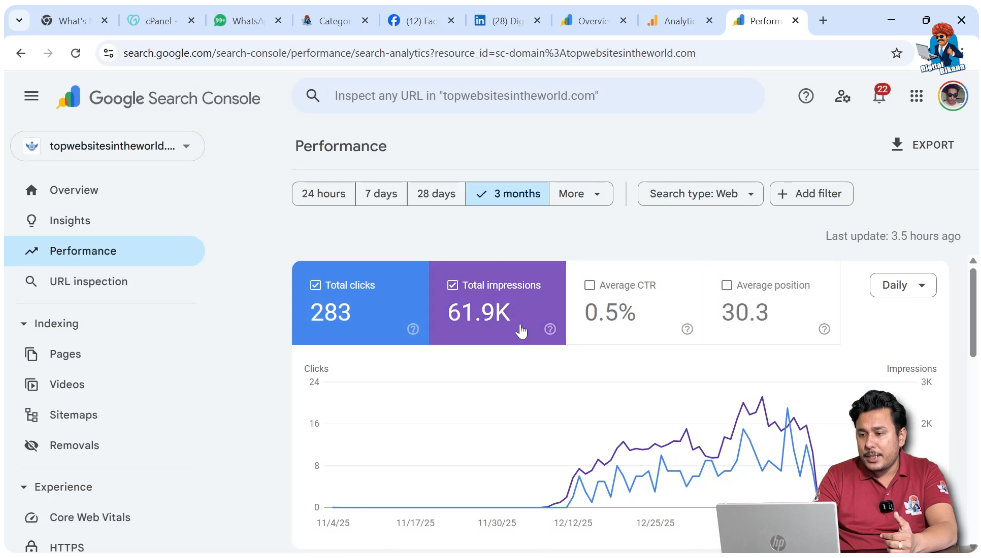
- A website’s pages may appear 61,000 times in search results.
- Out of those appearances, 283 users may click on the pages.
This data helps you measure traffic coming from Google Search.
Using Search Analytics
Google Search Console provides detailed search analytics.
Website owners can:
- Analyze performance over the last 3 months
- Change the date range to the last 12 months
- Compare different time periods
For example:
- In the past 12 months, web pages may have appeared 73,000 times.
- Out of those impressions, 695 users may have clicked.
This data helps understand growth and performance trends.
Analyzing Queries
Queries refer to the keywords users type into Google.
Google Search Console shows:
- What users searched for
- How many times your page appeared for those keywords
- How many clicks each keyword generated
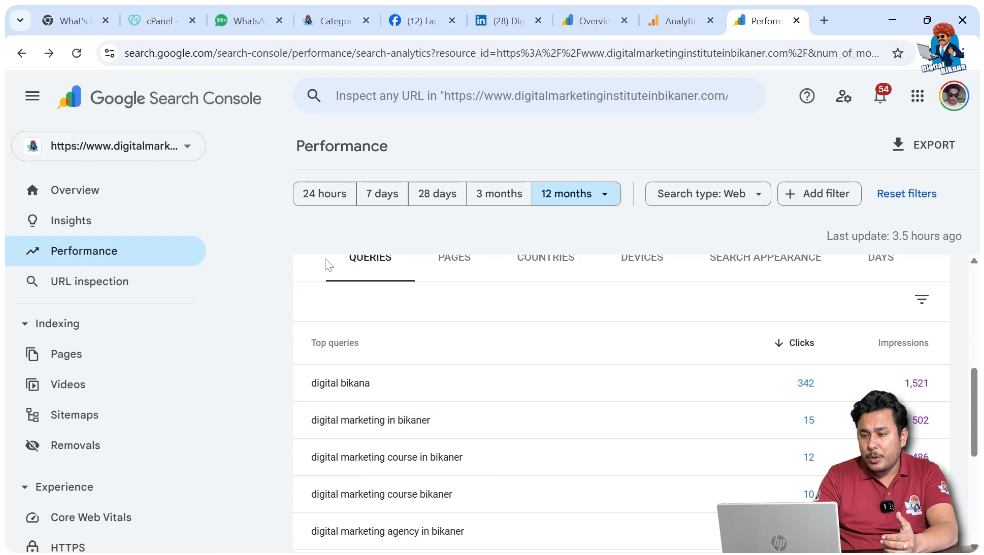
For example:
If users search for “digital marketing in Bikaner,” and your page appears 52 times, and 15 users click on it, you can understand that this keyword is performing well.
This gives you the opportunity to:
- Write more content related to that keyword
- Create new pages targeting similar keywords
Improving Content Using Data
If certain pages are performing well, you can analyze the keywords bringing traffic.
You can:
- Optimize existing content
- Create new content based on popular queries
- Improve ranking by targeting relevant keywords
This helps increase website visibility and traffic.
Identifying Technical Issues
Google Search Console also helps identify technical problems.
For example:
- Pages not indexed
- Crawling errors
- Core Web Vitals issues
- Mobile usability problems
By identifying these issues, website owners can fix them and improve performance.
Connecting Website to Google Search Console
To use Google Search Console, you need to connect your website to it.
Once connected:
- Google bots can crawl your website
- Relevant pages can be indexed
- Performance data starts appearing in your dashboard
This connection allows Google to understand your website better.
Monitoring Core Web Vitals
Google Search Console provides insights into Core Web Vitals.
Core Web Vitals are performance metrics related to:
- Page speed
- Loading performance
- Visual stability
These are part of technical SEO.
Improving Core Web Vitals can improve your website’s search ranking.
Optimizing for Rich Results and AMP
Google Search Console also helps monitor:
- Rich results
- AMP (Accelerated Mobile Pages)
You can optimize your website for better mobile performance and enhanced search features.
Exploring the Dashboard
When you open Google Search Console and log in, you will see your website dashboard.
The dashboard shows:
- Total clicks
- Total impressions
- Average click-through rate
- Average position
You can switch between properties if you manage multiple websites.
Example of Website Performance Data
For a website started six months ago:
- 283 users clicked from search results
- Web pages appeared 61,000 times
For another website over 12 months:
- 73,000 impressions
- 695 clicks
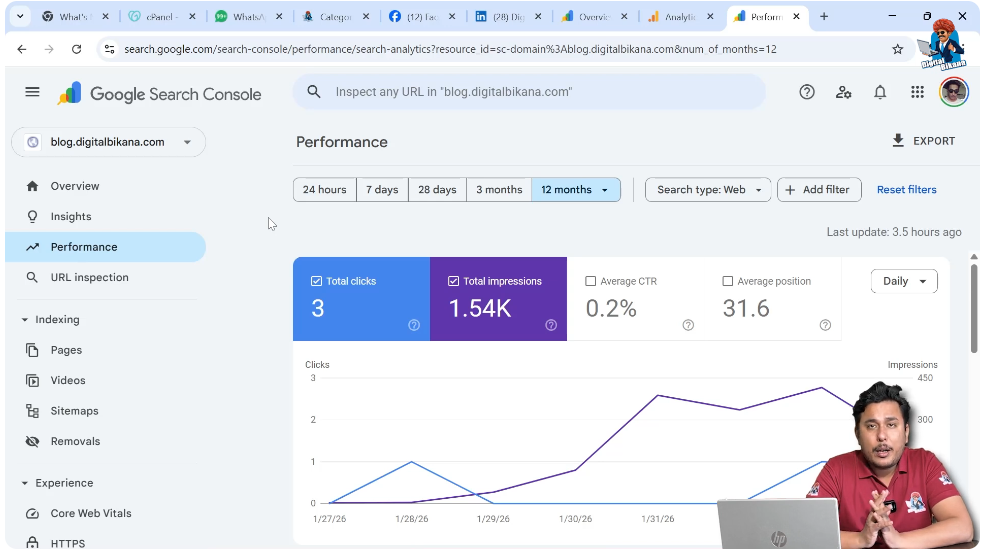
For a new website created 7 to 10 days ago:
- 1,540 impressions
- 3 clicks
These numbers help measure progress and growth.
Why Google Search Console Is Important
Google Search Console is important because it provides:
- Accurate performance data
- Keyword insights
- Indexing information
- Technical error reports
Without this data, it is difficult to understand how your website is performing in Google Search.
Conclusion
Google Search Console is a powerful and free platform provided by Google. It helps website owners track performance, monitor indexing, analyze keywords, and fix technical issues.
By using Google Search Console, you can understand how your web pages appear in search results, how users find your website, and what improvements are needed.
It provides valuable insights such as impressions, clicks, queries, indexing status, and performance metrics. By analyzing this data, you can optimize your content and improve your website’s visibility in Google Search.
In simple words, Google Search Console helps you measure, monitor, and improve your website’s performance in search engine results.

Related Posts