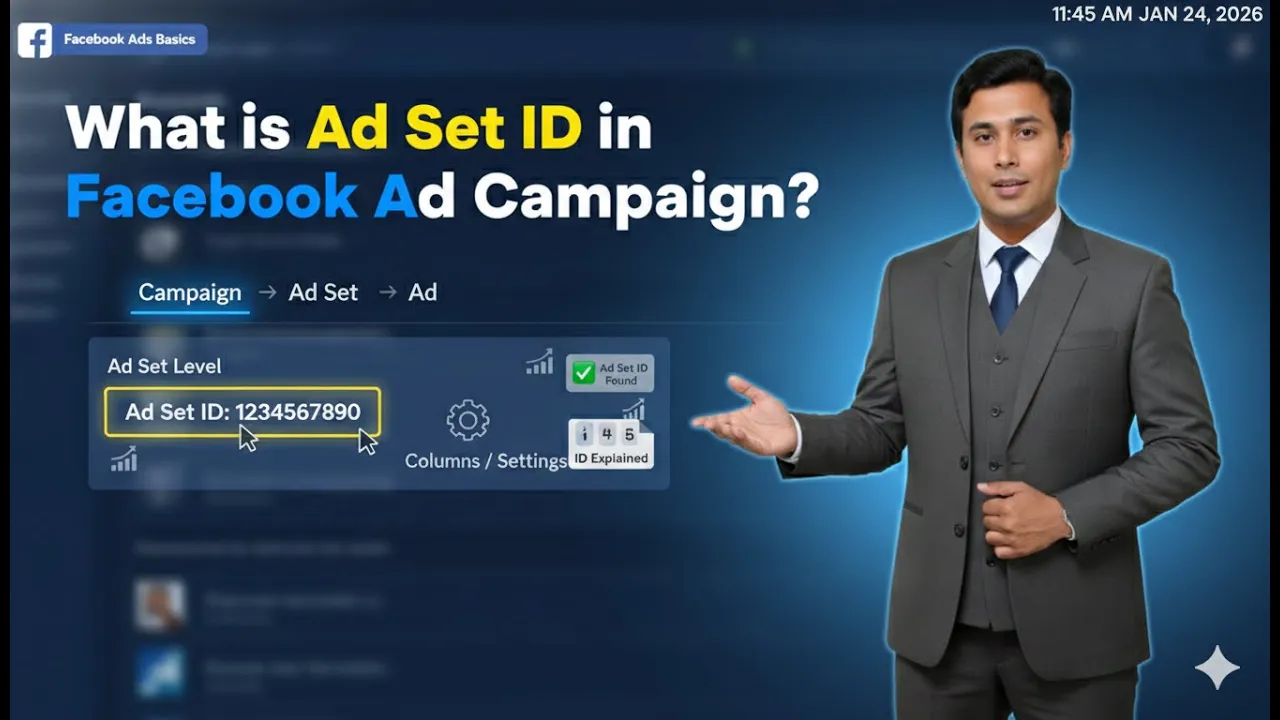
When running advertisements on Meta platforms, many beginners get confused between campaigns, ad sets, and ads. Among these three, the ad set is one of the most important levels because it controls who sees your ad, where they see it, and how much money is spent. In this article, we will explain in detail what is ad set in Meta Ads Manager, what settings are available inside an ad set, and how each option affects your ad campaign.
Understanding the Structure of Meta Ads
Before understanding an ad set, it is important to know where it fits in the Meta Ads structure.
Meta Ads follow a three-level structure:
- Campaign
- Ad Set
- Ad Creative
The campaign level defines the objective, such as traffic, calls, or sales. The ad creative is the actual advertisement that people see. The ad set sits in the middle and controls delivery settings.
What Is an Ad Set in Meta Ads?
An ad set is the middle level of a Meta ad campaign.
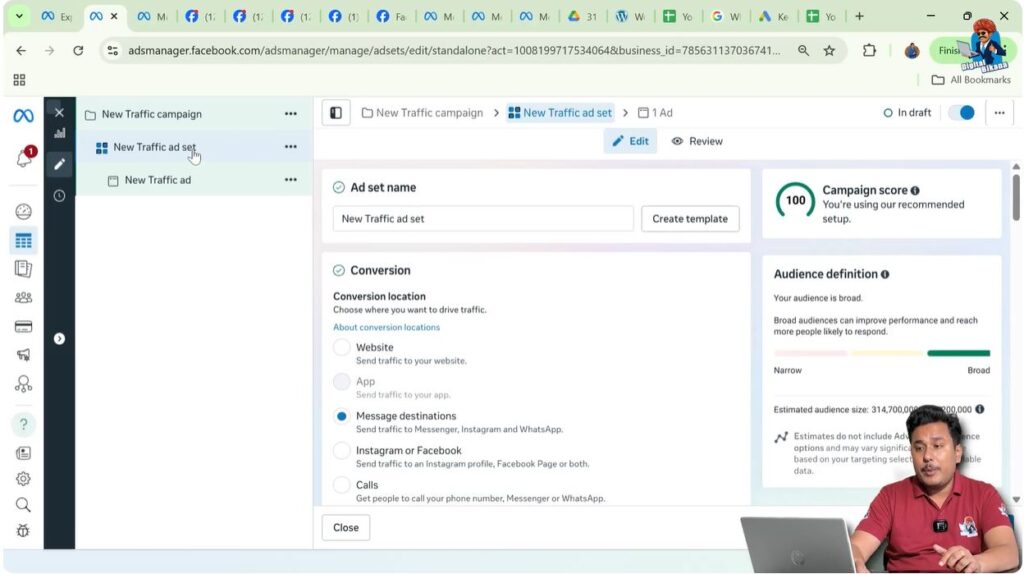
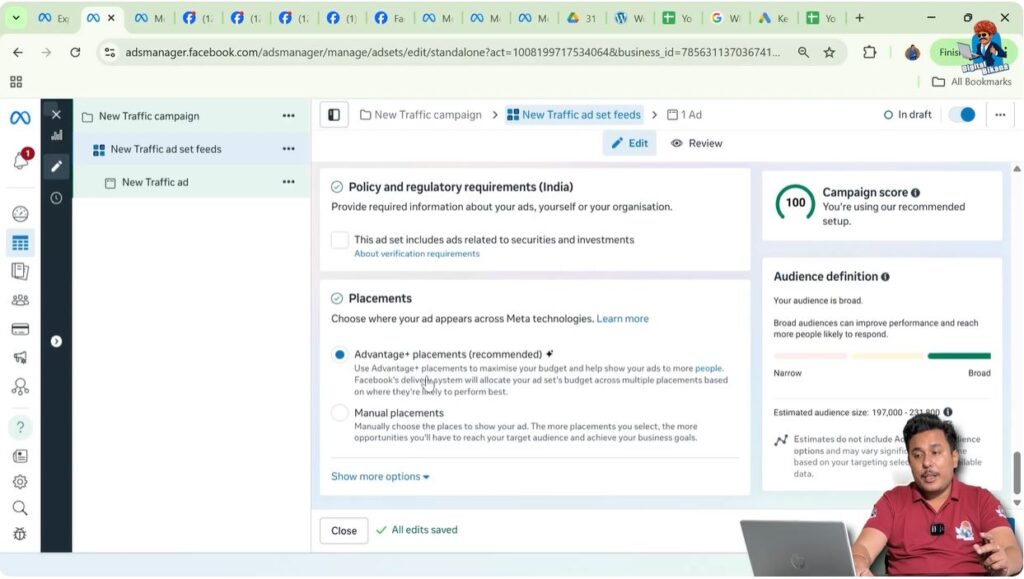
As shown in the screen, while creating an ad campaign, the ad set section is highlighted in blue. This indicates that all the settings being adjusted belong to the ad set level.
An ad set is responsible for:
- Conversion location
- Budget and schedule
- Audience targeting
- Placements
These settings decide how, where, and to whom your ads will be shown.
Renaming the Ad Set
At the top of the ad set section, you can rename the ad set.
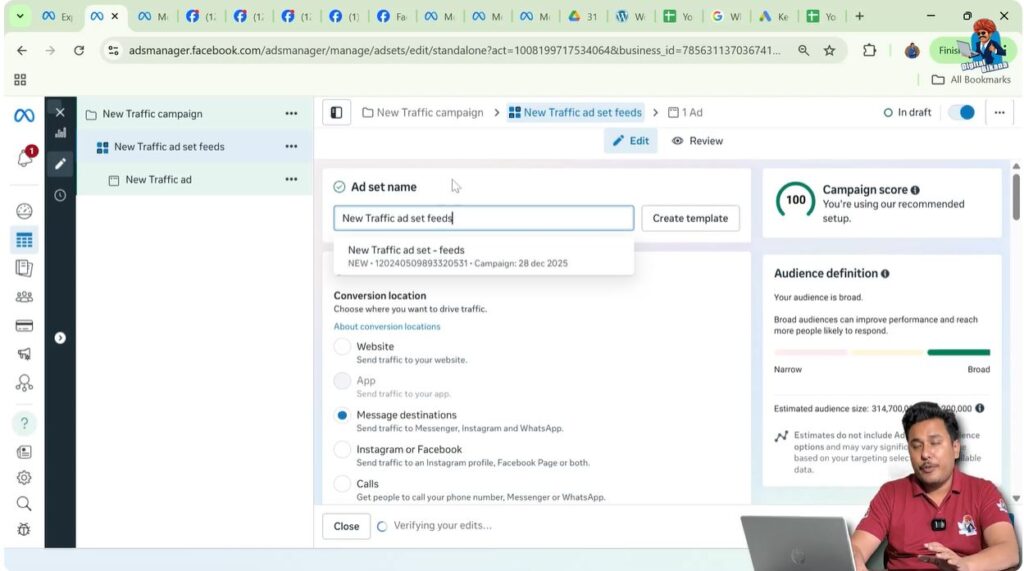
The ad set name is only for your internal reference. It is not visible to the audience. Renaming helps you understand what type of targeting or placement you are using.
For example, you can name an ad set “Feeds” if the ads are mainly running on feed placements. This makes campaign management easier when you have multiple ad sets.
Conversion Section in the Ad Set
The next important section inside the ad set is the conversion section.
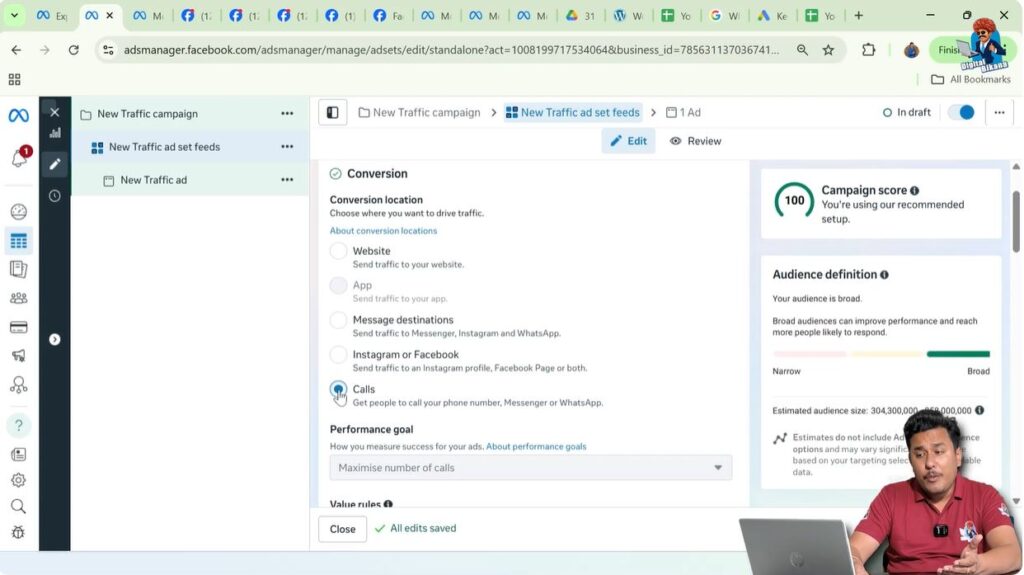
Here, you need to select the conversion location, which means where you want users to take action after seeing your ad.

Understanding Conversion Location
Conversion location defines what happens when a user clicks on your ad.
Different conversion locations include:
- Website, where users land on a website
- Messaging destination, where users open chat
- Instagram or Facebook Page
- Calls, where users directly call your business
Your selection should depend on your business goal.
Choosing Calls as a Conversion Location
For example, if you are running an ad and want a call button under the ad creative so people can directly call you, you should select Calls as the conversion location.
By choosing calls, Meta will try to show your ads to people who are more likely to make phone calls. This helps improve the quality of leads.
Budget and Schedule Section
After selecting the conversion location, the next major section is Budget and Schedule.
This section controls how much money is spent and for how long your facebook ads run.
Types of Budgets in Ad Set
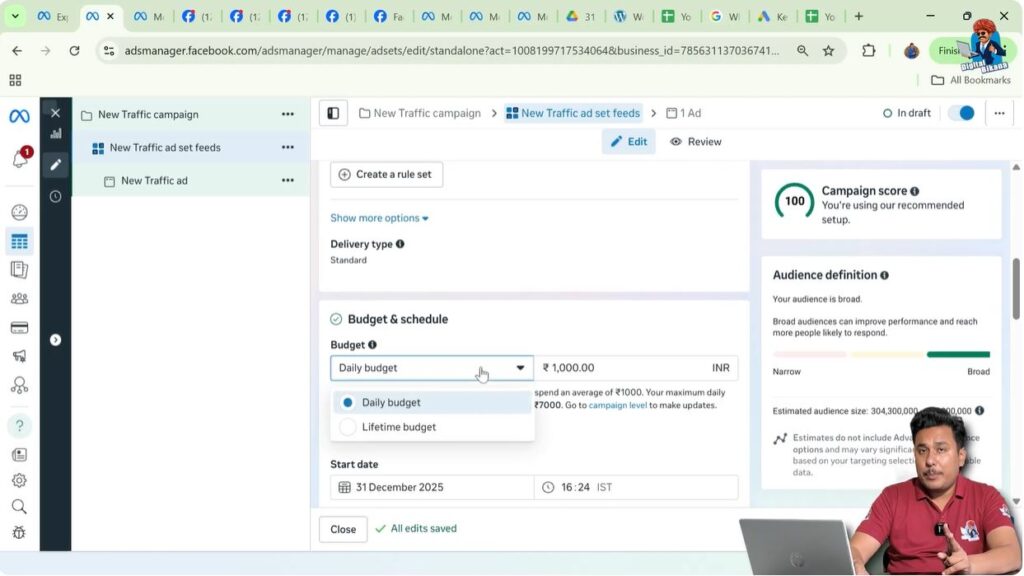
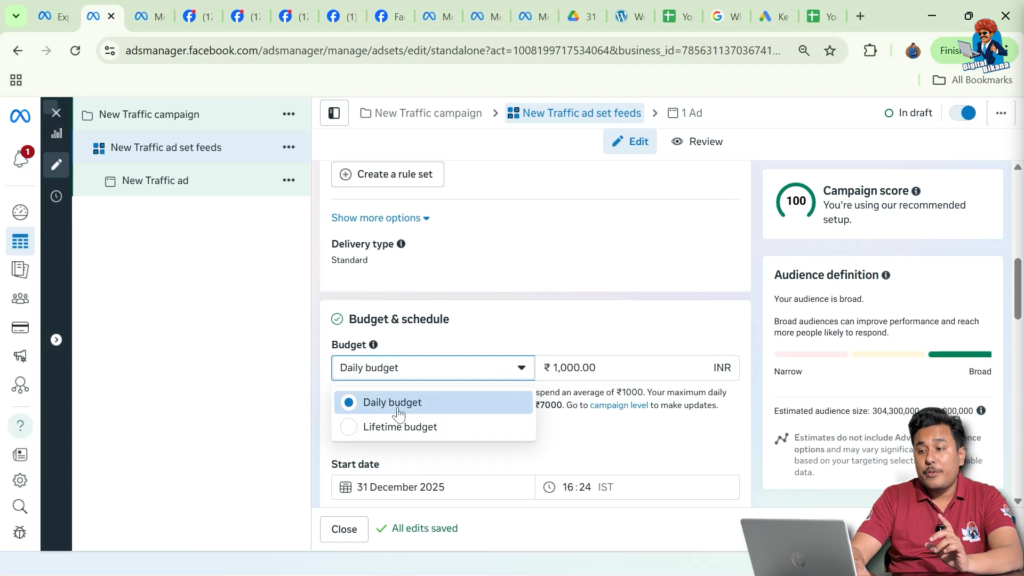
There are two types of budgets available:
- Daily budget
- Lifetime budget
Each budget type works differently and is used for different campaign needs.
Daily Budget Explained
If you select the daily budget, you define how much Meta should spend per day.
For example, if you enter a daily budget of 500, Meta will try to spend around 500 every day.
If you set an end date, the campaign will stop on that date. If you do not set an end date, the campaign will continue running.

Daily Budget Without End Date
When no end date is selected, the campaign runs continuously.
For example, if you have added 5,000 to your ad account wallet and your daily budget is 500, then the campaign will run for approximately 10 days. Once the funds are exhausted, the campaign pauses automatically.
If you later add more funds, the campaign resumes automatically because no end date was fixed.
Lifetime Budget Explained
If you select a lifetime budget, you must select an end date.
For example, if you set a lifetime budget of 5,000 and choose an end date of 5th January, Meta automatically calculates how much should be spent per day.
In this case, you do not need to manually calculate daily spending. Meta distributes the budget evenly over the selected time period.

Audience Section in the Ad Set
Scrolling down, the next major section is Audience.
This is where you define who will see your ads.

Location Targeting
In the location section, you can select where your ads should appear geographically.
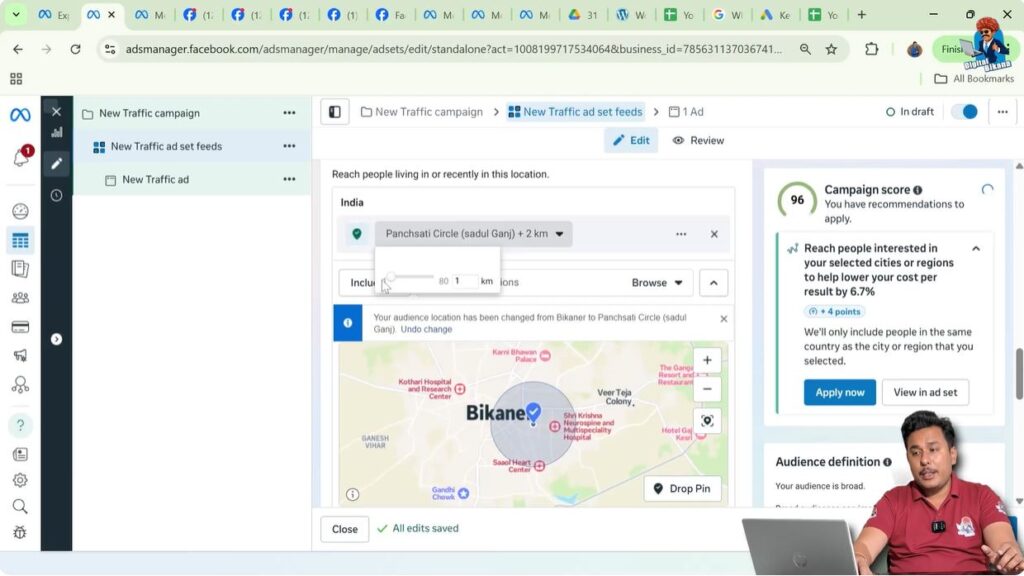
You can choose cities such as New York, New Delhi, or Bikaner. When you select a city, Meta applies a minimum radius, usually around 10 miles or 17 kilometers.
City Name vs Place Name Targeting
If you want a smaller radius, selecting a city name is not enough.

To reduce the radius to 1 or 2 kilometers, you need to enter a specific place name, such as a locality or landmark.

When you select a place name, Meta allows you to choose a much smaller radius.
Importance of Radius for Local Businesses
For local businesses like salons, running ads in a large radius does not make sense. People usually visit nearby locations.
In such cases, selecting a 1 or 2 kilometer radius helps target relevant users and avoid wasted ad spend.
Age Targeting in Ad Set
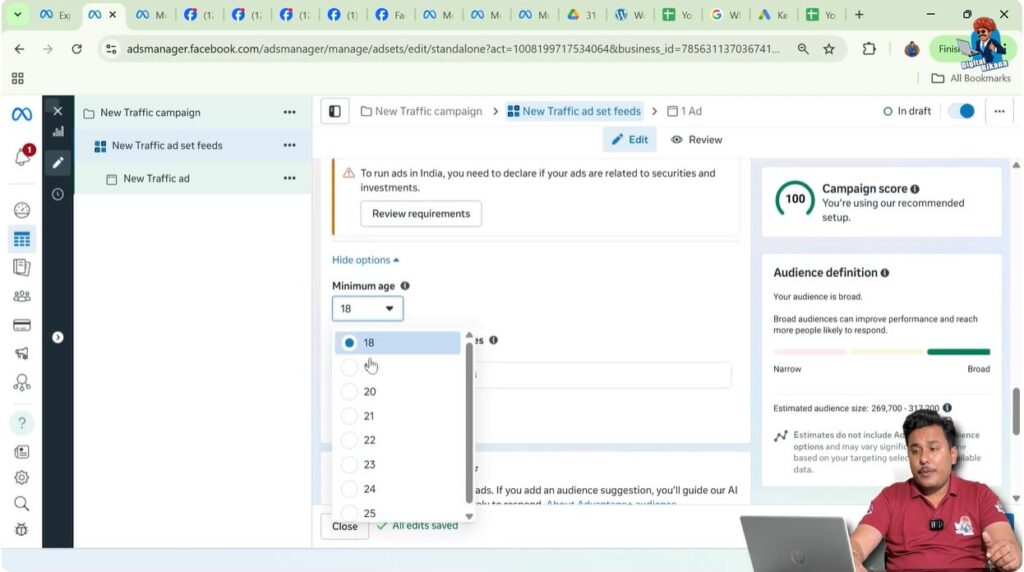
You can also adjust the minimum and maximum age.
For example, if you are running facebook ads for a car repair shop, you may not want to show ads to people aged 18 or 19. You can set the minimum age to 22.
This ensures your ads are shown to the right age group.
Language Targeting
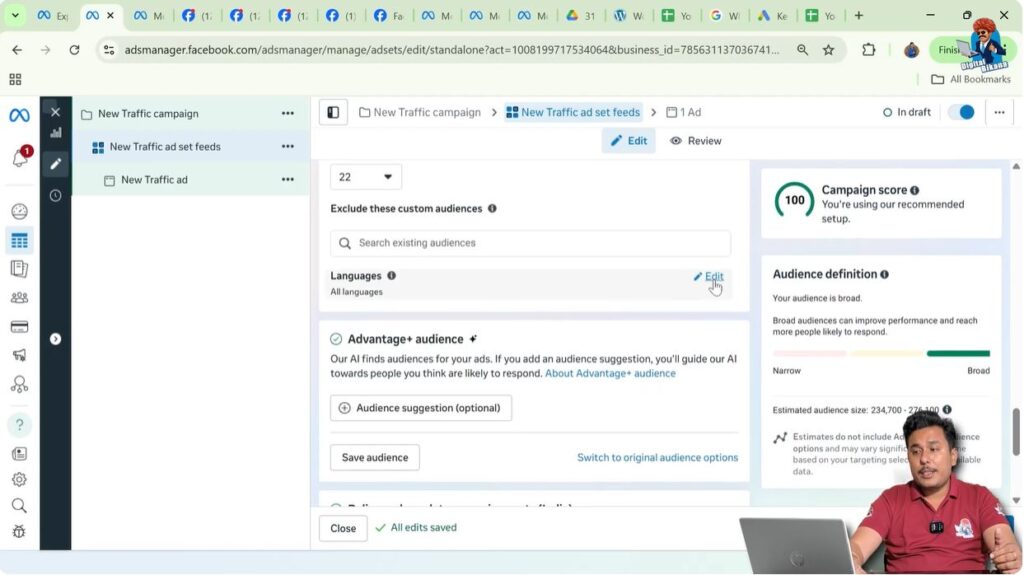
The language option allows you to show ads to people who speak specific languages.
You can select languages such as English or Hindi depending on your audience. This helps improve communication and engagement.
Advantage Plus Audience
Next is the Advantage Plus Audience section.
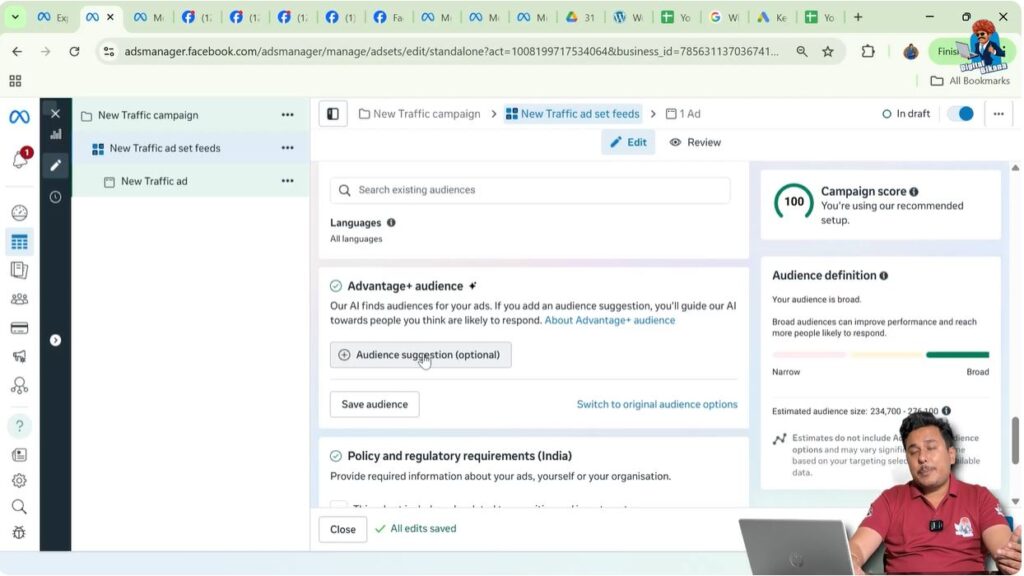
Here, you can suggest the type of audience you want Meta to target. Meta then tries to find people with similar characteristics and interests.
You can define:
- Age range, such as 22 to 45
- Gender, such as male, female, or all
Meta uses these signals to optimize delivery.

Detailed Targeting Section
Detailed targeting allows you to apply filters based on:
- Interests
- Behaviors
- Demographics

For example, if you want to show ads only to married people, you can select the “Married” relationship status.
If you want to target university graduates, you can search and select “University Graduate.”
This section offers many filters and allows precise targeting.

Placement Section in the Ad Set
Scrolling further, you reach the Placement section.
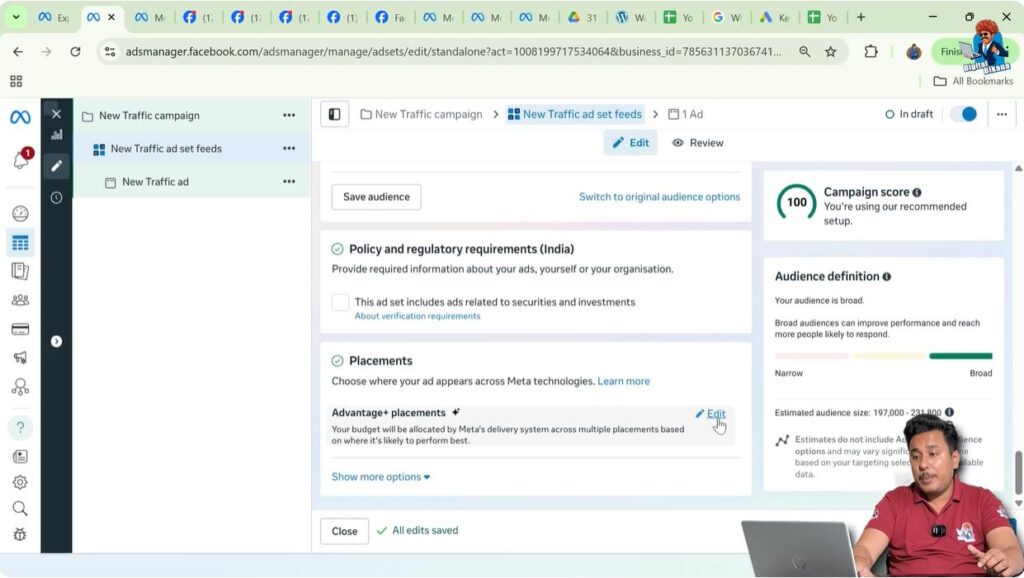
Placements decide where your ads appear across Meta platforms.
Types of Placements
There are two main placement options:
- Advantage Plus placements
- Manual placements
Advantage Plus Placements Explained
When Advantage Plus placements are selected, Meta automatically shows your ads across many placements where it expects good performance.
Meta has around 25 to 30 placements available.
Manual Placements Explained
With manual placements, you choose exactly where your ads appear and where they do not.
This option provides more control and helps avoid placements that may not perform well.

Feed Placements
Feed placements include:
- Facebook Feed
- Instagram Feed
These are the main home screens where users scroll content.

Facebook Right Column Placement
The Facebook right column appears only on desktop.
It is a very small section, and ads here often perform poorly because users may not notice them clearly.
Stories and Reels Placements
Stories, Reels, and similar placements support a vertical 9:16 format.
Feed placements usually support 1:1 or 4:5 formats.
If you use Advantage Plus placements, Meta may crop your ad creative if the size does not match the placement.

Why Manual Placement Is Often Preferred
Because different placements support different sizes, automatic placements can cause cropping.
Manual placements give better control over ad appearance and often lead to better results.
Search Results Placement
Ads can appear in search results, but this placement is generally avoided.
When users search for profiles or pages, they are usually not interested in ads, which leads to lower engagement.

Marketing Messages and Apps & Sites
Ads can also appear in marketing messages like WhatsApp and on external apps and websites.
Some placements are disabled because they do not support certain call-to-action buttons, such as calls.

Final Understanding of an Ad Set
An ad set is where you control:
- Conversion location
- Budget and schedule
- Audience targeting
- Placements
All these settings directly impact ad performance.
Final Thoughts
The ad set is one of the most critical parts of Meta Ads. While the campaign defines the goal, the ad set decides how effectively that goal is achieved.
Understanding ad sets properly helps you control budget, target the right audience, and choose the best placements, leading to better results and less wasted spend.

Related Posts