Writing an SEO friendly blog post title is one of the most important steps in blogging. A well-planned blog title helps a post rank in search engines and brings traffic to the website. Many beginners make mistakes while writing blog titles because they write titles based only on their ideas instead of using proper keyword research.
In this guide, we will learn how to write an SEO friendly blog post title in WordPress using keyword research. This process helps in selecting titles that people actually search on Google.
Creating a New Blog Post in WordPress
Before writing an SEO friendly title, you need to create a new blog post inside WordPress.
Step 1: Open the Posts Section
Log in to the WordPress admin dashboard.
On the left side toolbar, move your cursor over Posts.
A submenu will appear showing options such as:
- All Posts
- Add Post
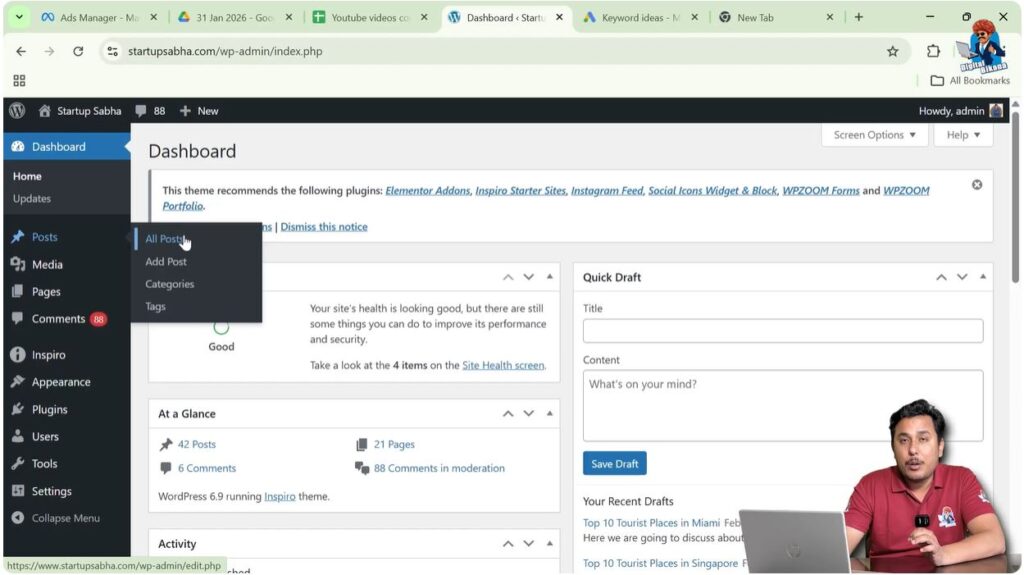
The All Posts section shows existing posts that may be:
- Published
- Draft
- Scheduled
- Trashed
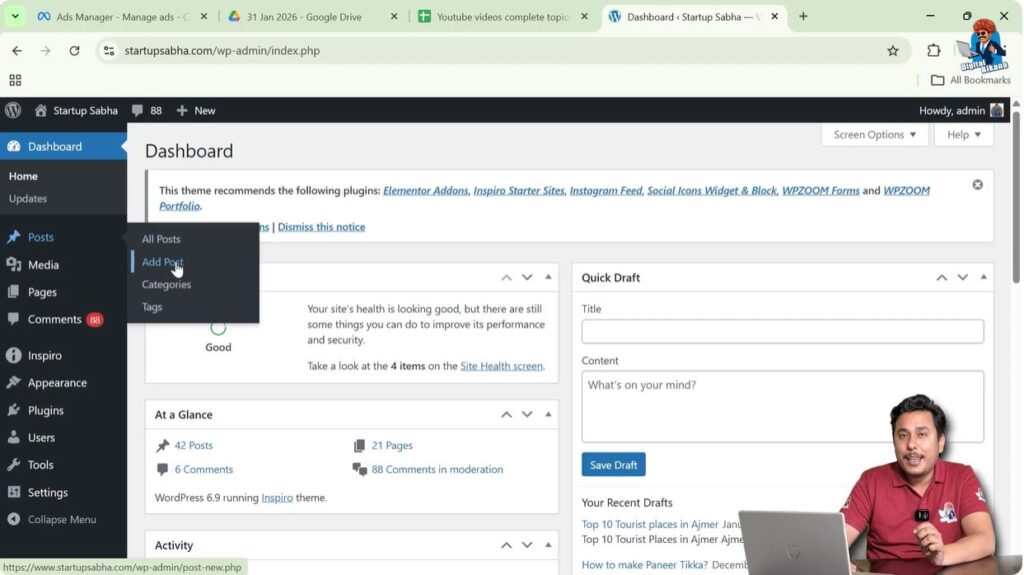
Step 2: Add a New Post
Click on Add Post.
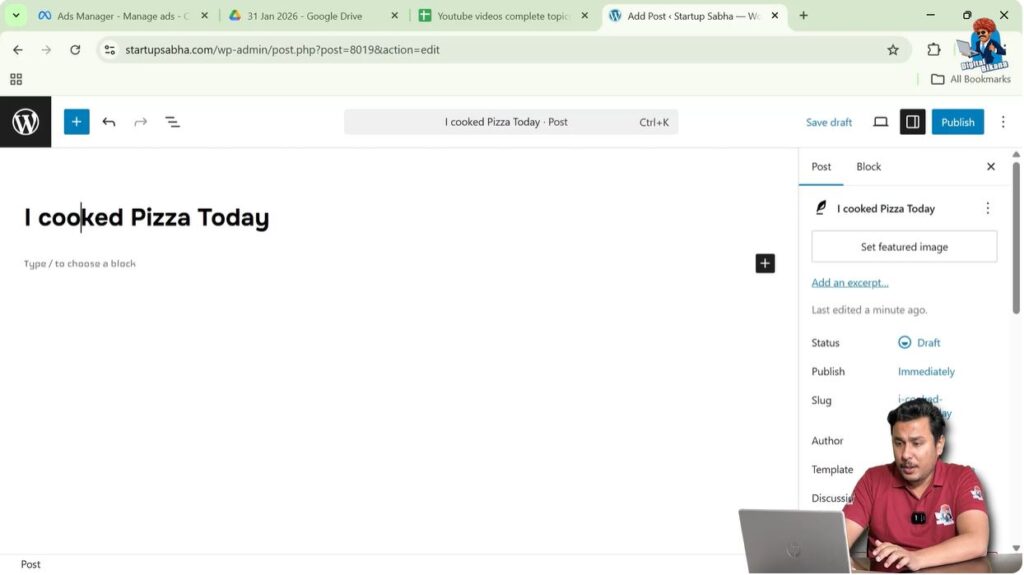
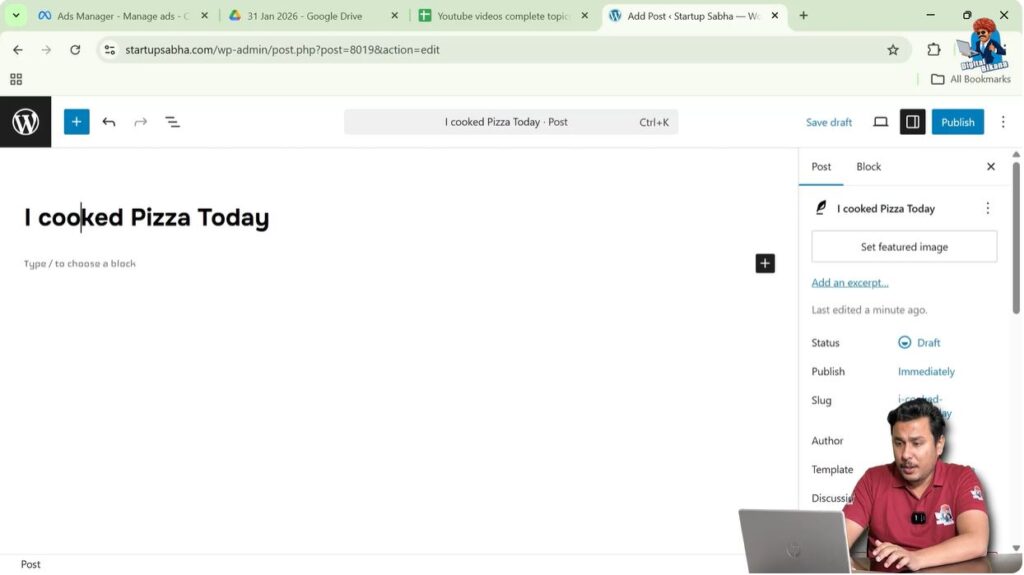
After opening the post editor, WordPress will ask you to enter the title of the blog post.
This is where you need to write the SEO friendly blog title.
Common Mistake While Writing Blog Titles
Most students make the mistake of writing whatever title comes to their mind.
This is not recommended because it is not necessary that people search for the same title on Google.
If people are not searching for a particular phrase, then the blog post will not get good traffic from search engines.
Even if the blog post ranks in search engines, it will not generate traffic if the search volume is low.
Therefore, instead of guessing titles, keyword research should be done before writing a blog title.
Keyword research helps in finding titles that have search demand.
Importance of Keyword Research for Blog Titles
Keyword research helps identify the phrases people search for on Google.
If a blog post title is based on a keyword with good search volume, then the blog post can bring traffic from search engines.
Without keyword research:
- Blog titles may have no search volume
- Posts may not rank properly
- Traffic will be low
Keyword research helps choose better blog titles that attract visitors.
One of the best tools for keyword research is Google Ads Keyword Planner.
Using Google Ads Keyword Planner
Google Ads Keyword Planner helps find search volume of keywords.
It shows how many times a keyword is searched every month.
This helps in selecting the right blog title.
Step 1: Open Google Ads
Open a new tab in the browser.
Type:
ads.google.com
Log in to Google Ads.
You need Google Ads access before using Keyword Planner.
Dedicated tutorials for Google Ads setup can help if login issues occur.

Step 2: Open Keyword Planner
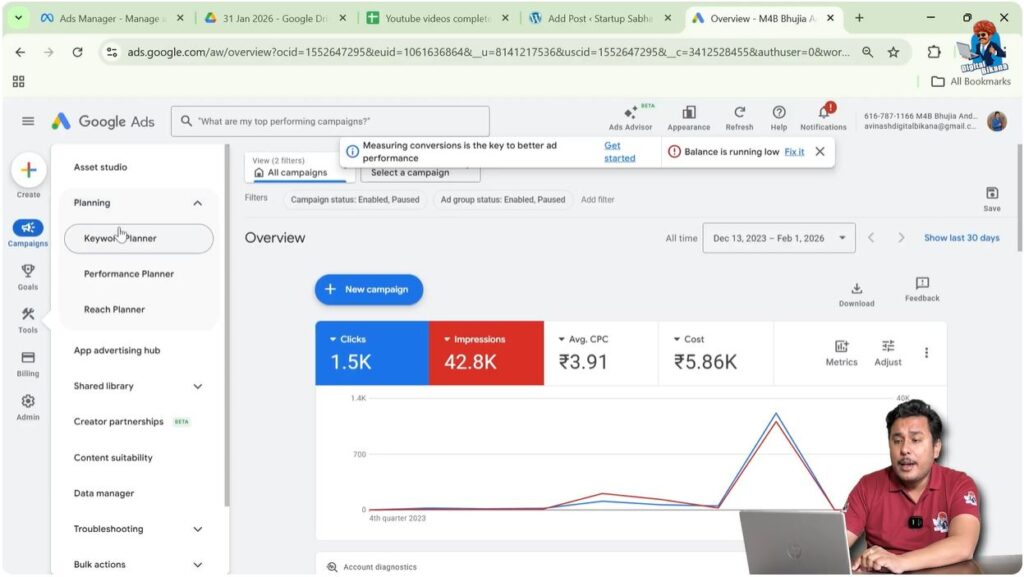
Inside the Google Ads dashboard:
Go to Tools
Find the Planning section.
Click on Keyword Planner.
Keyword Planner contains options for keyword research.
Step 3: Discover New Keywords
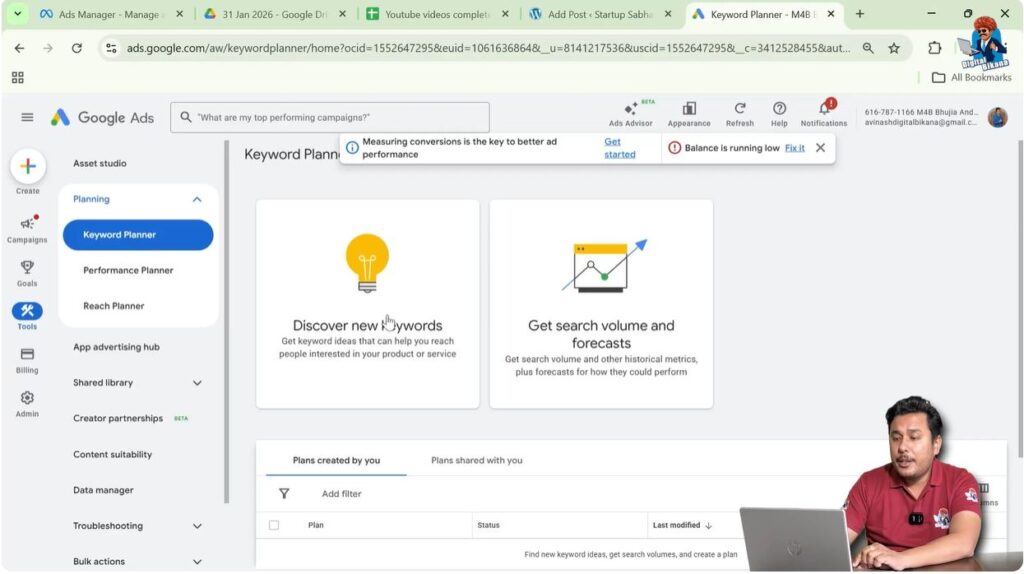
Click on Discover New Keywords.
This section allows you to check keyword search volume.
You can enter your ideas and see how many people search for them.
Example of a Poor Blog Title
Suppose you want to write a blog post about pizza recipes.
A beginner might write a title like:
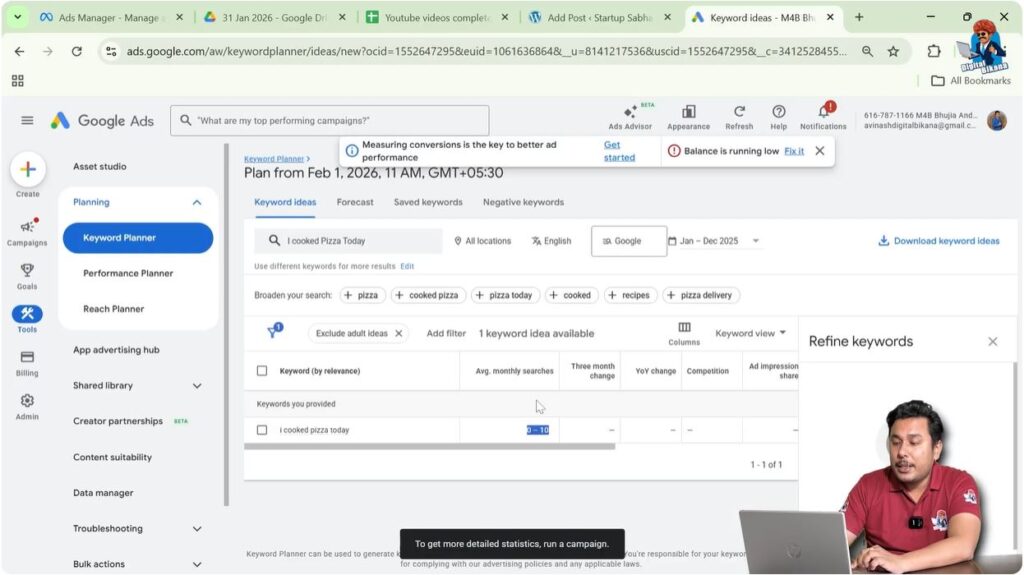
“I cooked pizza today”
This title may sound good but it is not SEO friendly.
Step 4: Check Keyword Search Volume
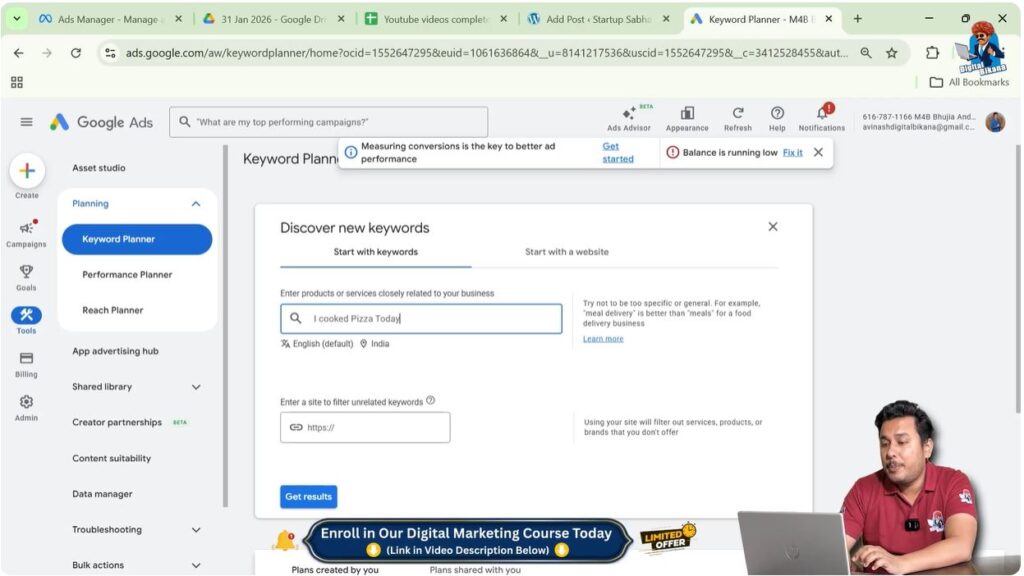
Enter the keyword:
“I cooked pizza today”
Select location as Worldwide.
Click Get Results.
The average monthly search volume may be around 0 to 10 searches.
This means almost nobody searches for this phrase.
Even if the blog post ranks, it will not bring traffic.
Example of a Better Keyword
Now consider another keyword:
“Pizza recipe”
Step 5: Check Search Volume for Better Keyword
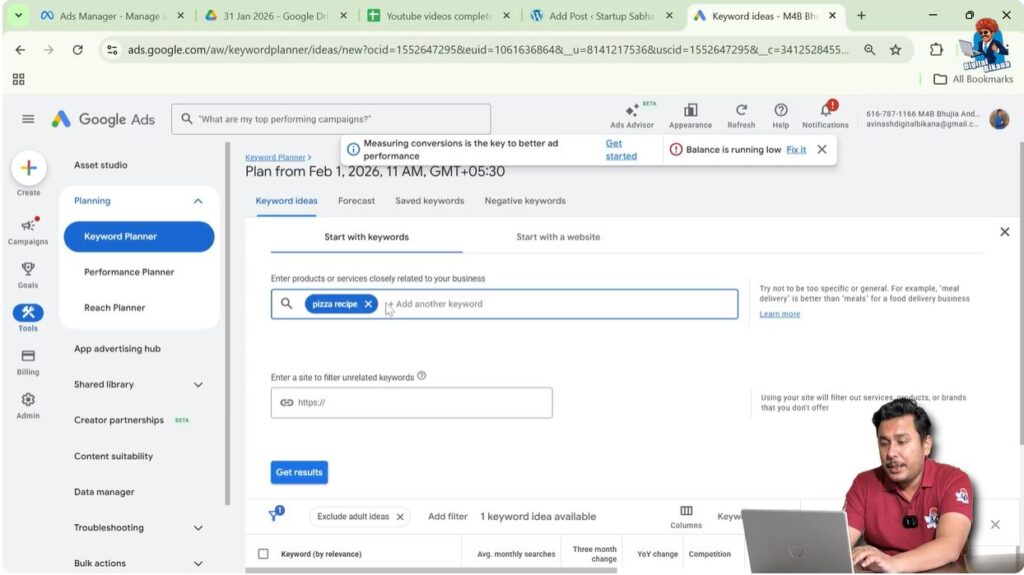
Enter the keyword:
“Pizza recipe”
Click Get Results.
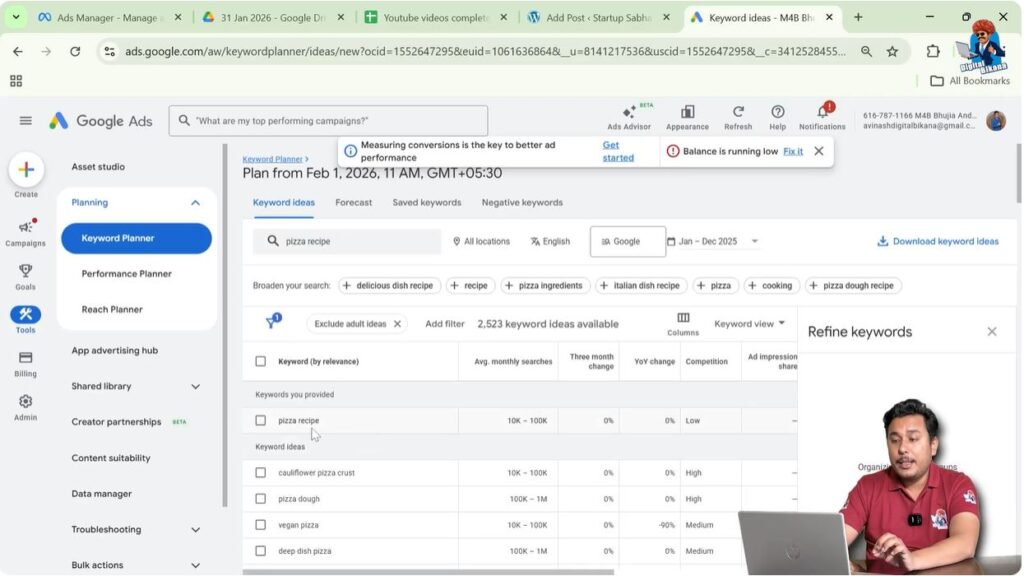
The average monthly search volume may be around 10,000 to 100,000 searches.
This is much better than the previous keyword.
If the blog post ranks for this keyword, it can bring good traffic.
Problem with High Competition Keywords
Although “Pizza recipe” has high search volume, it is difficult to rank for this keyword.
Many food bloggers and websites target this keyword.
Because of high competition, ranking becomes difficult.
Especially for beginners, high competition keywords are hard to rank.
Therefore, a better approach is to use long-tail keywords.
Using Google Search Suggestions
Google Search itself can help find keyword ideas.
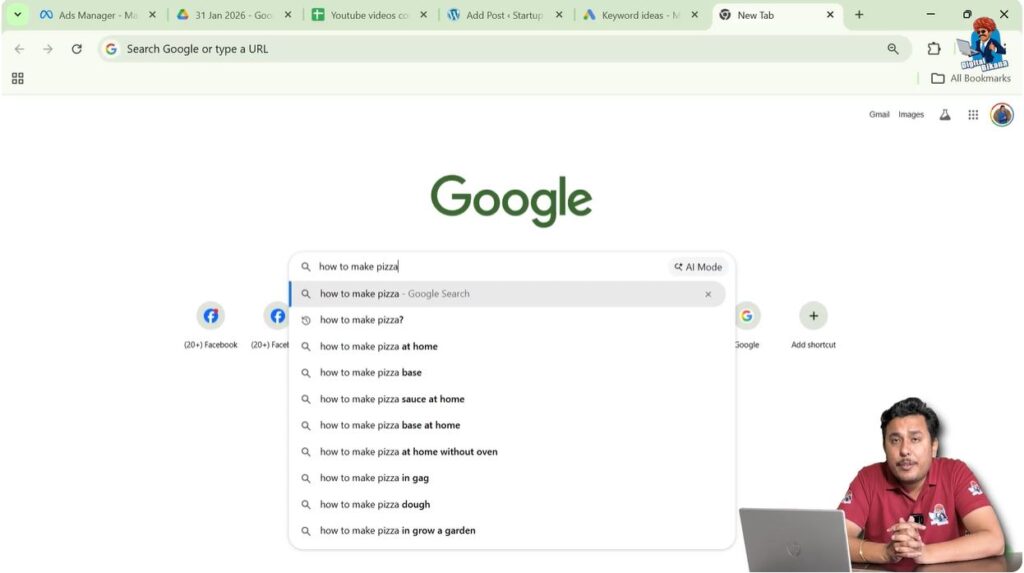
When you start typing a keyword in Google search, it automatically shows suggestions.
These suggestions are based on what people search on Google.
Google shows suggestions in descending order based on search volume.
High search volume keywords usually appear at the top.
This helps find better blog titles.
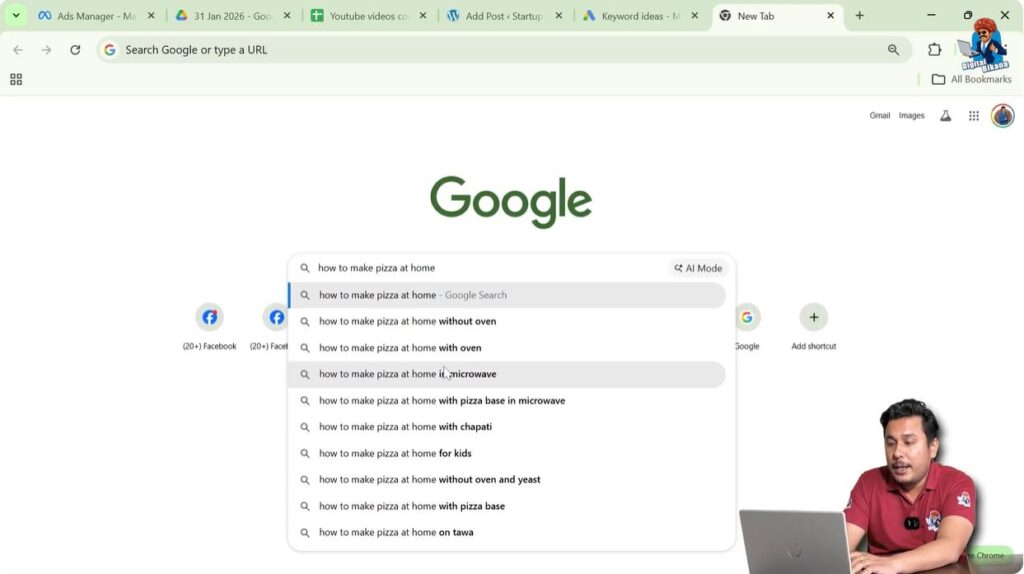
Step 6: Search Keyword on Google
Open Google search.
Type:
How to make pizza
Google will show suggestions such as:
- How to make pizza at home
- How to make pizza base
- How to make pizza sauce at home
- How to make pizza base at home
- How to make pizza at home without oven
These suggestions can be used to create blog titles.
Step 7: Expand Keyword Suggestions
Continue typing the keyword.
For example:
How to make pizza at home
Google may show more suggestions such as:
- Without oven
- With yeast
- With cheese
- With readymade pizza base
These suggestions help create long-tail keywords.
Creating Long Tail Keywords
A long-tail keyword contains multiple words and is more specific.
Example:
How to make pizza at home without oven with readymade pizza base
This is a long-tail keyword.
Long-tail keywords usually have:
- Lower competition
- Better ranking chances
- Targeted traffic
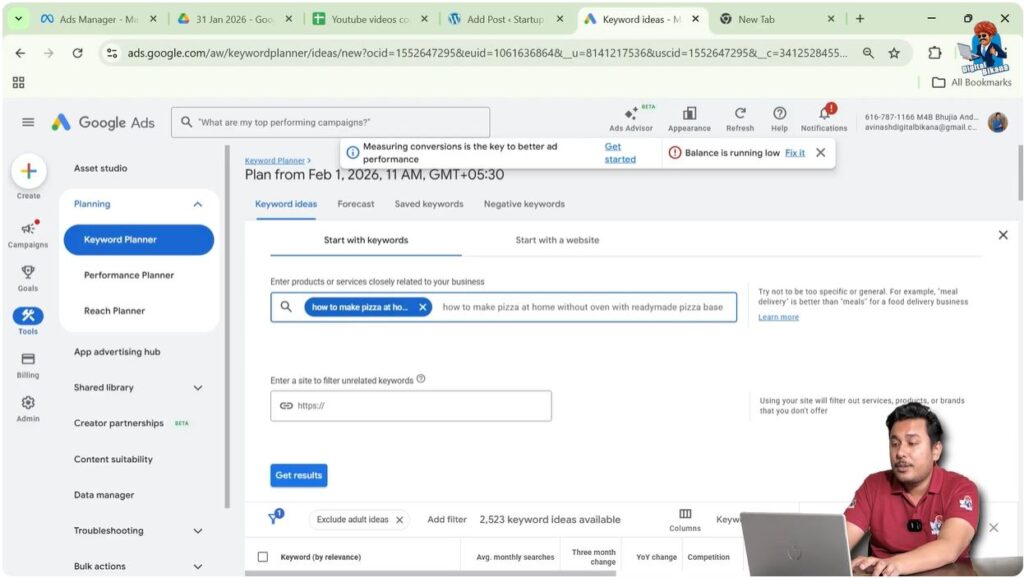
Step 8: Check Long Tail Keyword Search Volume
Copy the long-tail keyword.
Go back to Keyword Planner.
Paste the keyword.
Also add related short keywords such as:
- How to make pizza
- How to make pizza at home
- How to make pizza without oven
- How to make pizza at home without oven
Click Get Results.
The long-tail keyword may have 10 to 100 searches per month.
This is still much better than zero searches.
Benefits of Long Tail Keywords
Long-tail keywords provide better ranking opportunities.
Other websites usually target high search volume keywords.
Long-tail keywords have less competition.
This makes it easier for new websites to rank.
Long-tail keywords also include short keywords inside them.
For example:
“How to make pizza at home without oven with readymade pizza base” includes:
- How to make pizza
- How to make pizza at home
- How to make pizza without oven
- How to make pizza at home without oven
Because of this, a blog post may rank for multiple keywords.
Some of these keywords may have high search volume.
This increases the chances of getting traffic.
Writing the Final Blog Post Title
After selecting the keyword, it can be used as the blog post title.
Example SEO friendly title:
How to Make Pizza at Home Without Oven With Readymade Pizza Base
This title is based on keyword research.
It contains multiple keywords.
It has search demand.
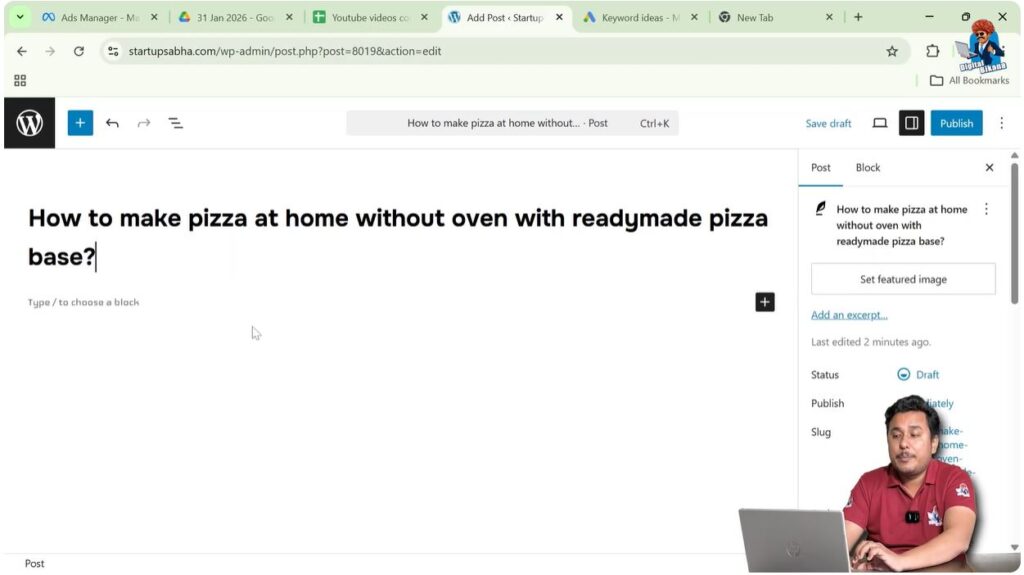
Step 9: Enter Blog Post Title in WordPress
Go back to WordPress post editor.
Enter the selected long-tail keyword as the blog title.
This will make the blog title SEO friendly.
Shortening the Title
The title can be shortened if required.
For example:
How to Make Pizza at Home Without Oven
However, shortening the title may remove useful keywords.
For new websites with low domain authority and page authority, long-tail keywords are better.
Long-tail keywords help beginners start getting traffic.
Choosing Titles for New Websites
If a website is new and domain authority is low, long-tail keywords should be used.
These keywords have lower competition.
They provide better chances of ranking.
As the website grows, it becomes easier to target high competition keywords.
Long-tail keywords help beginners start getting search traffic.
Conclusion
Writing an SEO friendly blog post title requires proper keyword research. Instead of writing random titles, it is better to use Google Ads Keyword Planner and Google search suggestions.
Keyword research helps identify keywords with search volume. Long-tail keywords provide better ranking opportunities and include multiple short keywords inside them.
By using keyword research and long-tail keywords, beginners can create SEO friendly blog titles that help generate traffic from search engines.

Related Posts