If you are planning to create a website, the first two things you need are:
- A domain name
- A hosting plan
In this article, we will understand step by step how to purchase a domain name and hosting plan from GoDaddy. We will also understand premium domains, hosting types, and which hosting plan is best for beginners.
Let us begin.
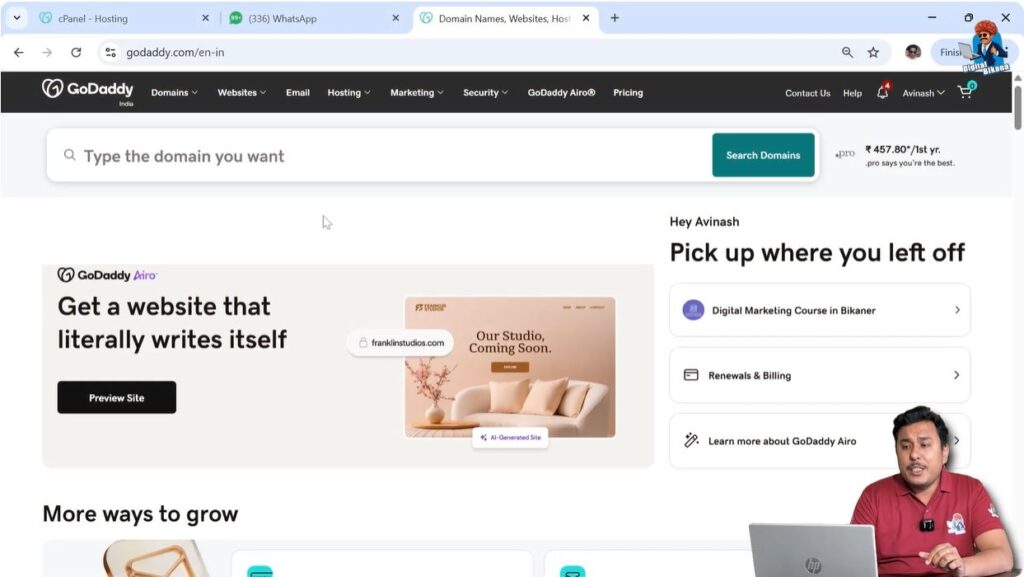
Step 1: Visit GoDaddy Website
Search GoDaddy on Google
To purchase a domain and hosting plan, first open Google and search for GoDaddy.
You will see GoDaddy in the search results. If there are no ads running, it will usually appear in the first position.
You can also directly visit:
godaddy.com
Sign In or Create an Account
If you already have a GoDaddy account:
- Click on Sign In.
If you do not have an account:
- Create a new account.
- Complete the registration process.
You must have a GoDaddy account before making any purchase.
Step 2: Search for a Domain Name
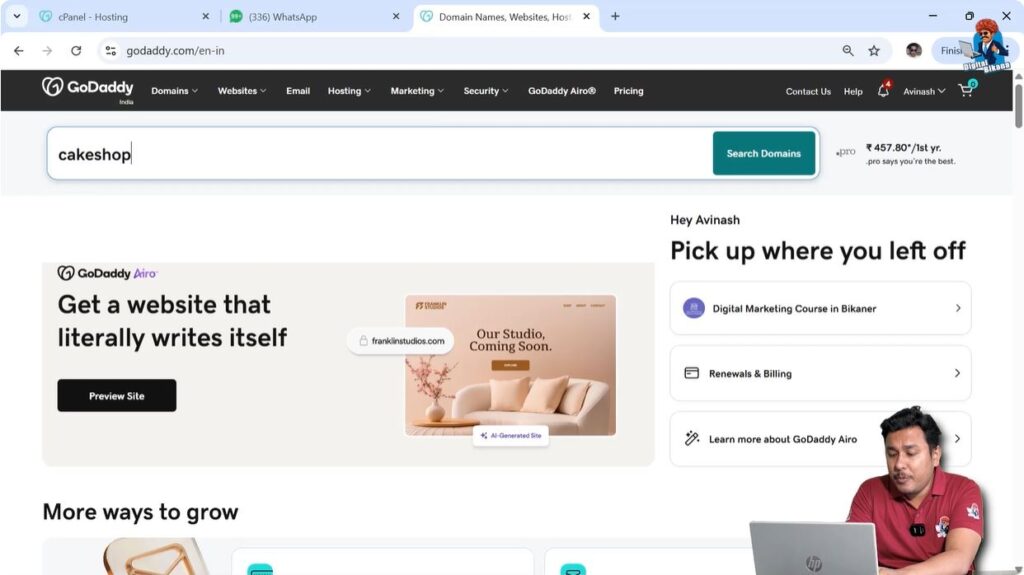
Enter Your Desired Domain Name
Once you are logged in:
- Go to the domain search bar.
- Enter the domain name you want to purchase.
- Click on search.
For example, enter your desired business name.
Check Domain Availability
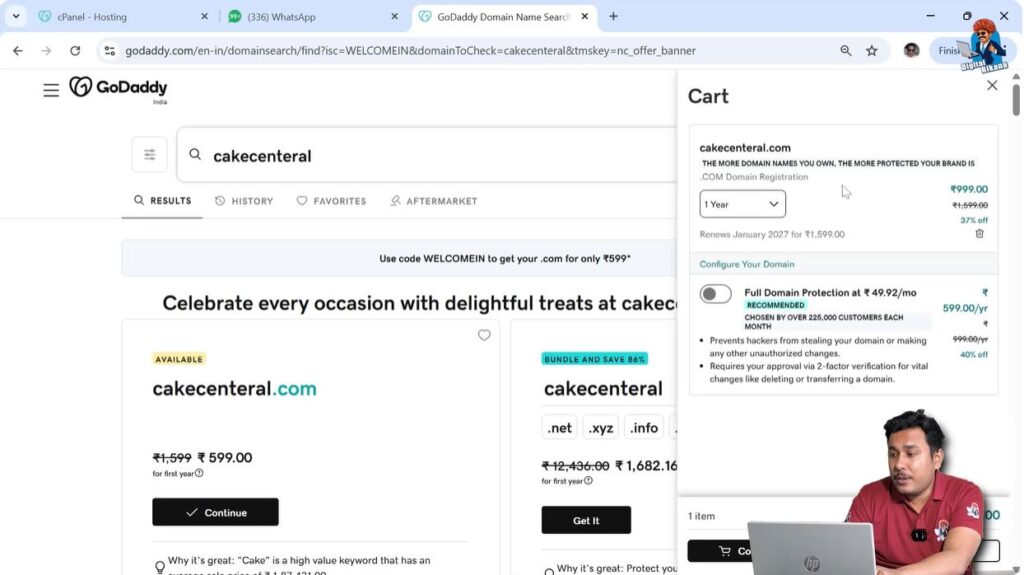
If the domain is available:
- GoDaddy will show that it can be purchased.
- You can add it to your cart.
If the domain has already been purchased by someone else:
- You cannot buy it directly.
- GoDaddy may offer brokerage services.
- They may charge brokerage fees to contact the owner.

Understanding Brokerage Fees
If a domain is already owned:
- GoDaddy may charge brokerage fees.
- They contact the owner.
- If the owner agrees to sell, the deal is completed.
Only after confirmation will brokerage charges apply.

What Is a Premium Domain?
Sometimes you may see very high domain prices.
This happens because:
- The domain contains high search volume keywords.
- It is considered valuable.
- It has strong ranking potential.
Premium domains are expensive because:
- Many users search for those keywords.
- The domain can rank easily.
- It can generate high traffic.
Step 3: Add Domain to Cart
Choose Registration Period
When you select a domain:
- You will see pricing options.
- You can choose 1 year or multiple years.
Sometimes:
- The first year may be cheaper.
- Multi-year plans may have different pricing.
Select your preferred duration.
Why You Also Need Hosting
A domain name alone cannot build a website.
You need hosting because:
- You must store images.
- You must store videos.
- You must store text.
- You must store website files.
Hosting acts as storage space for your website.
Step 4: Go to Hosting Section
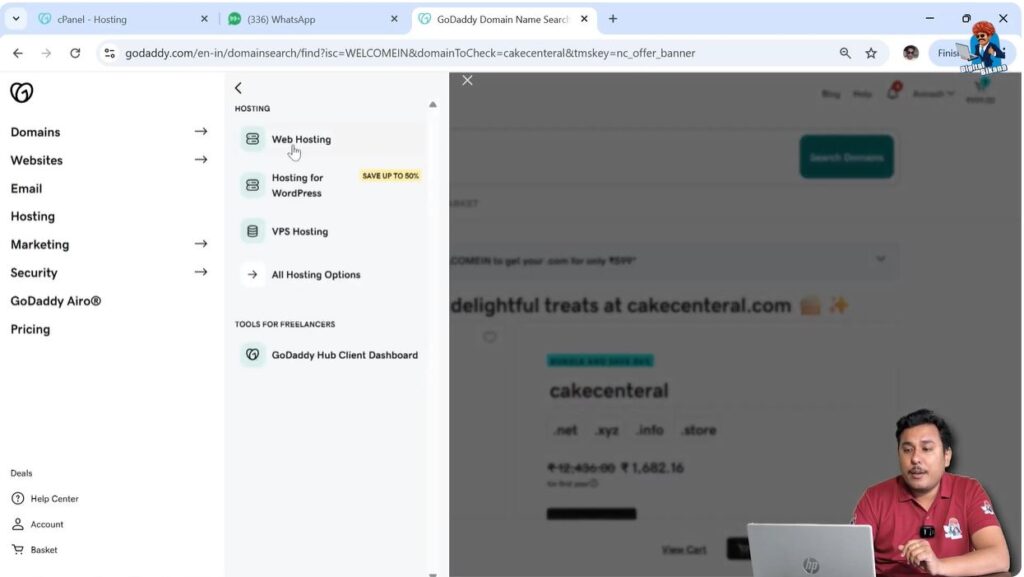
Select Hosting from Menu
After selecting the domain:
- Click on Hosting.
- Choose Web Hosting.
You will see multiple hosting plans.
Types of Hosting Plans
Hosting plans are divided into:
- Standard Performance Plans
- High Performance Plans
Let us understand each.
Standard Performance Hosting Plans
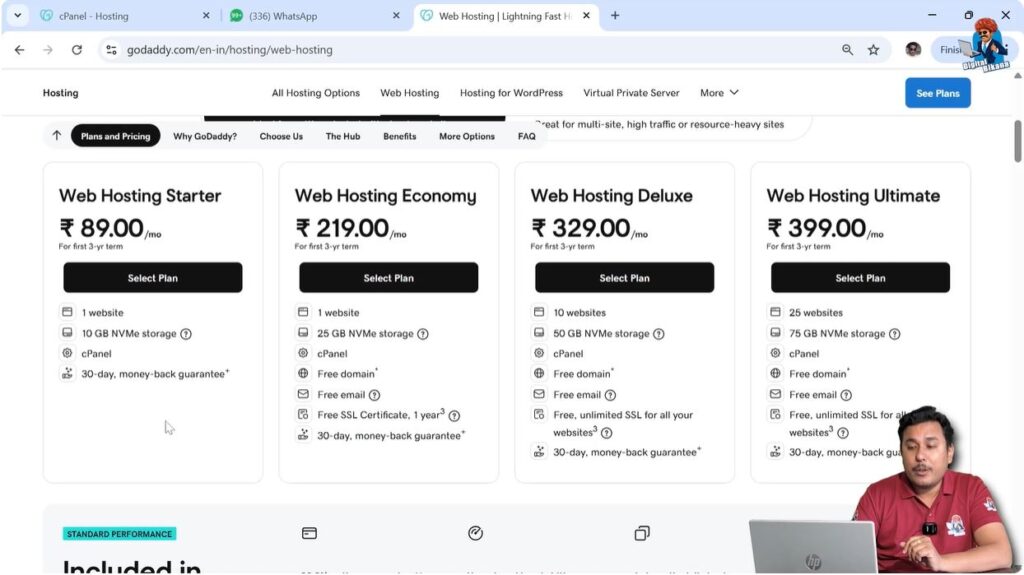
Standard hosting offers four types of plans.
Features of First Plan
- No free domain.
- No free SSL.
- No free professional email.
Features of Second Plan
- Free domain for one year.
- Free professional email for one month.
- Free SSL for one year only.
Features of Third Plan
- Free domain for one year.
- Free professional email for one month.
- Unlimited SSL certificate.
- SSL valid for lifetime of hosting.
- Supports up to 10 websites.
Features of Fourth Plan
- Free domain for one year.
- Free professional email for one month.
- Unlimited SSL certificate.
- Supports up to 25 websites.
Storage Capacity in Hosting Plans
Storage options include:
- 10 GB
- 25 GB
- 50 GB
- 75 GB
Higher plans provide more storage.
More storage means:
- More images.
- More videos.
- More content.
Domain Connection Limits
Different plans allow different domain connections:
- First plan → 1 domain
- Second plan → 1 domain
- Third plan → 10 domains
- Fourth plan → 25 domains
If you want to build multiple websites:
- Choose a plan that supports multiple domains.
Step 5: Choose the Right Hosting Plan
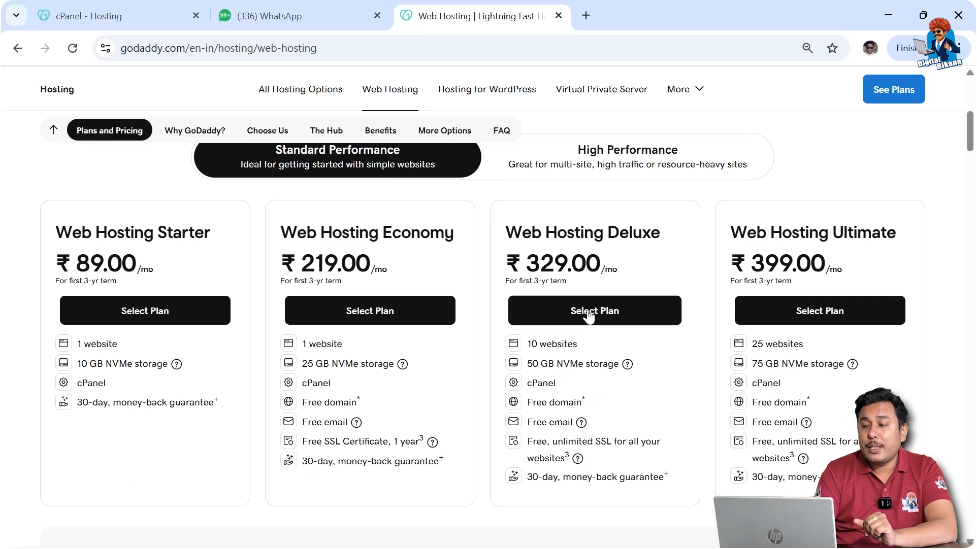
For Single Small Business Website
If you are starting a small website:
- Choose Web Hosting Deluxe Plan.
- It offers better value.
Why Not Choose the Cheapest Plan?
The cheapest plan may look affordable.
But:
- You must buy domain separately.
- You must buy SSL separately.
- You must buy professional email separately.
When you add all costs:
- It becomes more expensive.
Why Deluxe Plan Is Better
The Deluxe Plan:
- Includes free domain.
- Includes unlimited SSL.
- Includes professional email.
- Is economical for long-term use.
Long-Term Cost Comparison
Some plans offer:
- SSL free for one year only.
After one year:
- You must pay for SSL renewal.
If building a long-term website:
- Choose plan with lifetime SSL.
High Performance Hosting Plans
High performance plans are more powerful.
They allow:
- 50 websites
- 100 websites
- 150 websites
- 200 websites
They offer:
- 100 GB storage
- 200 GB storage
- 300 GB storage
- 400 GB storage
RAM and CPU in High Performance Plans
You may get:
- 4 GB RAM + 2 virtual CPUs
- 8 GB RAM + 4 virtual CPUs
- 16 GB RAM + 8 virtual CPUs
- 32 GB RAM + 16 virtual CPUs
More RAM means:
- Faster website loading.
- Better performance.
- Better handling of traffic.
Step 6: Add Hosting Plan to Cart
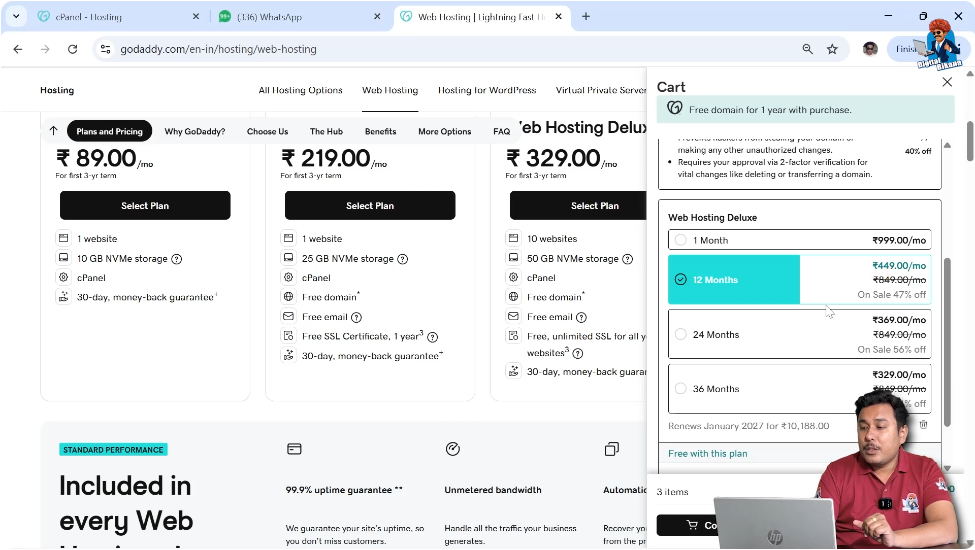
Once you select the plan:
- Click Add to Cart.
- Domain may automatically become free (if included).
Check the billing period:
- 3-year plan pricing.
- 12-month plan pricing.
Select according to your preference.
SSL Certificate Inclusion
If you selected a plan with:
- Inbuilt SSL.
Then:
- You do not need to purchase SSL separately.
- SSL is included for lifetime of hosting.
Step 7: Proceed to Payment
After adding:
- Domain
- Hosting
Click Continue Shopping or Checkout.
Choose payment method:
- Debit card
- Credit card
- Net banking
- UPI
Complete payment.
What You Get After Purchase
After successful payment, you will receive in your GoDaddy account:
- Domain name
- Hosting plan
- SSL certificate
- Professional email
All services will be active in your account.
Final Recommendation
If you are a beginner:
- Choose Standard Performance Plan.
- Specifically, choose Web Hosting Deluxe Plan.
If you have higher budget and multiple websites:
- Choose High Performance Plan.
Conclusion
Purchasing a domain name and hosting plan from GoDaddy is simple if you follow the right steps. First, search for a domain name and check its availability. If available, add it to your cart. Next, select a hosting plan based on your website needs.
For beginners, the Web Hosting Deluxe Plan is a practical option because it includes a free domain, professional email, and unlimited SSL certificate. If you plan to build multiple websites or expect high traffic, high-performance plans are also available.
Once payment is completed, your domain, hosting, SSL, and email services will be available in your GoDaddy account.
This is how you can successfully purchase a domain name and hosting plan from GoDaddy.

Related Posts