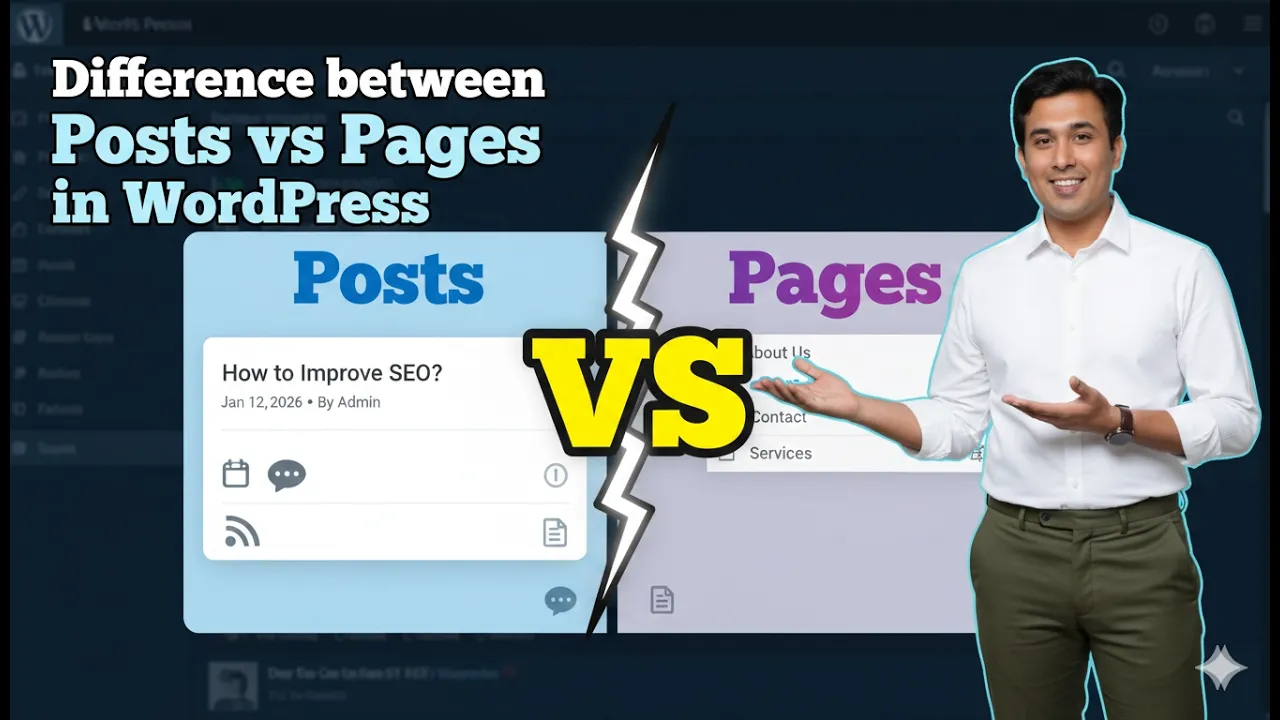
Understanding the difference between posts and pages in a WordPress website is very important for properly managing website content. When you log in to the WordPress admin dashboard, you will notice two separate options in the left menu: Posts and Pages. Both are used to publish content on a website, but they serve completely different purposes.
Posts are mainly used for publishing informational content such as articles and blog posts. Pages, on the other hand, are used to create the main structure of the website such as the homepage, services page, contact page, and other important sections.
This article explains the difference between posts and pages in detail with practical examples so that beginners can clearly understand when to use each option.
Understanding Posts in WordPress
Posts are used to publish articles and blog content on a WordPress website. Whenever you want to publish informational content with good content length, you should use the Posts option.
Posts are suitable for content that is related to the niche of your website. If your website belongs to a particular industry or topic, you can regularly publish articles related to that niche using posts.
For example, if your website is related to healthcare, you can publish articles about health topics. If your website is related to digital marketing, you can publish articles about marketing topics. Posts help provide useful information to visitors and improve the content value of the website.
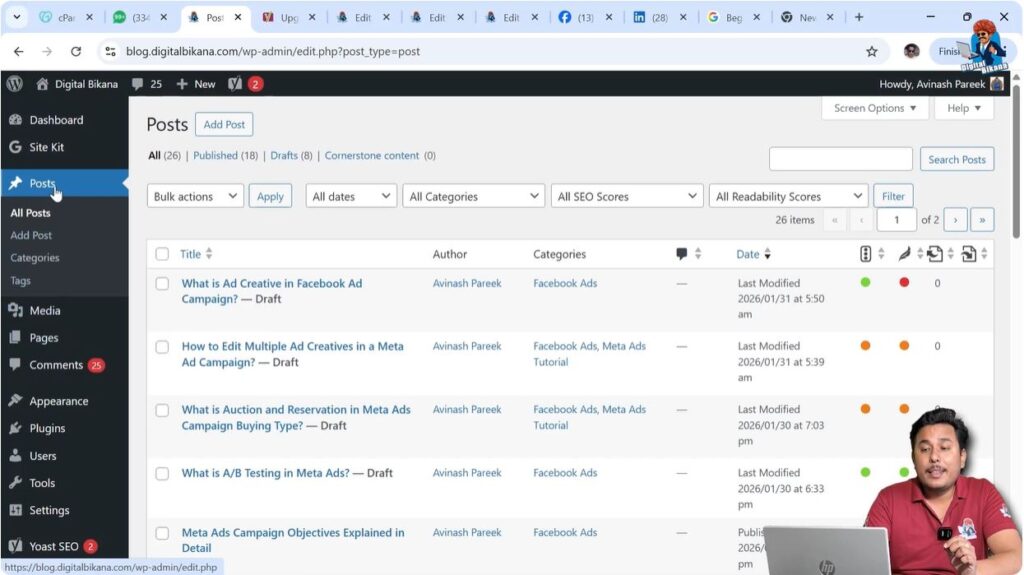
Step 1: Access the Posts Section
Log in to your WordPress admin dashboard.
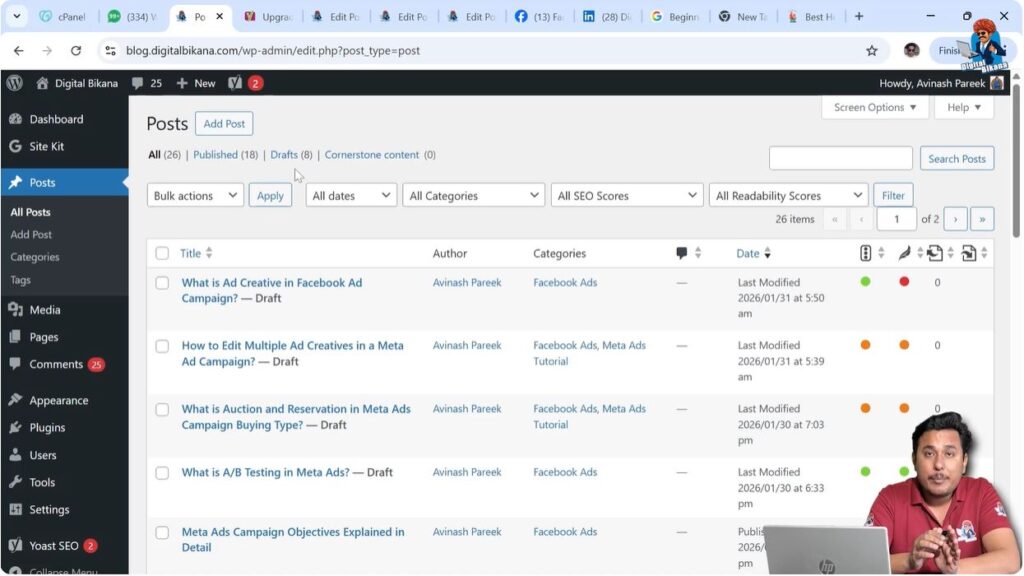
On the left-side menu, click on Posts.
From here, you can create new posts or manage existing posts.
This section is specifically designed for creating articles and blog posts.
Purpose of Posts
Posts are mainly used for informational purposes. These usually contain detailed content and are written to provide knowledge or guidance to readers.
Posts normally have:
- Informational content
- Good content length
- Article format
- Blog-style writing
If your goal is to publish educational or informational content, then posts are the correct option to use.
Posts help build a collection of articles on a website and allow visitors to explore different topics related to the website’s niche.
Understanding Pages in WordPress
Pages are used to create the main sections of a website. These sections form the structure of the website and remain relatively permanent.
If you want to create important website sections such as homepage or contact page, then you need to use the Pages option.
Pages are not articles. They are fixed parts of a website that help visitors navigate and understand the business or service.
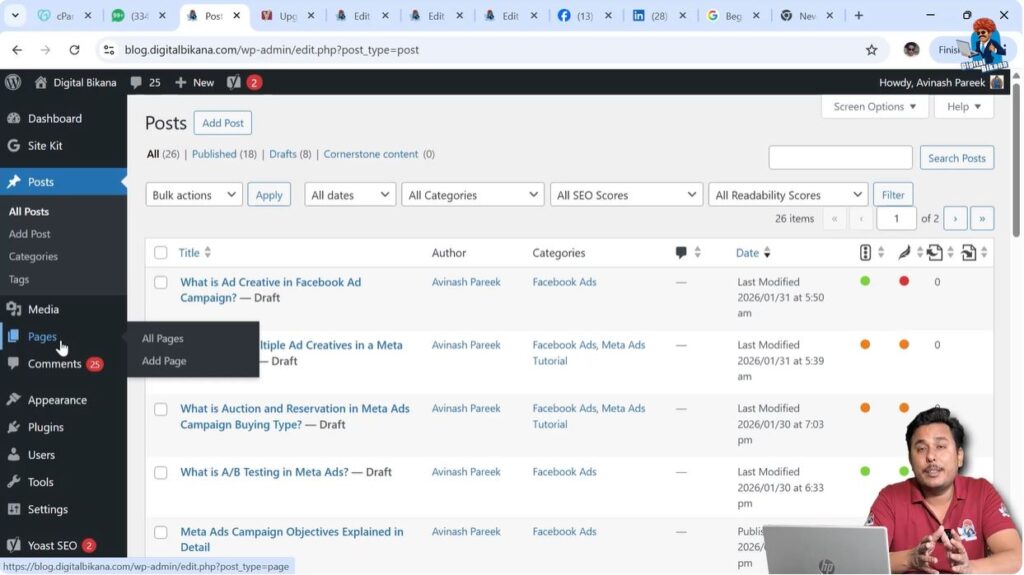
Step 1: Access the Pages Section
Log in to the WordPress admin dashboard.
Click on Pages in the left menu.
From here, you can create and manage website pages.
Pages are used to build the main layout of the website.
Types of Pages in a WordPress Website
A typical WordPress website contains many different types of pages. These pages help organize the website and provide essential information to visitors.
Examples of pages include:
- Homepage
- Service Page
- Product Page
- Privacy Policy Page
- Contact Us Page
- About Us Page
- Shop Page
- Cart Page
- Checkout Page
All of these are pages and not posts. These pages are created using the Pages section in WordPress.
These pages form the core structure of the website and are necessary for proper website functionality.
Example of Pages in a Website
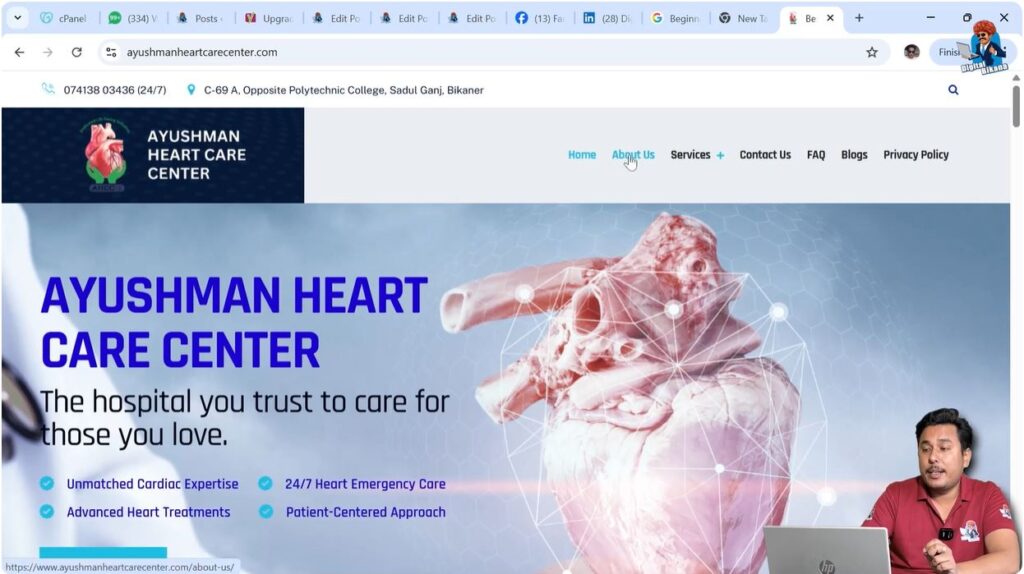
To understand the difference clearly, consider a real website example.
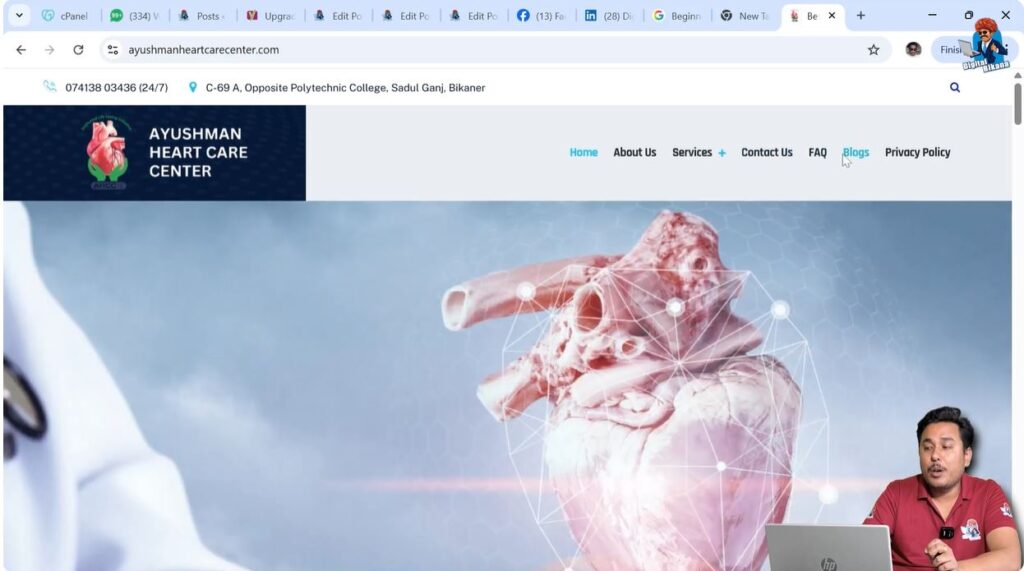
When you open a website homepage, it is a page. The homepage provides an overview of the website and guides visitors to different sections.
The About Us section is also a page. It contains information about the company or organization.
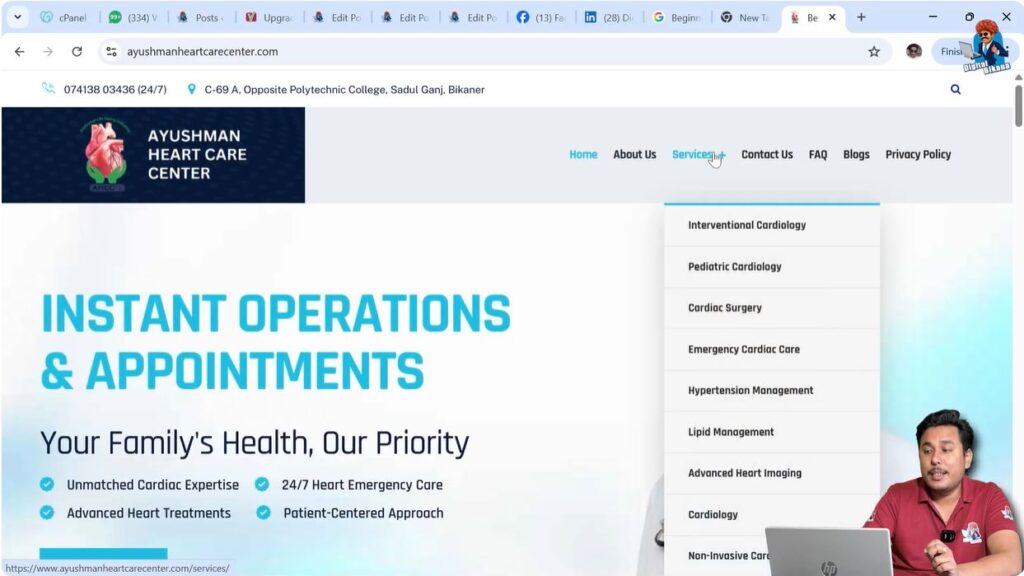
The Services section is another example of a page. It describes the services offered.
There may be multiple service pages such as:
- Pediatric page
- Cardiology page
- Cardiac surgery page
- Emergency page
Each of these is a page because they describe a particular service and are part of the website structure.
The Contact Us section is also a page because it provides contact information and inquiry forms.
The FAQ section is also a page because it provides frequently asked questions and answers.
The Privacy Policy section is also a page because it contains legal information.
All these sections are created as pages and not as posts.
Blog Section as a Page
The blog section itself is also a page.
When you click on the blog menu option on a website, you are taken to a blog page. This page shows a list of blog posts.
The blog page is a page because it is part of the website structure.
However, the articles listed on that page are posts.
This is an important difference.
The blog page is a page, but the articles inside it are posts.
Understanding Blog Posts
Blog posts are individual articles published on a website.
When you open a blog article and see detailed written content, that content is a post.
Posts usually contain informative content and are written in article format.
For example, if you open a blog article and see a detailed explanation of a topic, then that is a post.
Posts are created from the Posts section of WordPress.
Posts are not part of the fixed website structure but are added regularly as new content.
Difference Between a Page and a Post
Pages and posts may look similar on the website, but they serve different purposes.
A page is a permanent part of the website structure, while a post is an article written for informational purposes.
Pages include sections like homepage, contact page, and about page. Posts include articles and blog content.
Pages are usually static, while posts are published regularly.
Pages help visitors navigate the website, while posts help provide information.
Pages are created using the Pages section, and posts are created using the Posts section.
Identifying Pages on a Website
Pages can be easily identified on a website.
Sections such as:
- Homepage
- About Us
- Services
- Contact Us
- FAQ
- Privacy Policy
These are all pages.
They usually contain structured information and do not look like articles.
They provide information about the business or website rather than detailed educational content.
Identifying Posts on a Website
Posts can also be easily identified.
If you open a section that contains multiple articles and click on one article, you are viewing a post.
Posts usually contain:
- Article-style content
- Detailed explanations
- Informational topics
Posts are usually grouped together under the blog section.
They are written to share knowledge or information related to the website niche.
Homepage as a Page
The homepage of a website is always a page.
It is the main entry point of the website and provides an overview of the business or service.
The homepage is created from the Pages section and not from the Posts section.
It is not an article and does not belong to the posts category.
About Us as a Page
The About Us section is also a page.
This page provides information about the organization or business.
It usually contains company background and details.
It is a permanent section of the website.
Services as Pages
Service sections are also pages.
Each service can have its own page.
For example:
- Pediatric service page
- Cardiology service page
- Cardiac surgery service page
- Emergency service page
Each service description is created as a page.
These pages help visitors understand available services.
Contact Us as a Page
The Contact Us section is also a page.
It contains:
- Contact details
- Address
- Phone number
- Contact form
This page helps visitors reach the business.
It is not an article and therefore is created as a page.
FAQ as a Page
The FAQ section is also a page.
It contains frequently asked questions and answers.
It provides structured information to visitors.
It is not considered a blog post.
Privacy Policy as a Page
The Privacy Policy section is also a page.
It contains legal information about data usage and privacy.
It is a permanent section of the website.
This page is created from the Pages section.
Blog Articles as Posts
Blog articles are always posts.
Each article is written as a post.
Posts contain detailed informational content.
Posts are created from the Posts section in WordPress.
These posts appear inside the blog page.
Conclusion
Understanding the difference between posts and pages in WordPress is essential for managing a website properly.
Posts are used for publishing articles and informational content related to the website niche. Pages are used for creating the main structure of the website such as homepage, services page, contact page, and privacy policy page.
The homepage, about page, services pages, contact page, FAQ page, and privacy policy page are all pages. The blog section is also a page, but the articles inside the blog section are posts.
By using posts and pages correctly, you can organize your WordPress website in a proper and structured way.

Related Posts