Writing an SEO friendly URL is an important part of search engine optimization for a WordPress website. A properly structured URL helps search engines understand the topic of the page and improves the chances of ranking higher in search results. An SEO friendly URL is short, relevant, easy to read, and based on proper keyword research.
In this article, you will learn how to write an SEO friendly URL for a blog post on a WordPress website and understand the important points that should be followed while creating a URL.
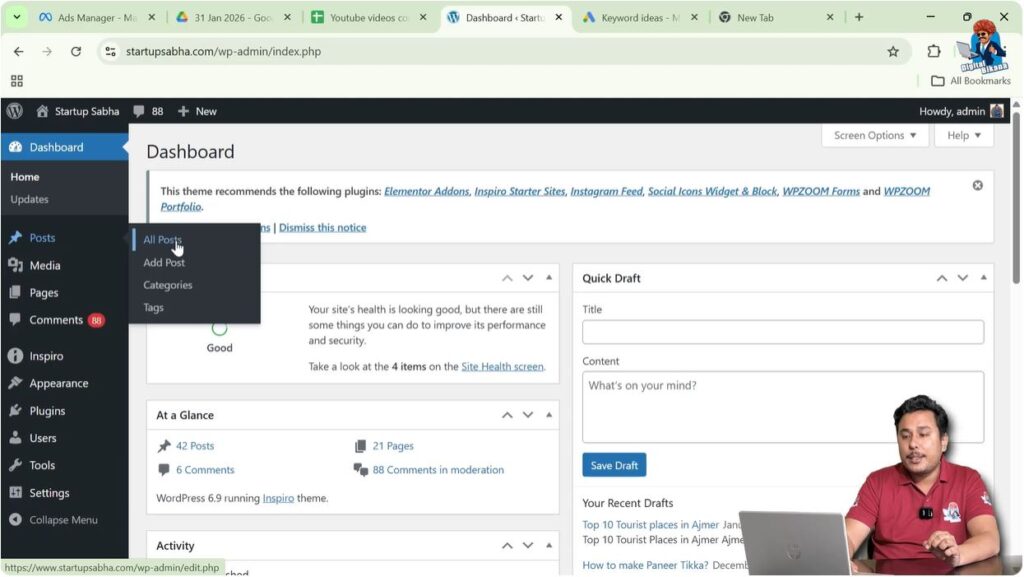
Opening the Posts Section in WordPress Dashboard
First, log in to your WordPress admin dashboard.
After logging in, look at the left-side toolbar where you will find the Posts option. When you move your cursor over the Posts option, a submenu will appear automatically.
This submenu contains options such as:
- All Posts
- Add Post
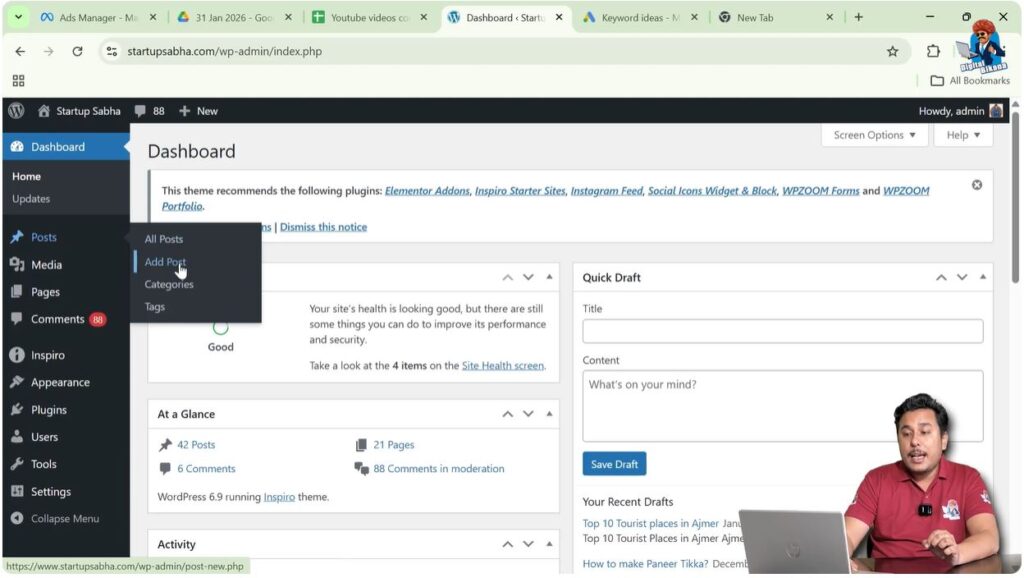
To create a new blog post, click on Add Post.
This will open the WordPress editor where you can start creating your blog post.
Writing the Blog Post Title
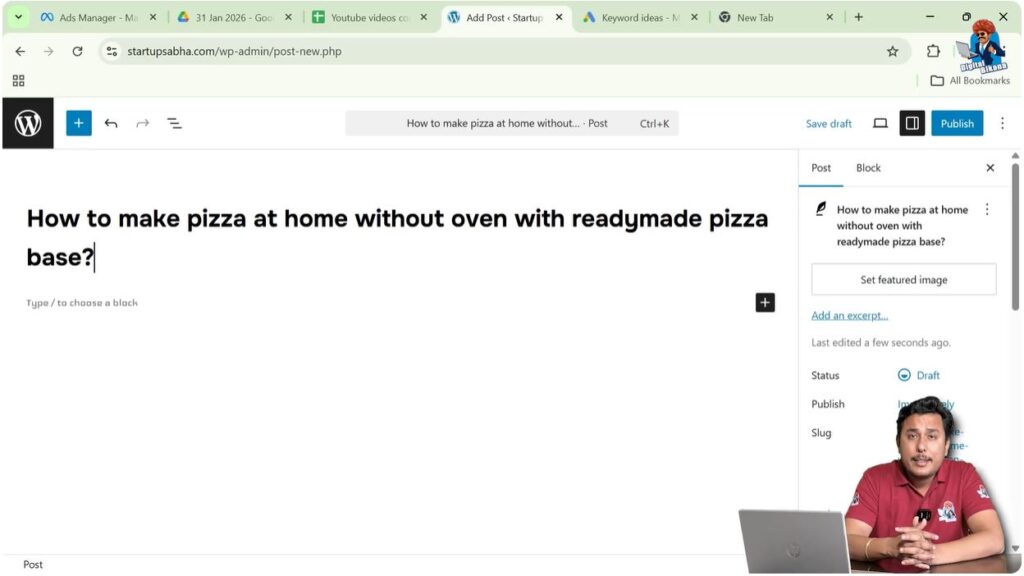
After opening the Add Post page, you will see the Add Title section at the top.
Here you need to write the title of your blog post.
The blog post title should ideally contain a long-tail keyword. A long-tail keyword is a detailed search phrase that usually contains multiple words and reflects a specific search intent.
For example:
How to Make Pizza at Home Without Oven with Ready Made Pizza Base
This type of title contains multiple keywords and helps target different search queries.
Keyword research can be done using tools such as keyword planners. Proper keyword research helps you identify search volume and choose the right keywords for your blog post.
A long-tail keyword usually contains several short-tail keywords within it. Because of this, ranking for a long-tail keyword can help your blog post rank for multiple related keywords.
For example, a long-tail keyword such as:
How to Make Pizza at Home Without Oven with Ready Made Pizza Base
may include shorter keywords such as:
- How to make pizza
- How to make pizza at home
- How to make pizza without oven
- How to make pizza at home without oven
Using a long-tail keyword in the title helps target multiple search queries.
Opening Slug Settings in WordPress
After writing the title and starting your blog post, you need to create an SEO friendly URL.
On the right side of the WordPress editor, you will see a Settings toolbar.
If the settings toolbar is not visible, click on the Settings icon near the Publish button in the top-right corner.
The settings panel will appear on the right side.
This panel is divided into two sections:
- Post
- Block
You need to open the Post section.
Inside the Post section, you will find the Slug option.
The slug determines the URL of your blog post.
Click on the slug field to see the permalink.
The permalink shows the full URL that will be created after publishing the post.
Step 1 – Create a New Blog Post
Go to the WordPress dashboard.
Click on Posts.
Click on Add Post.
Write the blog post title.
Start creating your blog post content.
Step 2 – Open Slug Settings
Go to the right-side settings panel.
Click on the Post section.
Locate the Slug option.
Click on the slug field.
The URL of the blog post will be displayed.
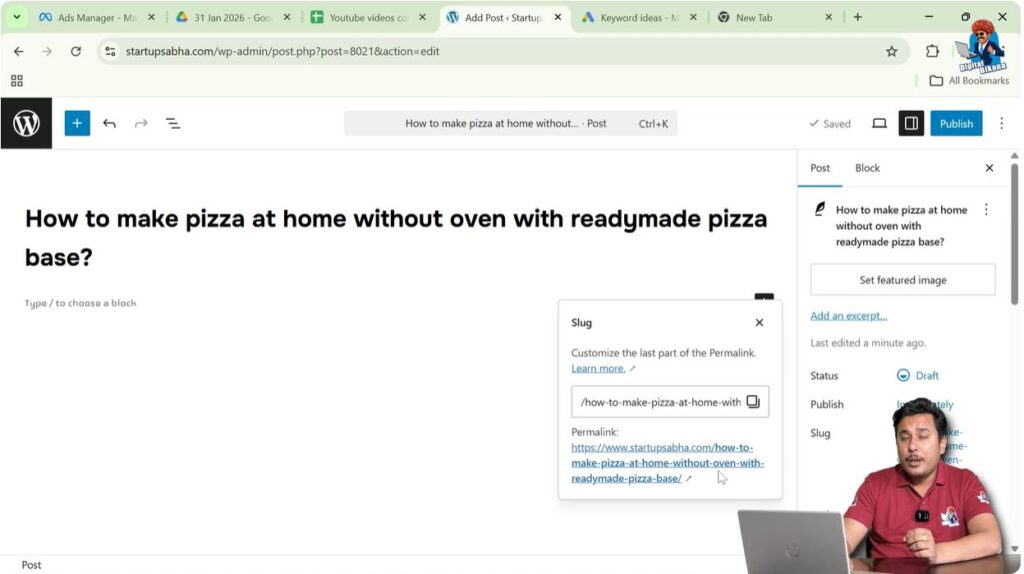
Avoid Using Long URLs
Very long URLs are not recommended.
People do not like long URLs and they are difficult to remember.
Search engines also prefer shorter URLs.
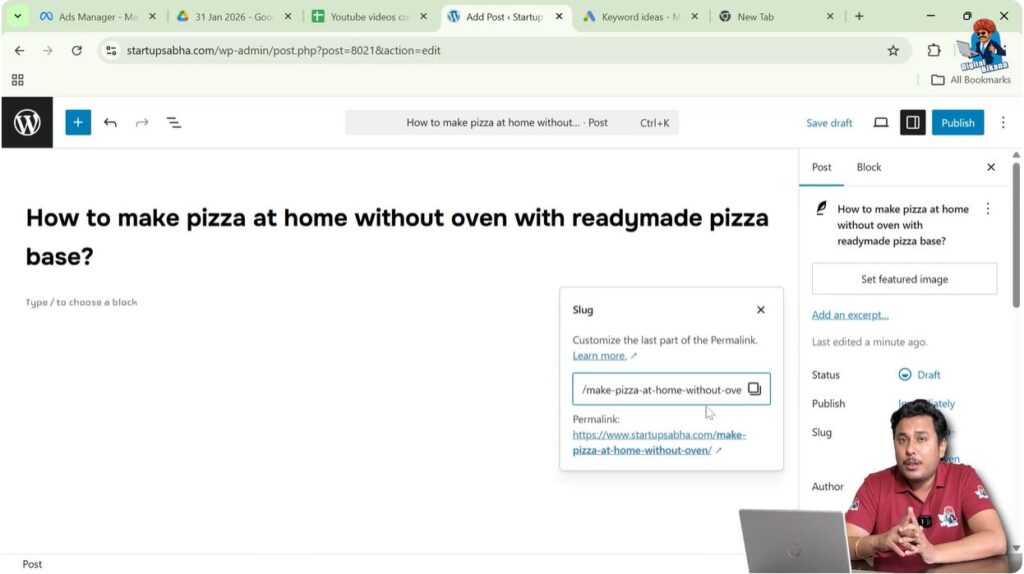
Instead of keeping a long URL, it is better to shorten it by removing unnecessary words.
For example, instead of writing:
how-to-make-pizza-at-home-without-oven-with-ready-made-pizza-base
you can shorten it to:
make-pizza-at-home-without-oven
Short URLs are easier to read and understand.
Do Not Use Dates in URL
You should avoid using dates, months, or years in your URL.
If you include a year in the URL, the content may appear outdated in the future.
For example:
make-pizza-at-home-2025
Next year, this URL may appear outdated.
Changing the URL later can cause problems because backlinks and redirects may be required.
Redirects do not pass the same SEO value as the original URL.
Because of this, it is better not to include dates in the URL.
Avoid Stop Words in URL
Stop words are common words that search engines usually ignore.
Examples of stop words include:
- If
- Where
- And
- Or
- The
Using stop words in URLs is not recommended.
Search engines do not prefer URLs with unnecessary words.
It is better to remove stop words and keep the URL simple.
Avoid Using Special Symbols
Special symbols should not be used in URLs unless absolutely necessary.
Symbols can make URLs complicated and difficult to understand.
URLs should contain simple words separated by dashes.
Using dashes makes the URL readable.
Keep the URL Short
Short URLs are easier to read and remember.
They also look cleaner and more professional.
A short URL improves user experience and helps search engines understand the page topic.
For example:
make-pizza-at-home-without-oven
is better than:
how-to-make-pizza-at-home-without-oven-with-ready-made-pizza-base-step-by-step
Short URLs are always recommended.
Using Relevant Keywords in URL
Keyword research should always be done before creating a URL.
High search volume keywords should be included in the URL.
However, the keywords must match the topic of the blog post.
Irrelevant keywords should never be added.
For example, if you are writing an article about pizza, adding a keyword such as FIFA World Cup in the URL would be incorrect.
Irrelevant keywords do not match the content.
Search engines can detect irrelevant keywords.
Keyword density of irrelevant keywords will be zero inside the content.
Because of this, the search engine may treat the page as poorly optimized.
Always include only relevant keywords in the URL.
Relevant keywords with good search volume help the page rank higher in search results.
This helps generate organic traffic.
Organic traffic improves the SEO performance of the entire website.
Step 3 – Write SEO Friendly Slug
Click on the slug field.
Remove unnecessary words.
Remove dates and numbers.
Remove stop words.
Avoid symbols.
Include relevant keywords.
Keep the URL short and meaningful.
Benefits of SEO Friendly URL
SEO friendly URLs help search engines understand the topic of the page.
They improve the chances of ranking in search results.
SEO friendly URLs also improve user experience.
Visitors can easily understand the topic by looking at the URL.
Proper URLs help generate organic traffic.
Organic traffic contributes to the SEO of the entire website.
Conclusion
Writing an SEO friendly URL for a WordPress blog post is a simple but important process. You need to open the Post settings, edit the slug, and create a short and meaningful URL.
Avoid using long URLs, dates, stop words, and special symbols. Always include relevant keywords based on proper keyword research.
A properly optimized URL helps search engines understand your content and improves your chances of getting higher rankings and organic traffic.

Related Posts