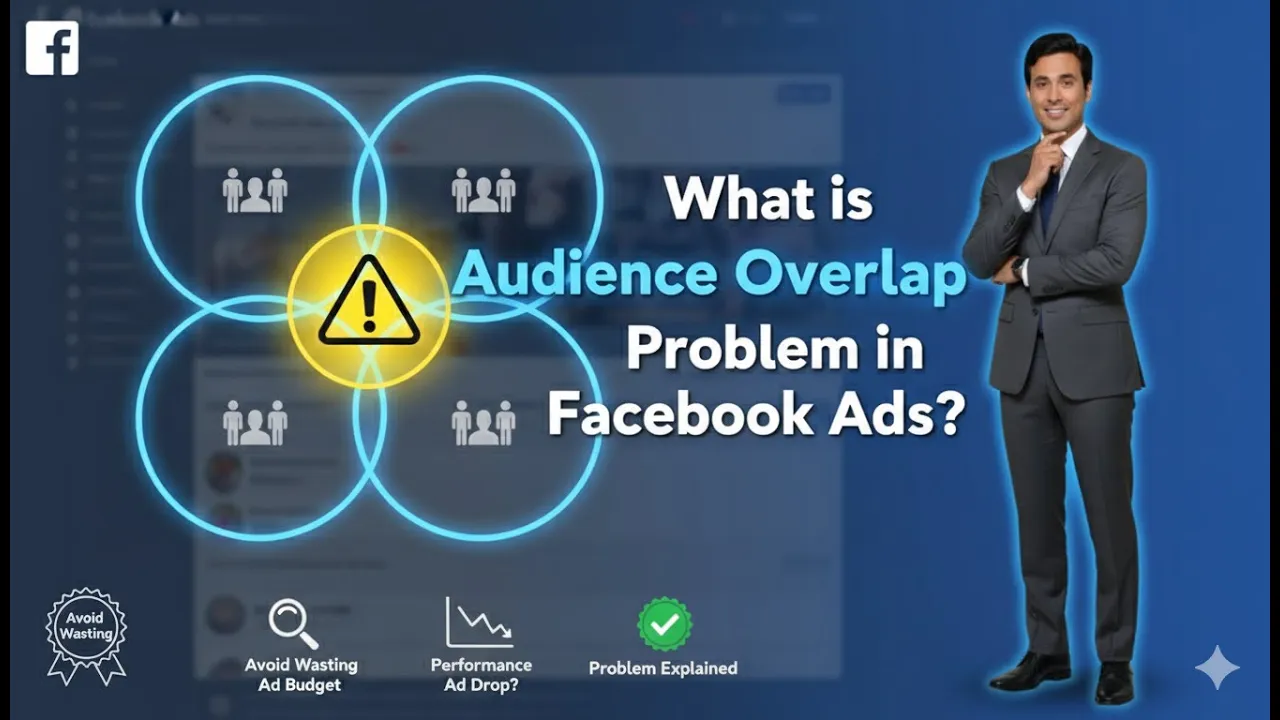
In this article, we are going to discuss an important concept in Facebook advertising known as the audience overlap issue. This issue is commonly faced by advertisers while running ad campaigns using Meta Ads Manager. Many advertisers encounter a popup or warning related to audience overlap and often feel confused about what it means and how to fix it.
Audience overlap mainly occurs when multiple ad sets within the same campaign target the same audience. When this happens, Meta’s system advises advertisers not to proceed in this way. Understanding this concept is important because audience overlap can negatively impact ad delivery and campaign performance.
This article explains what audience overlap is, why it happens, how it affects your ad campaigns, and how you can resolve it properly.
What Is Audience Overlap?
Audience overlap is a situation where multiple ad sets within a single ad campaign target the same group of people. When this happens, Meta Ads Manager detects that the same audience is being targeted repeatedly across different ad sets and shows a warning or error message.
Meta does not recommend targeting the same audience in multiple ad sets within a single campaign. This is because the system becomes confused about which ad set should deliver ads to which users.
In simple terms, audience overlap means that different ad sets are competing against each other for the same audience.
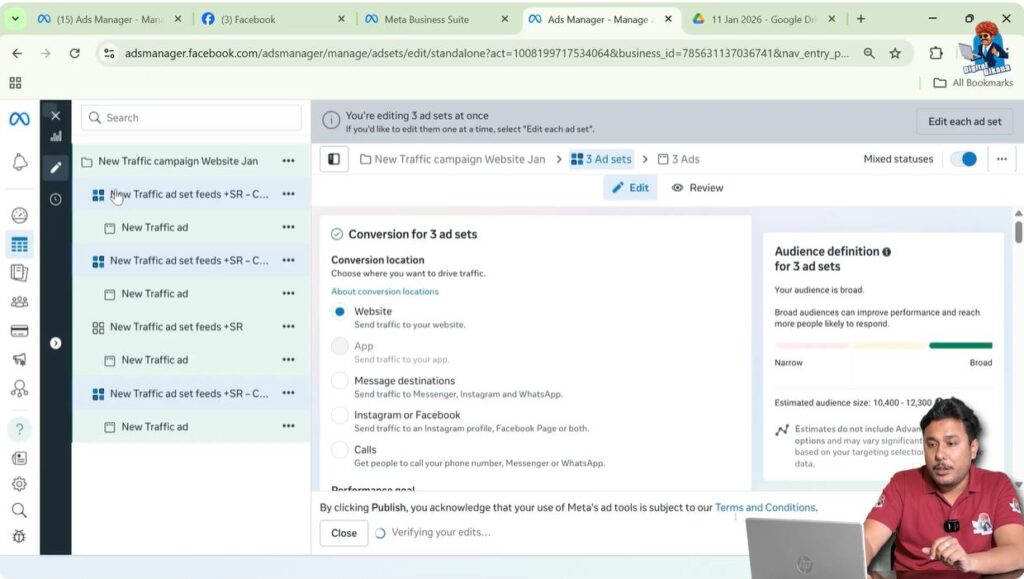
Where the Audience Overlap Warning Appears
When you run an ad campaign in Meta Ads Manager, the system continuously checks your targeting settings. If it finds that more than one ad set is targeting the same audience, it shows a popup or warning message indicating an audience overlap issue.
This warning is meant to inform you that your campaign structure is not optimized and may lead to delivery problems.
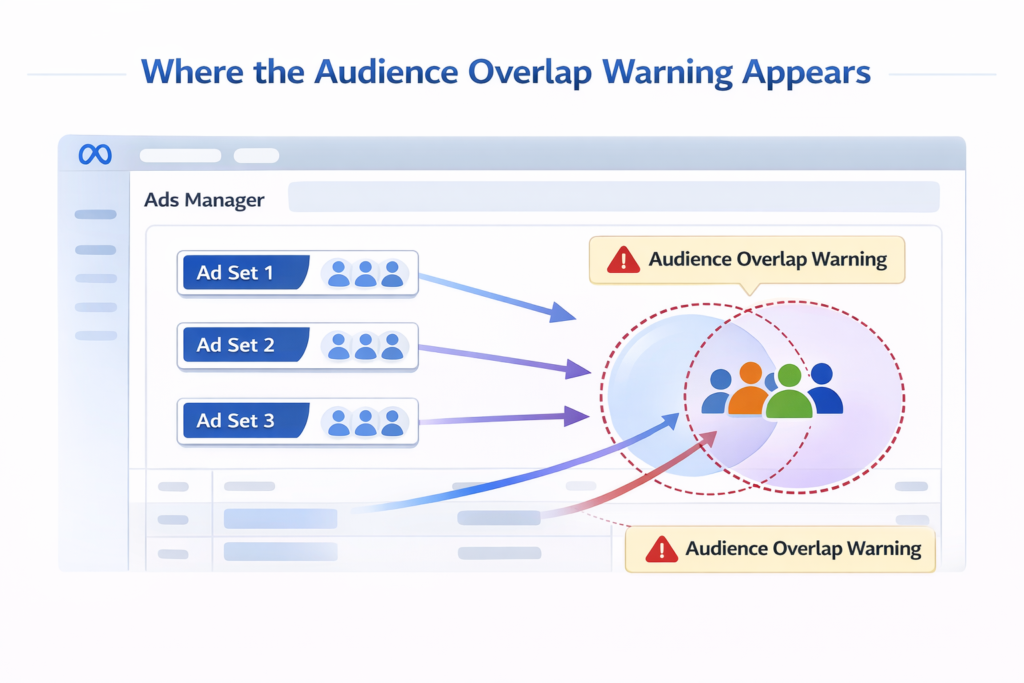
Why Meta Does Not Recommend Audience Overlap
Meta strongly suggests that advertisers should not target the same audience in multiple ad sets within a single campaign. The main reason for this is that Meta’s technology relies on clear signals to decide ad delivery.
When the same audience exists in multiple ad sets, the system cannot clearly determine:
- Which ad set should show ads
- Which ad set should not show ads
- How to distribute the budget effectively
As a result, Meta’s delivery system becomes confused, which affects campaign performance.
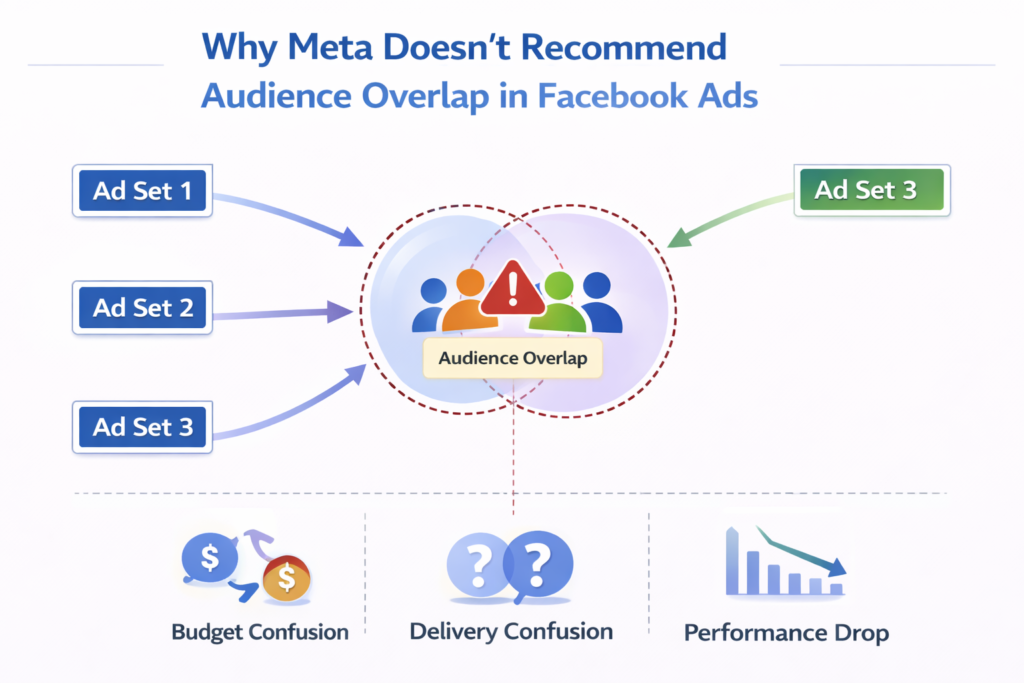
Understanding Audience Overlap With an Example
Let us understand the audience overlap issue using a simple example.
Campaign Structure Example
Suppose you have created one ad campaign. Inside this campaign, you have created multiple ad sets.
Now, imagine the following:
- You have created four ad sets within the same campaign
- Each ad set contains different ad creatives
- You are using different banners or different videos in each ad set
Even though the creatives are different, the problem occurs when the audience targeting is the same in all ad sets.
How Same Targeting Causes Audience Overlap
Let us say that in one ad set, you are targeting:
- People living within 5 miles of your location
- People interested in car driving
Now, if you create another ad set and again target:
- People living within the same 5-mile radius
- People with the same interest in car driving
And you repeat this process for all ad sets, then all ad sets are targeting the same audience.
This situation leads to audience overlap.
What Happens When Audience Overlap Occurs
When audience overlap happens, each ad set tries to show ads to the same group of users. This means:
- Ad Set 1 tries to show ads to the same audience
- Ad Set 2 tries to show ads to the same audience
- Ad Set 3 tries to show ads to the same audience
- Ad Set 4 tries to show ads to the same audience
As a result, Meta’s system does not know which ad set should deliver ads to those users.
How Audience Overlap Confuses Meta Technology
Meta’s advertising system is designed to optimize delivery based on clear audience segmentation. When multiple ad sets target the same audience, the system receives conflicting instructions.
This confusion leads to:
- Poor ad delivery
- Inefficient budget usage
- Reduced optimization effectiveness
Because of this confusion, Meta advises advertisers to avoid audience overlap entirely.
Common Mistake: Creating Multiple Ad Sets for the Same Audience
One of the most common mistakes advertisers make is creating multiple ad sets to test different ad creatives while keeping the audience targeting the same.
Although the intention is to test performance, this structure is not recommended because:
- Ad sets compete with each other
- Audience overlap occurs
- Performance does not improve as expected
Meta prefers a different structure to handle creative testing.
How to Resolve the Audience Overlap Issue
The solution to the audience overlap issue is simple and effective. Instead of creating multiple ad sets, you should focus on creating multiple ad creatives within a single ad set.
This approach allows Meta to show different creatives to the same audience without causing confusion.
Steps to Resolve Audience Overlap Issue
Step 1: Identify Multiple Ad Sets Targeting the Same Audience
Check Audience Settings Carefully
First, review your ad campaign and identify whether multiple ad sets are targeting the same audience. Look at location, interests, and other targeting parameters.
If the audience settings are the same, then audience overlap exists.
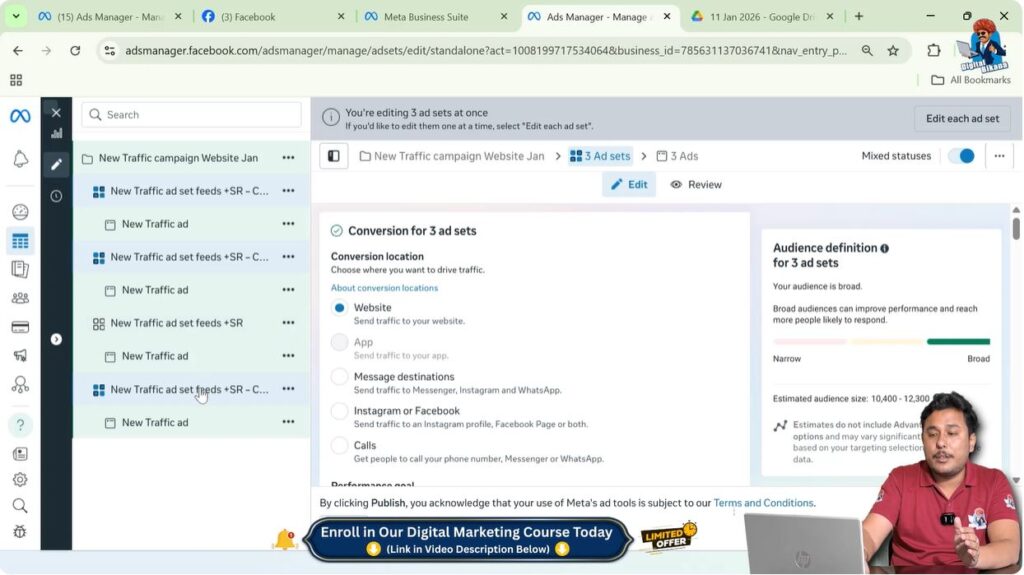
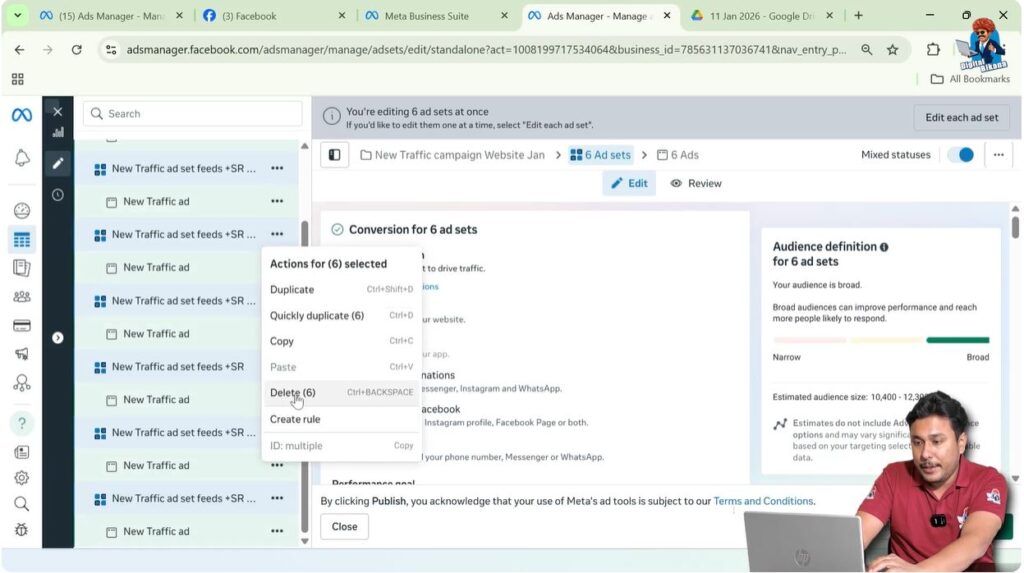
Step 2: Delete Unnecessary Ad Sets
Remove Extra Ad Sets
If you have mistakenly created multiple ad sets targeting the same audience, delete the unnecessary ad sets. Keeping multiple ad sets with the same audience is not recommended.
Deleting extra ad sets helps simplify your campaign structure.
Step 3: Use a Single Ad Set
Keep One Ad Set Only
Instead of using multiple ad sets, create only one ad set for that particular audience. This removes competition between ad sets and allows Meta to optimize delivery efficiently.
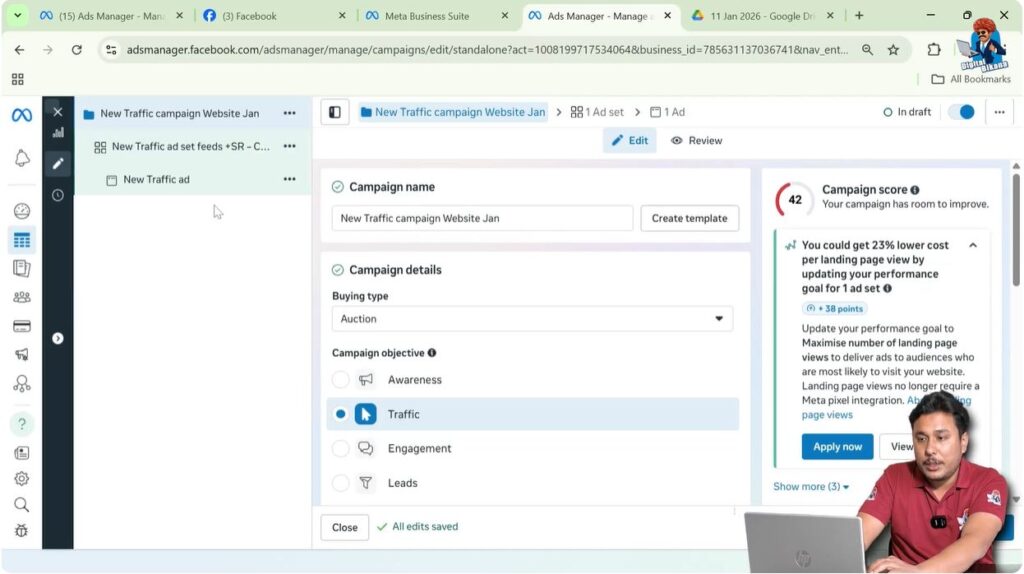
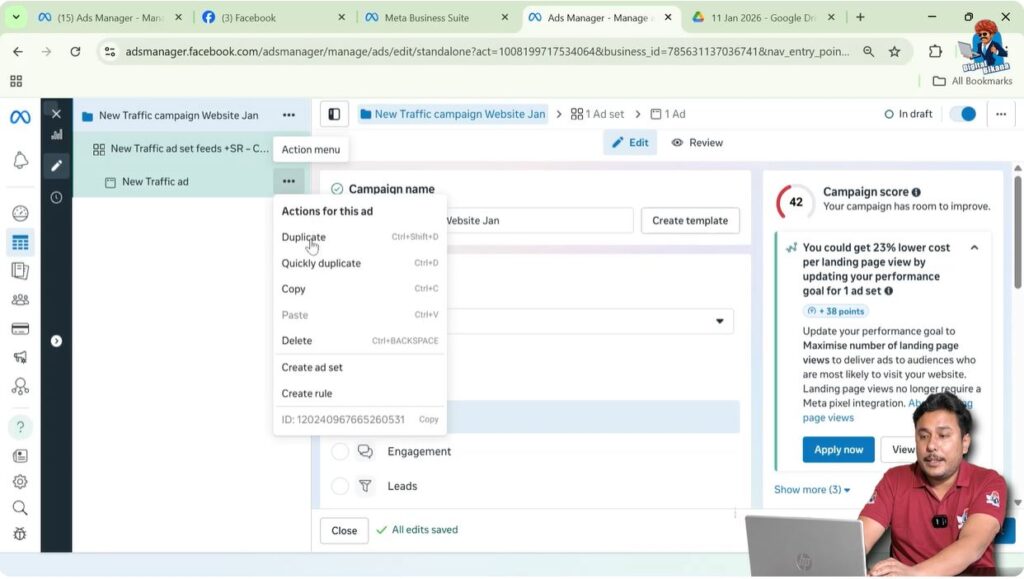
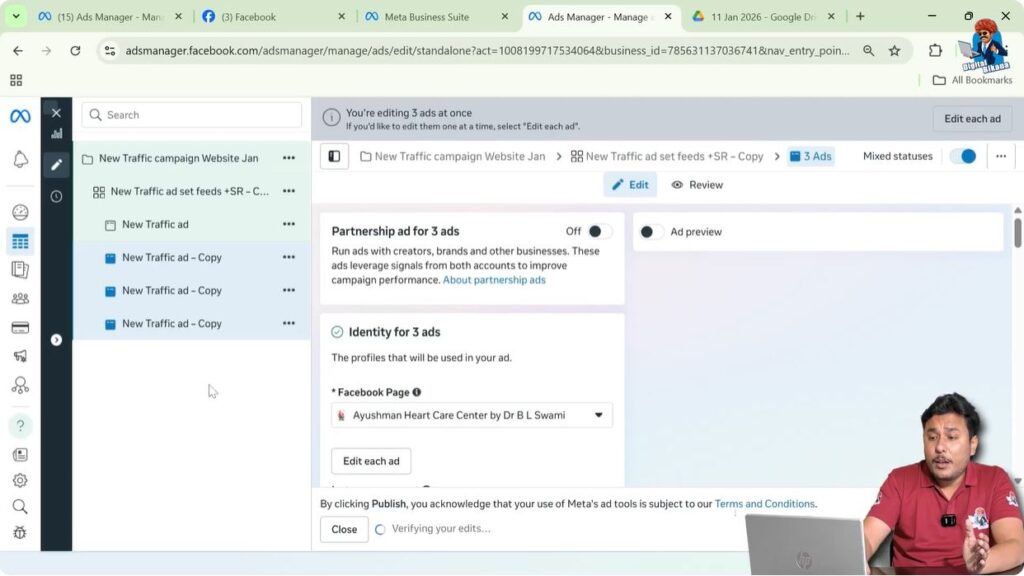
Step 4: Create Multiple Ad Creatives in Single Ad Set
Add Creative Variations
Inside the single ad set, create multiple ad creatives. You can use:
- Different banners
- Different images
- Different videos
Each creative can have a different visual style while targeting the same audience.
Step 5: Allow the Same Audience to See Different Creatives
Avoid Repetition and Boredom
When multiple creatives exist within one ad set, Meta shows different creatives to the same audience. This prevents users from seeing the same ad repeatedly.
This approach also helps reduce another common issue, which is ad fatigue.
How This Method Also Solves Ad Fatigue
By using multiple creatives within one ad set:
- Users see different versions of ads
- Ads feel fresh and engaging
- Users do not get bored easily
As a result, the issue of ad fatigue is also resolved along with audience overlap.
Why Creating Multiple Ad Creatives Is Better Than Multiple Ad Sets
Using multiple creatives in a single ad set is better because:
- There is no audience overlap
- Meta’s system works efficiently
- Budget distribution is optimized
- Ad delivery improves
This structure aligns with Meta’s recommended best practices.
What Not to Do While Managing Audience Overlap
Some actions should be avoided to prevent audience overlap:
- Do not create multiple ad sets with identical targeting
- Do not split audiences unnecessarily
- Do not test creatives by duplicating ad sets with the same audience
Following these practices can lead to delivery issues.
Audience Overlap Explained in Simple Words
Audience overlap is a situation where:
- You create multiple ad sets in one campaign
- All ad sets target the same audience
- Meta gets confused about ad delivery
- A warning or error appears in Ads Manager
The best solution is to use one ad set and multiple ad creatives.
Final Conclusion
Audience overlap is a common issue faced by advertisers running Facebook ad campaigns. It occurs when multiple ad sets target the same audience within a single campaign. This confuses Meta’s delivery system and negatively impacts campaign performance.
The most effective way to resolve this issue is to avoid creating multiple ad sets for the same audience. Instead, advertisers should create a single ad set and add multiple ad creatives within it. This allows the same audience to see different ad creatives without causing overlap.
By following this structure, advertisers can improve ad delivery, avoid system confusion, and also reduce ad fatigue. Understanding and fixing audience overlap is essential for running successful and well-optimized Facebook ad campaigns.

Related Posts