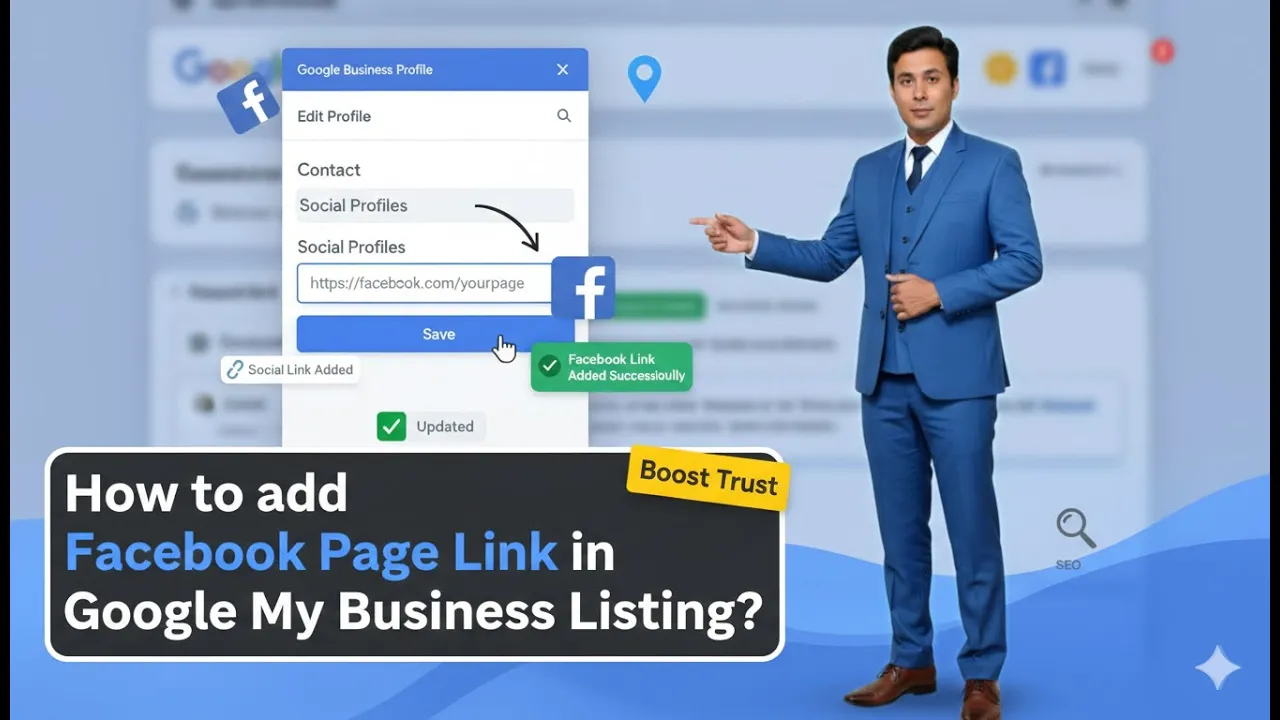
Google My Business listing is a platform that allows businesses to create a free business profile on Google. This profile helps customers know that a business is available online and can be easily reached. Through this listing, customers can get directions to the business location, check working hours, learn about the business, and directly call the business owner. This makes it easier for customers to interact with a business without visiting a website.
Benefits of Google My Business Listing
Google My Business listing offers multiple benefits to businesses, especially local businesses that want to attract nearby customers.
Using this platform, businesses can:
- Build trust and credibility among customers
- Provide easy access to directions
- Share business information clearly
- Display working hours
- Allow customers to call directly from search results
All these features help improve customer engagement and accessibility.
Display of Google My Business Listing on Google Platforms
Once a business listing is created, it is displayed in Google Search results as well as on Google Maps. This allows customers or probable customers to reach the business by following directions provided on the map.
This visibility helps businesses attract users who are actively searching for services in their local area.
Google My Business Listing Platform
Google My Business listing platform allows business owners to manage their business information easily. If a business has multiple locations or runs multiple businesses, it is possible to create and manage multiple business profiles from the same platform.
The platform is completely free to use, which makes it accessible for businesses of all sizes.
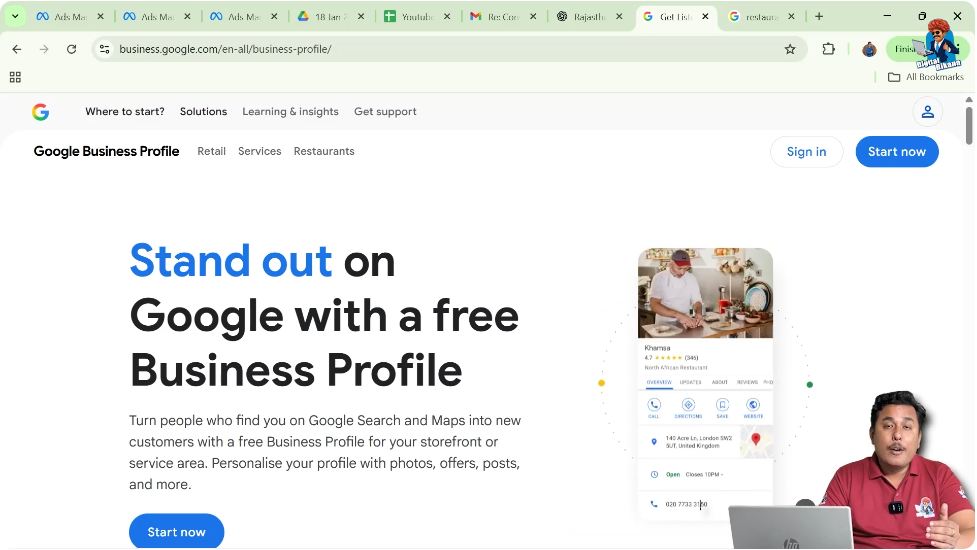
Google Local Pack and Its Relation to Google My Business
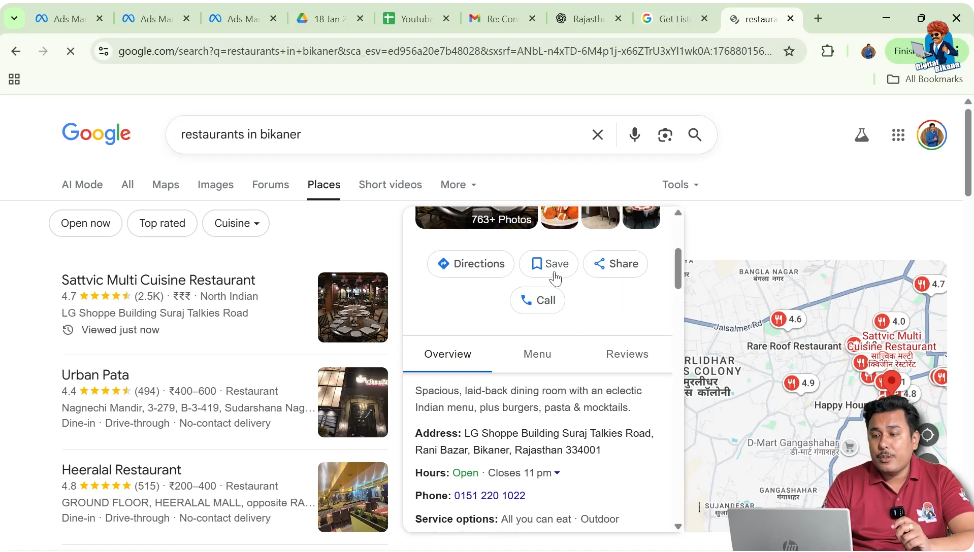
When someone searches for a business-related keyword such as restaurants along with a city name, Google displays a section known as the local pack. This local pack appears at the top of the search results.
After the local pack, regular website search results are displayed. The businesses shown in the local pack come directly from Google My Business listings.
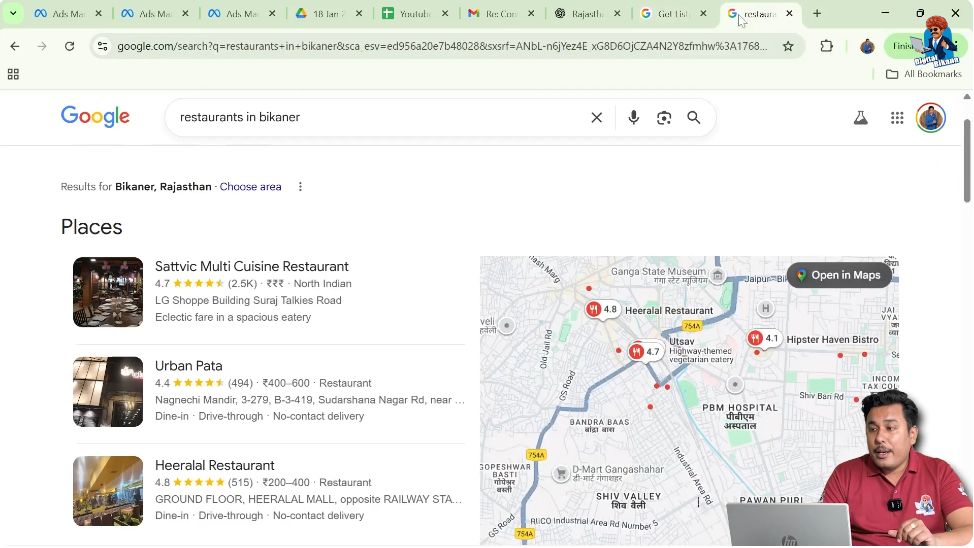
Understanding the Google Local Pack
The local pack displays multiple businesses relevant to the searched keyword. These businesses are selected based on their Google My Business profiles and proximity to the user.
If a business wants to appear in this section for niche-related keywords, it is necessary to create a Google My Business listing. Without this listing, Google will not display the business in local search results.
Importance of Local Keywords for Business Visibility
When users search for keywords like restaurant, they are usually looking for nearby businesses. Google understands this intent and displays businesses that are close to the user’s location.
As a result, many Google My Business profiles appear that are relevant and nearby. This helps users quickly find suitable businesses without browsing multiple websites.
Exploring More Places in Google Local Pack
Users can click on the “More places” option in the local pack to view additional businesses. This expands the list and shows more Google My Business listings related to the searched keyword.
By clicking on any individual business listing, users can access detailed business information.
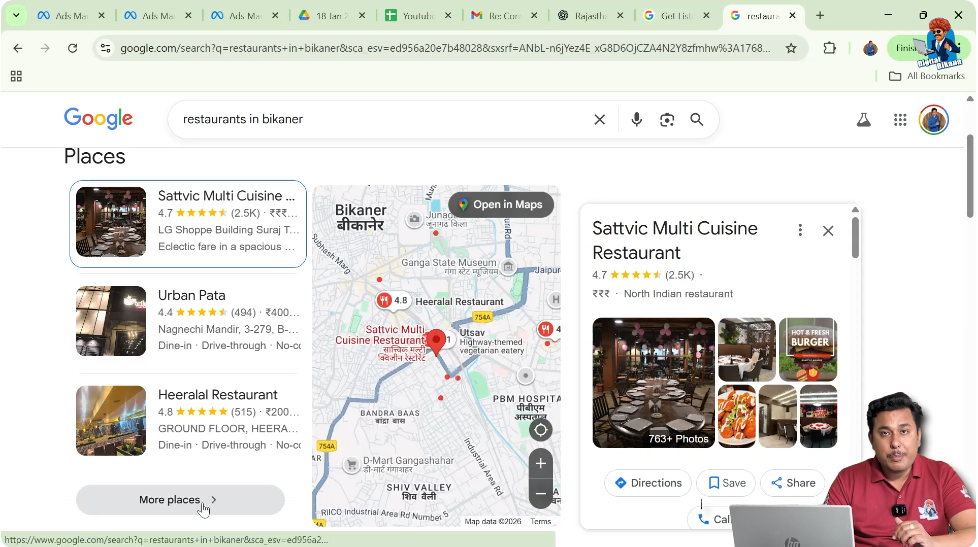
Information Available Inside a Google My Business Listing
When a user clicks on a Google My Business listing, several important details are displayed.
These include:
- Directions to the business
- Option to save the location
- Option to share the location
- Direct calling option
- Business overview and description
- Business address
- Working hours and open or closed status
- Timing information
- Popular times
- Menu details (for restaurants)
- Customer reviews
This information helps customers make informed decisions before visiting or contacting the business.
Role of Google My Business Listing in Customer Navigation
Google My Business listing makes it easy for customers to navigate to a business location. By following the address and directions provided in the listing, customers can directly reach the business.
This is especially helpful for users who are new to a city or unfamiliar with the area.
Appearance of Google My Business Listing on Google Maps
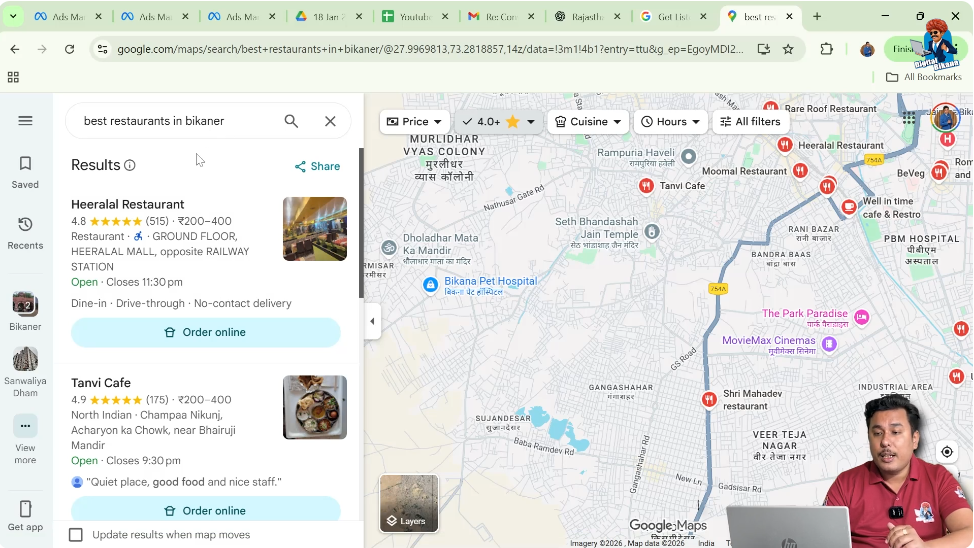
Google My Business listings also appear prominently on Google Maps. When users search for keywords related to a business category on Maps, relevant business listings are displayed.
Users can click on any listing and get directions, contact details, and other important information instantly.
Searching Businesses on Google Maps
When users search for a business category such as restaurants or schools on Google Maps, all relevant businesses are displayed on the map.
Each listing represents a Google My Business profile. Users can simply click on a listing and navigate to the business location.
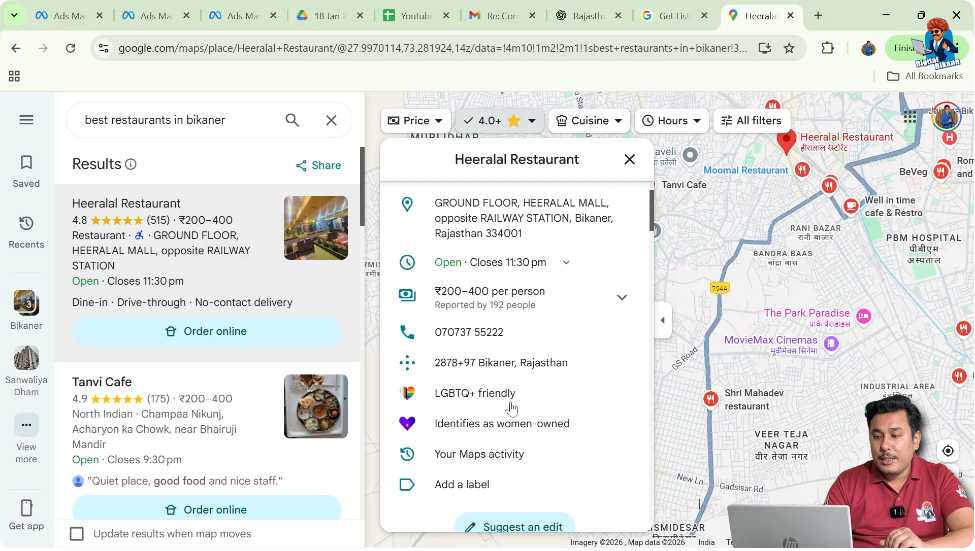
Information Displayed on Google Maps Listings
Google Maps listings show multiple details including:
- Direction to the business
- Business status
- Contact number
- Additional business attributes
This helps users decide which business to visit based on their needs.
Google My Business Listings for Different Niches
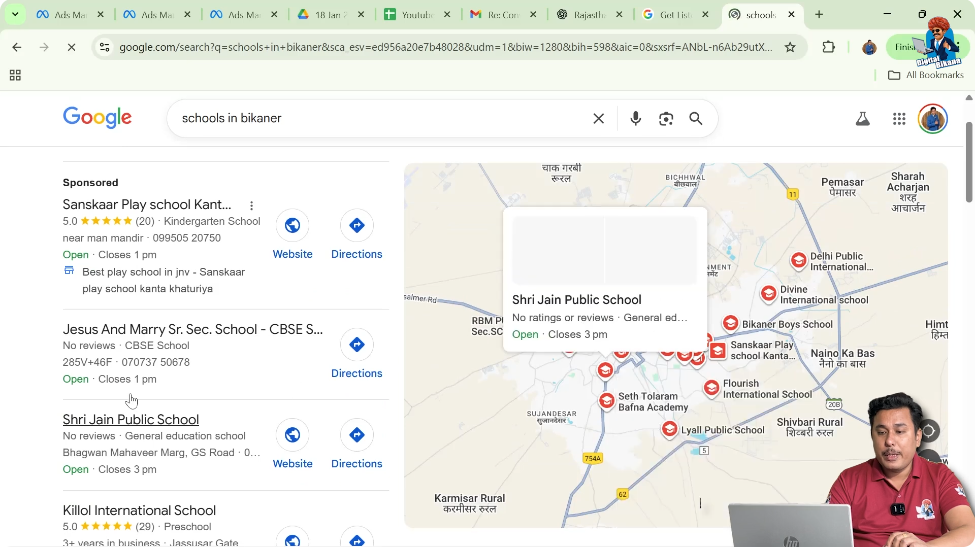
Google My Business listings are not limited to restaurants. When users search for other categories such as schools, Google displays relevant listings at the top followed by website search results.
This shows that Google My Business listings are applicable across different business niches.
Position of Local Pack in Search Results
The Google local pack section appears above website search results. This gives it higher visibility compared to organic website listings.
As a result, businesses displayed in the local pack receive more attention and clicks from users.
Need for Ranking Google My Business Listings
Creating a Google My Business listing is only one part of the process. The next important step is ranking that listing at the top of the search results in the local area.
If a business wants to receive good inquiries and reach more people, its listing must appear in top positions for relevant keywords.
Steps to Improve Business Visibility Using Google My Business
Step 1: Create a Google My Business Listing
Importance of Creating a Listing
Creating a Google My Business listing allows a business to appear in local search results and Google Maps. Without this listing, the business will not be visible for local searches.
Step 2: Ensure Business Appears for Relevant Keywords
Focus on Local Search Visibility
When someone searches for keywords related to a business, the business listing should appear in top positions. This increases the chances of attracting customers who are actively searching for services.
Step 3: Focus on Ranking the Business Listing
Importance of Top Position in Local Results
Ranking the Google My Business listing at the top is crucial for getting good inquiries. Businesses that appear at the top receive more visibility and reach compared to lower-ranked listings.
Creating vs Ranking a Google My Business Listing
Creating a Google My Business listing and ranking it in search results are two different aspects. Creating the listing makes the business visible, while ranking ensures that the business appears in top positions.
Both aspects are equally important for achieving better reach and inquiries.
Impact of Google My Business Listing on Business Growth
When a business listing ranks well in local search results, it attracts more users and increases business reach. This leads to better inquiries and higher chances of customer engagement.
Proper focus on both listing creation and ranking helps businesses grow effectively.
Conclusion
Google My Business listing is a powerful and free tool that allows businesses to establish an online presence without a website. It helps businesses appear in Google Search and Google Maps, making it easier for customers to find and contact them.
However, simply creating a listing is not enough. Businesses must also focus on ranking their listings in top positions for relevant local keywords. By doing both, businesses can achieve better visibility, higher reach, and more inquiries in their local area.

Related Posts