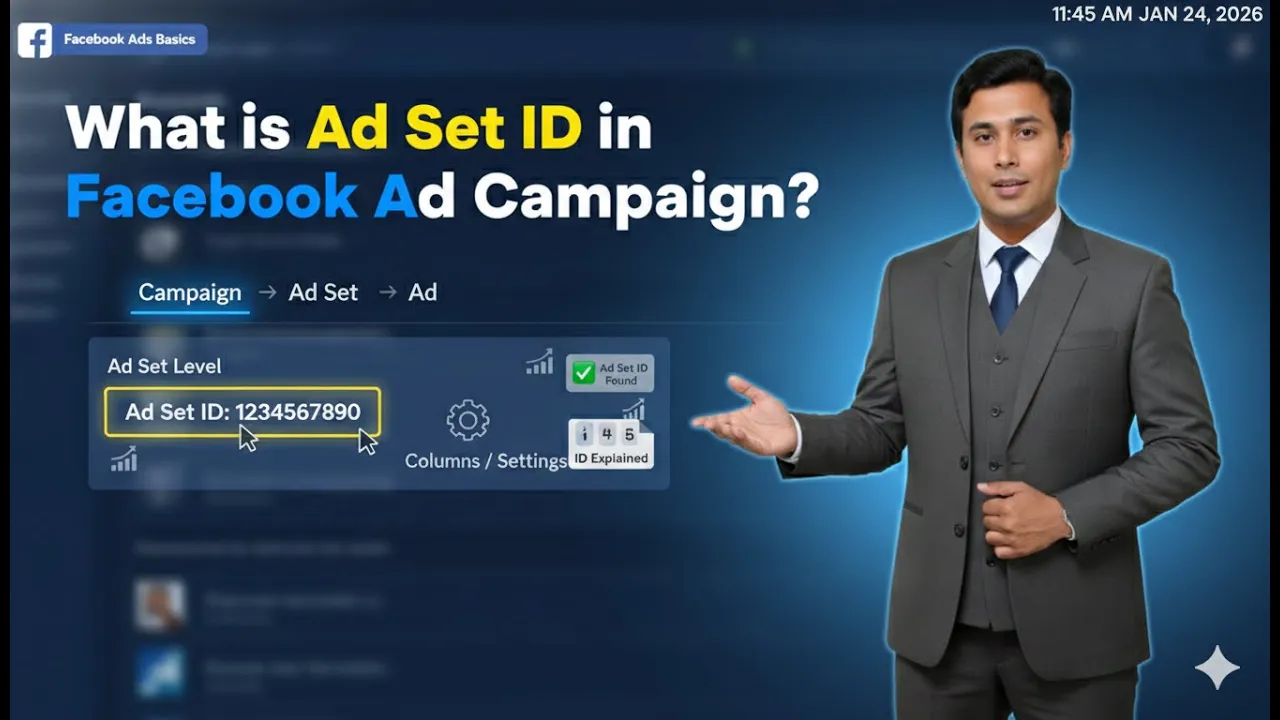
When running Facebook ads, many advertisers believe that an ad campaign must start immediately after it is created. However, this is not true. Facebook provides the flexibility to schedule ad campaigns for future dates, allowing advertisers to plan their advertising activities more strategically.
In this article, we will clearly explain what scheduling in Facebook ads is, why it is useful, and how you can schedule your Facebook ad campaign while designing it. This explanation will help you understand that running ads instantly is not mandatory and that scheduling can be a smart approach in many situations.
Understanding the Concept of Scheduling in Facebook Ads
What Does Scheduling Mean?
Scheduling in Facebook ads means setting a future start date and end date for your ad campaign or ad set instead of running it immediately.
With scheduling, you can decide:
- When your ad campaign should start
- When your ad campaign should stop
- At what time your ads should begin running
This allows advertisers to control ad delivery according to their business needs.

Is It Mandatory to Run Facebook Ads Immediately?
No, it is not mandatory to run your Facebook ad campaign immediately after creating it.
Facebook allows advertisers to:
- Design campaigns in advance
- Schedule them for future dates
- Let ads start automatically at the chosen time
This flexibility helps advertisers plan campaigns more effectively.
Why Scheduling Facebook Ads Is Useful
Running Ads Based on Performance Days
Many businesses notice that:
- They receive better engagement on specific days
- Sales perform better on weekends
- Users are more active during certain time periods
For example, if you observe that:
- Your business receives good sales on weekends
- Engagement is higher on Saturdays and Sundays
Then you can design your ad campaign during working days and schedule it to run on weekends.
Planning Campaigns in Advance
Scheduling helps when:
- You are creating campaigns ahead of time
- You do not want to manually turn ads on later
- You want automation without constant monitoring
Once scheduled, Facebook automatically runs the ads at the selected date and time.

Flexibility of Facebook Ad Scheduling
Scheduling for Future Dates
Facebook allows you to:
- Select a future start date
- Select a future end date
- Avoid immediate ad delivery
This means you can prepare campaigns early and let them run exactly when you want.
Scheduling for Specific Time Periods
Apart from dates, Facebook also allows:
- Time-based scheduling
- Ads to run during specific hours
This ensures that ads are shown only during the most relevant time slots.
Where Scheduling Is Done in Facebook Ads Manager
Scheduling at the Ad Set Level
Scheduling is done at the ad set level in Facebook Ads Manager.
When you are designing your campaign:
- You move to the ad set level
- You will see a section called Budget and Schedule
This is where all scheduling-related options are available.
Budget and Schedule Section Explained
Inside the Budget and Schedule section, you can:
- Set the campaign budget
- Select the start date
- Select the end date
- Choose specific times for ad delivery
This section controls when and how long your ads will run.
How to Schedule a Facebook Ad Campaign
Step-by-Step Scheduling Process
While designing your ad campaign, follow these steps:
Step 1: Go to the Ad Set Level
Once you reach the ad set level, locate the Budget and Schedule section.
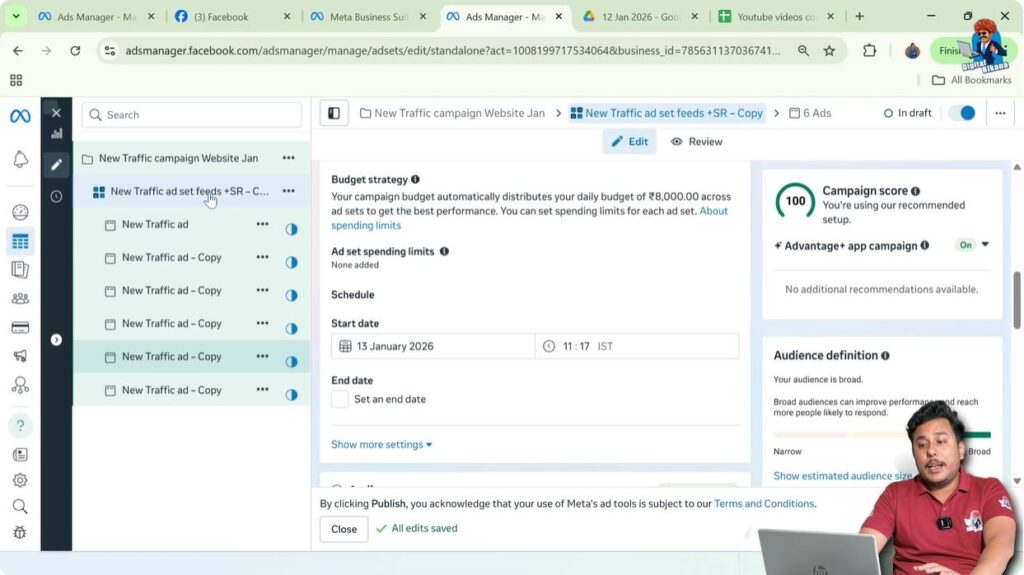
Step 2: Select the Start Date
Choose the date when you want your ad set to start running.
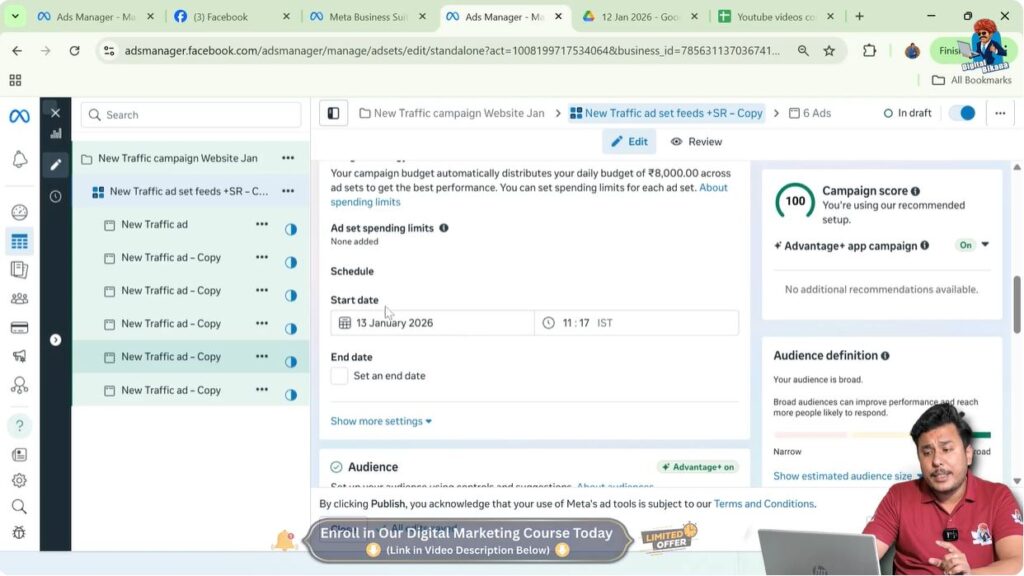
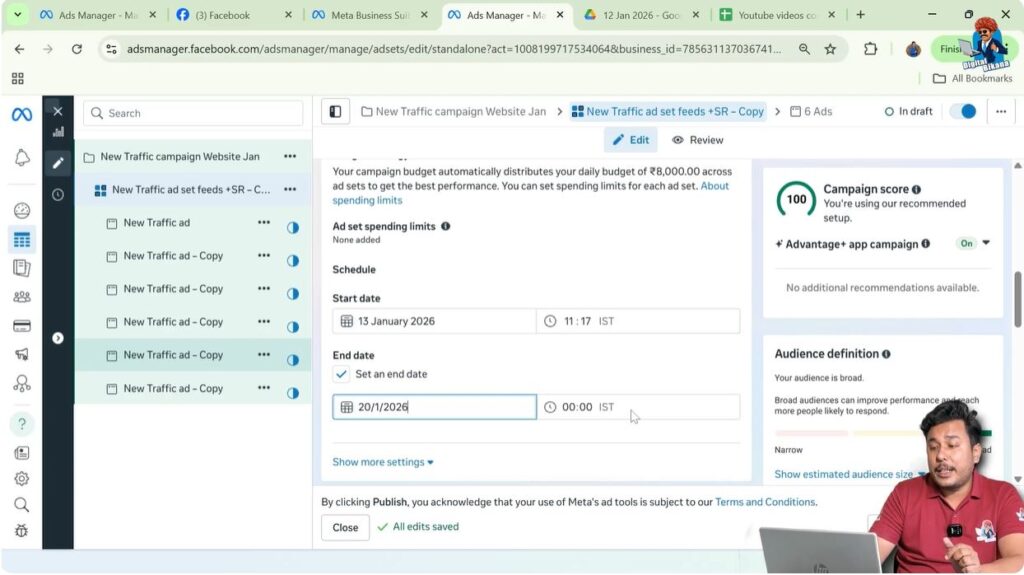
Step 3: Select the End Date
Choose the date when you want your ad set to stop running.

Step 4: Schedule the Time
You can also choose the exact time when your ad should start and stop.
Once this is done, Facebook automatically manages the ad delivery.
Automatic Ad Start and Stop
After scheduling:
- Your ad set will automatically start running on the selected start date
- Your ad set will automatically stop running on the selected end date
You do not need to manually activate or pause the campaign.
Example of Scheduling Facebook Ads
Weekend Scheduling Example
Suppose:
- Today is a working day
- You are designing an ad campaign now
- You want ads to run only on the weekend
You can:
- Select Saturday as the start date
- Select Sunday as the end date
- Choose appropriate time slots
Facebook will automatically run the ads during that period.
Advantage of This Approach
This approach allows:
- Better timing for higher engagement
- Efficient use of ad budget
- Ads to run when users are more active
Scheduling ensures your ads appear at the most relevant time.
Scheduling vs Immediate Ad Running
Immediate Ad Running
When ads are not scheduled:
- They start running as soon as they are approved
- Delivery begins immediately
This is useful when:
- You want instant visibility
- Timing is not critical
Scheduled Ad Running
When ads are scheduled:
- They wait until the selected date
- Delivery starts automatically at the chosen time
This is useful when:
- Timing is important
- Performance depends on specific days or hours
Benefits of Scheduling Facebook Ads
Better Control Over Ad Delivery
Scheduling gives advertisers:
- Control over start and end times
- Predictability in ad performance
- Better planning opportunities
Time-Saving Automation
Once scheduled:
- No manual action is needed
- Ads run automatically
- Campaigns stop automatically
This saves time and reduces the need for constant monitoring.
Common Misunderstanding About Scheduling
Many advertisers believe:
- Ads must start immediately
- Scheduling delays performance
- Scheduling is complicated
In reality:
- Scheduling is simple
- Scheduling offers flexibility
- Scheduling improves planning
Understanding scheduling removes unnecessary pressure.
When You Should Use Scheduling
Scheduling is ideal when:
- You know your high-performing days
- You want ads to run at specific times
- You want controlled delivery
- You are planning campaigns in advance
It is especially useful for businesses with time-based demand.
Important Points to Remember About Scheduling
- Scheduling is optional, not mandatory
- It is done at the ad set level
- Start date and end date can be selected
- Time-based scheduling is also possible
- Ads start and stop automatically
These points help advertisers manage campaigns efficiently.
Key Takeaways on Scheduling Facebook Ads
Let’s summarize the main points:
- Facebook ads can be scheduled for future dates
- Ads do not need to run immediately
- Scheduling is done in the Budget and Schedule section
- You can select start date, end date, and time
- Ads run automatically based on your settings
Scheduling gives you full control over when your ads appear.
Final Thoughts
Scheduling Facebook ads is a simple yet powerful feature that allows advertisers to plan campaigns strategically. Whether you want to run ads on weekends, specific days, or particular time slots, scheduling makes it possible without manual intervention.
By understanding how scheduling works and where to apply it in Ads Manager, advertisers can run more organized, efficient, and well-timed Facebook ad campaigns.
Scheduling is not about delaying ads—it is about running ads at the right time.

Related Posts