Hello friends, in this article we are going to learn what behavior-based targeting is in Meta advertising and how it works in detail. Behavior-based targeting is one of the audience targeting options available inside Meta Ads Manager that helps advertisers reach people based on their actions, activities, and usage patterns.
When used correctly, behavior-based targeting helps your ads reach more relevant people, which can lead to better results even with a lower advertising budget.
Where Behavior-Based Targeting Is Used in Meta Ads Manager
Whenever you create an ad campaign in Meta Ads Manager, the campaign structure is divided into three levels:
Behavior-based targeting is applied at the Ad Set level.
After creating a campaign and moving to the ad set level, you will see a section called Suggest an Audience. Inside this section, there is an option called Detailed Targeting, where you can define the type of audience you want to reach.
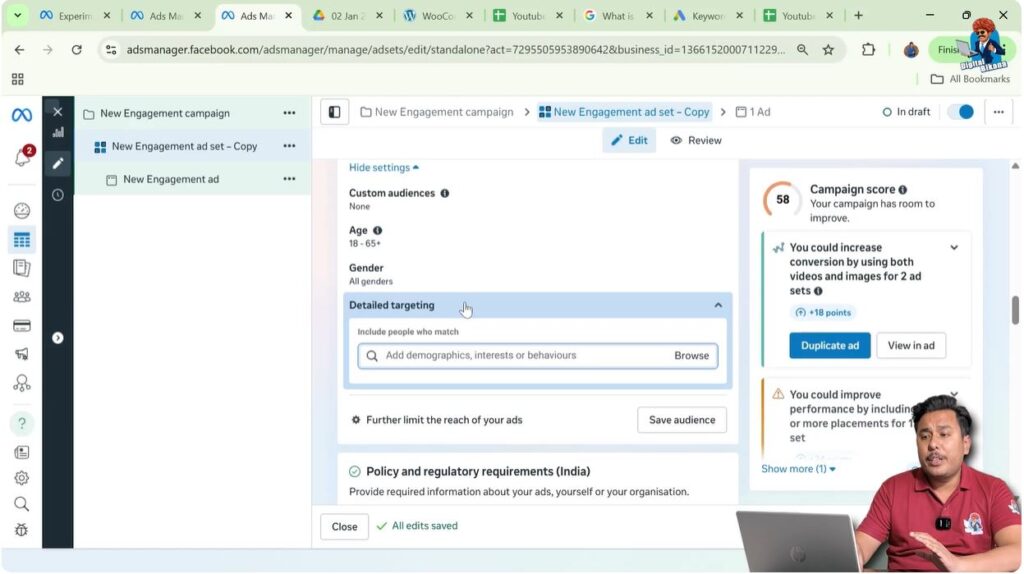
Understanding Detailed Targeting Options
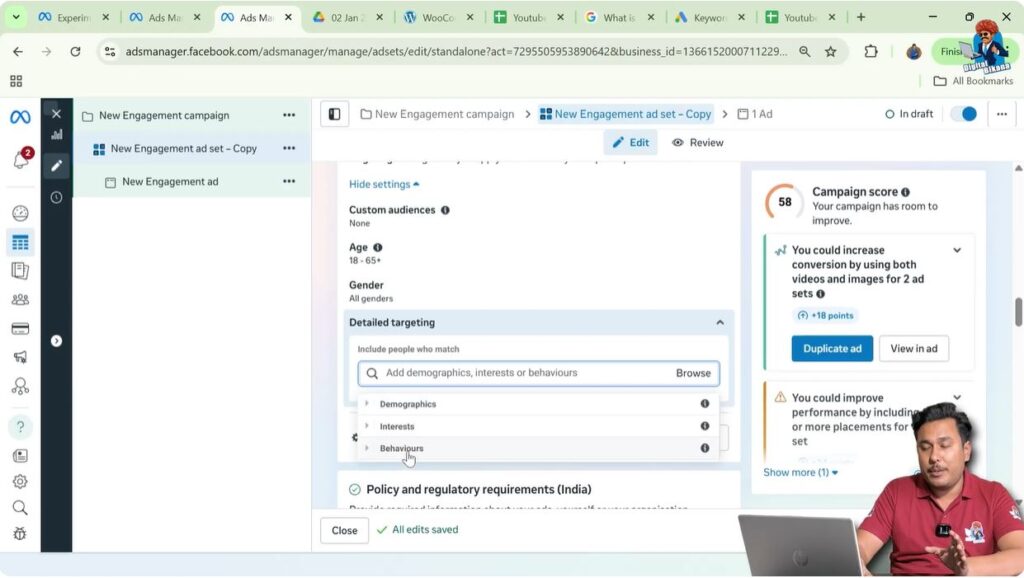
Inside detailed targeting, when you click on the Browse option, Meta provides three types of targeting filters:
- Demographics
- Interests
- Behaviors
Each of these targeting options works in a different way. In this article, the focus is specifically on behavior-based targeting.
It is important to understand that behavior-based targeting is not mandatory. If you want, you can also target people using interest-based targeting or demographic-based targeting. Behavior targeting is simply an additional option that you can use when it matches your campaign goals.
What Is Behavior-Based Targeting?
Behavior-based targeting allows advertisers to target people based on their actions and activities, rather than just who they are or what they are interested in.
These behaviors are identified by Meta based on how users interact with Facebook, Instagram, and other Meta platforms. This includes their digital activity, purchasing behavior, device usage, travel behavior, and more.
The main purpose of behavior-based targeting is to ensure that your ads are shown to people who are more likely to take action based on their past or ongoing behavior.
Accessing Behavior-Based Targeting
To use behavior-based targeting, you need to:
- Go to Meta Ads Manager
- Create a new ad campaign
- Move to the Ad Set level
- Scroll to the Suggest an Audience section
- Click on Detailed Targeting
- Click on Browse
- Select Behaviors
Once you click on behaviors, you will see multiple behavior-based targeting filters available.
Anniversary-Based Behavior Targeting
One of the behavior-based targeting options includes anniversary-related behaviors.
You can target people based on their anniversary-related activity. This can be useful for businesses such as:
- Gift shops
- Jewelry stores
- Restaurants
- Event planners
By targeting people around their anniversary period, businesses can promote relevant offers at the right time.

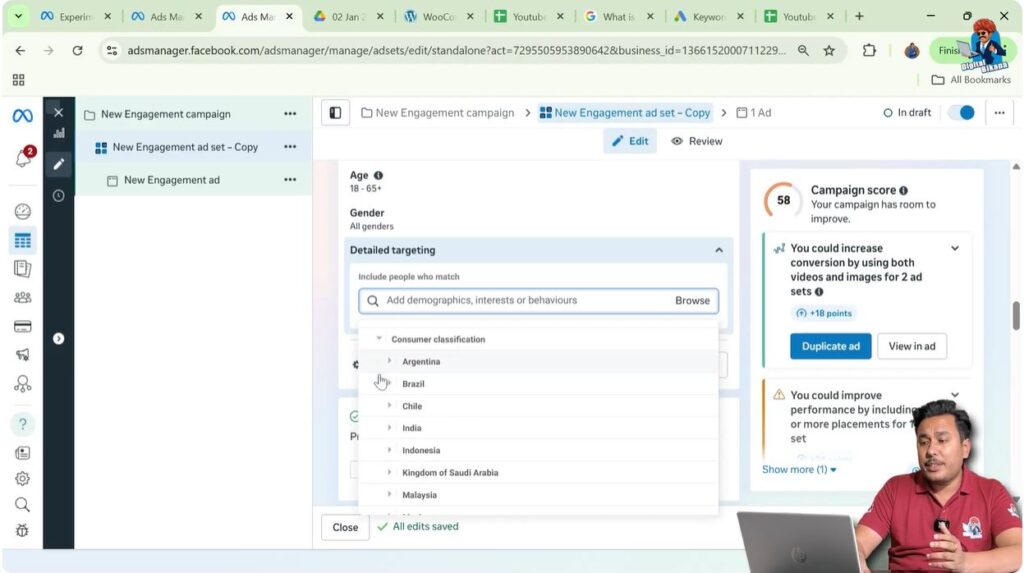
Consumer Classification Targeting
Behavior-based targeting also allows targeting based on consumer classification.
This includes targeting people based on:
- The type of products they prefer
- The countries whose products they like
This option helps businesses that deal in specific product categories or imported goods to reach people who show buying behavior related to those products.
Digital Activity-Based Targeting
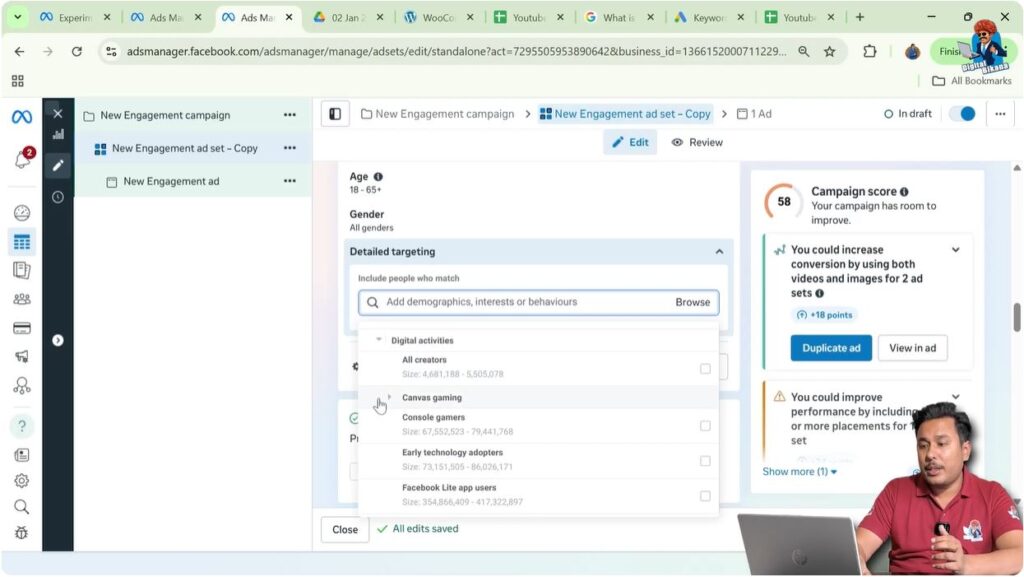
One of the most powerful sections in behavior-based targeting is Digital Activity.
Using this option, you can target people based on how they use Meta platforms. For example:
- People who make Facebook payments
- Facebook Page admins
- Content creators
This is especially useful for businesses that offer services to online professionals, creators, or business owners.
Browser and Technology Usage Targeting
Behavior-based targeting also allows you to target people based on the type of browsers they use.
This helps advertisers understand the technical preferences of their audience and target users who are more active or compatible with certain platforms or tools.
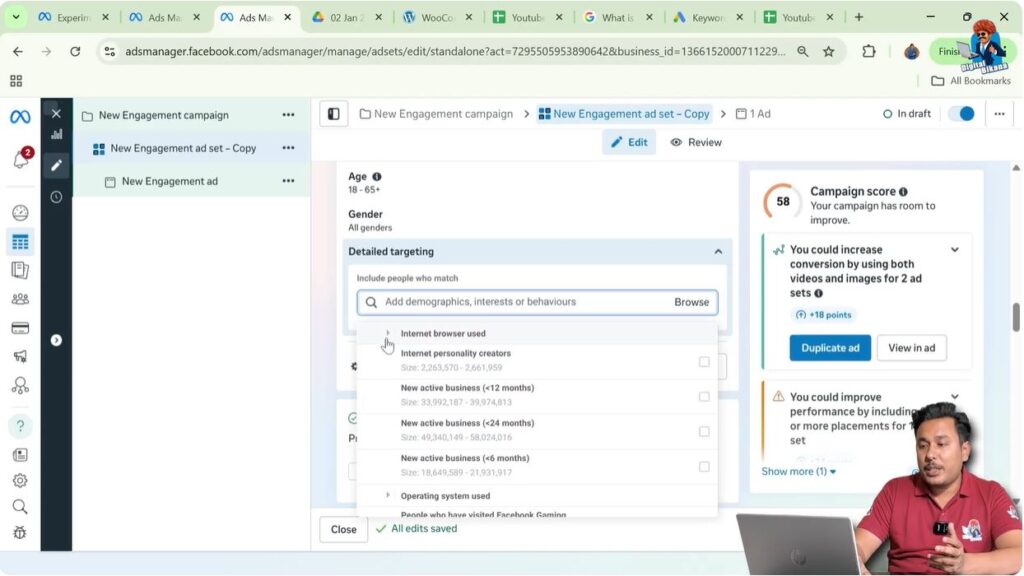
Business Activity-Based Targeting
You can also target people based on their business activity.
For example:
- People running an active business
- People who have recently started a business
This is useful for:
- Business consultants
- Software providers
- Marketing agencies
Such targeting helps reach people who are more likely to need business-related services.

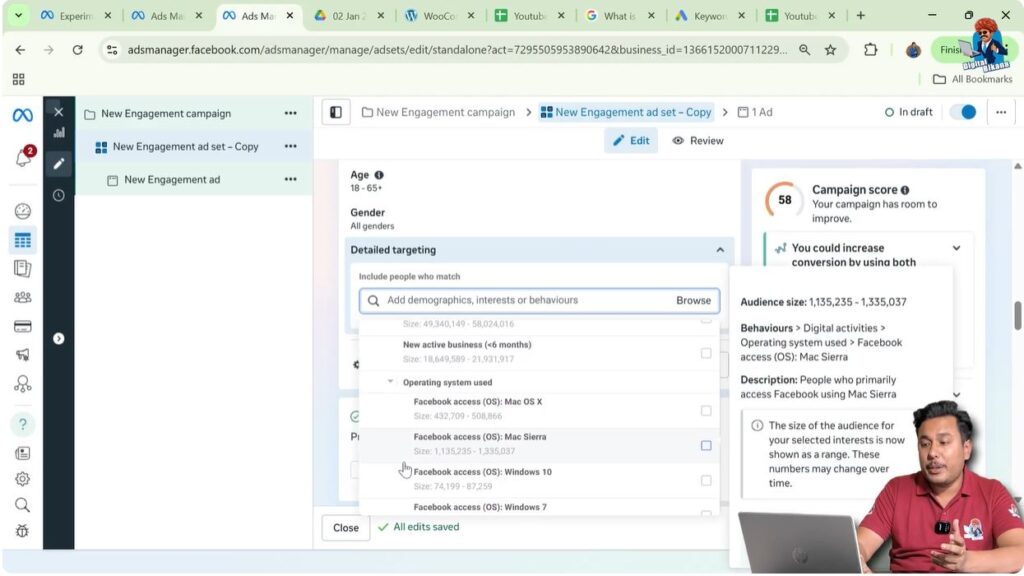
Operating System and Device-Based Targeting
Another important aspect of behavior-based targeting is operating system targeting.
You can target people based on:
- The operating system they use
- Their mobile device usage
This is helpful when:
- Your app or service works better on a specific operating system
- You want to promote device-specific products or services
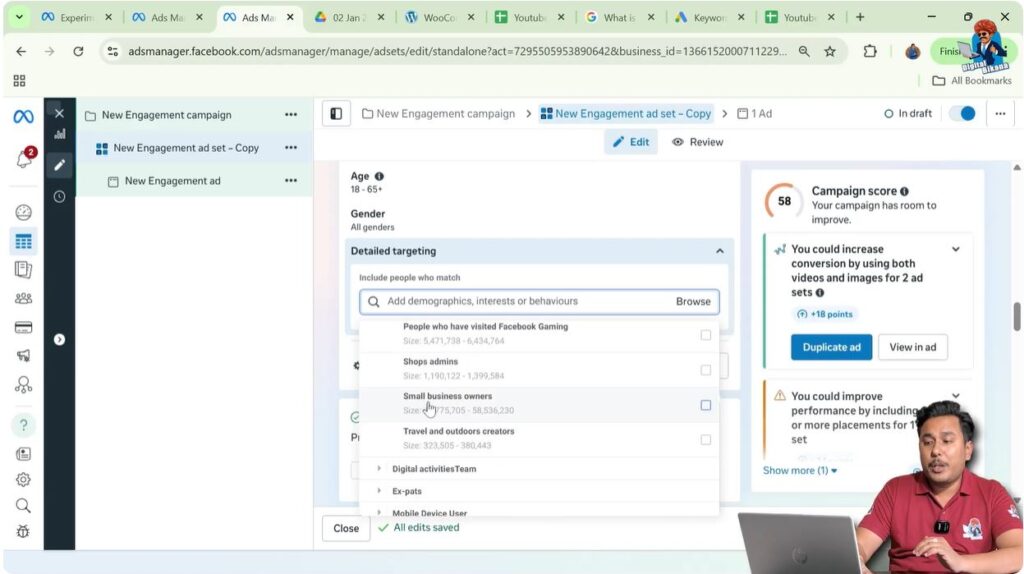
Small Business Owners and Creators Targeting
Behavior-based targeting also includes options to target people based on what they do professionally.
For example:
- Small business owners
- Creators
This is highly relevant for advertisers who provide tools, education, or services specifically designed for entrepreneurs or content creators.
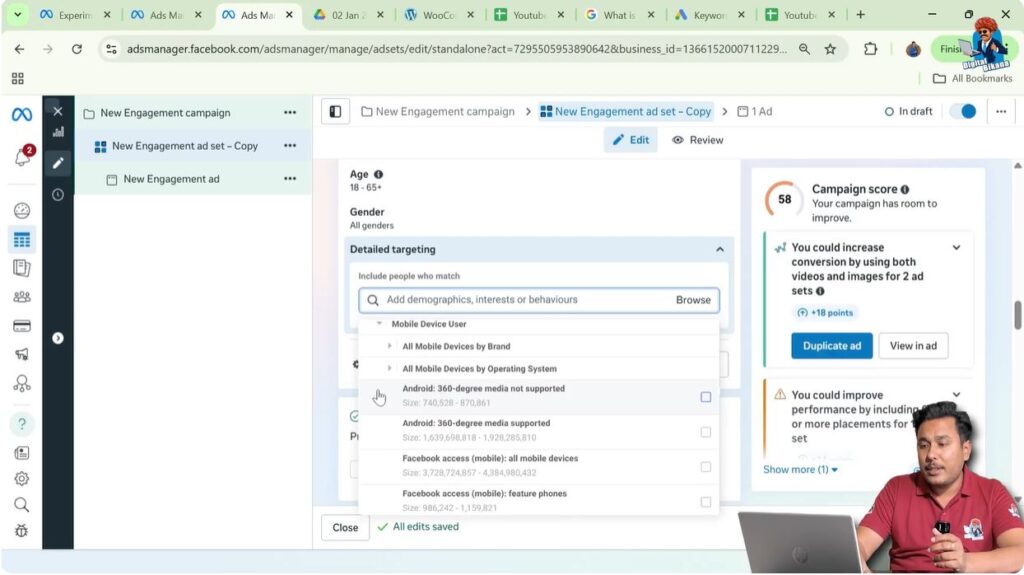
Mobile Device and Web Technology Targeting
Meta also provides behavior-based filters related to:
- Mobile device web brand
- Mobile device web operating system
This allows advertisers to refine their audience based on the technology users interact with while browsing online.
Advanced Behavior Categories
Inside behavior-based targeting, there are additional categories such as:
- Marketing API developers
- People interested in upcoming events
- Purchase behavior
- Travel behavior
These filters are useful for advertisers who want to reach users based on very specific behavioral patterns.
For example:
- Travel agencies can target people based on travel behavior
- Event organizers can target people interested in upcoming events
- E-commerce businesses can target people based on purchase behavior
Using Behavior-Based Targeting Effectively
While behavior-based targeting offers many options, it should be used thoughtfully.
It is not necessary to use all behavior-based filters. You should select only those filters that are directly related to your business and campaign objective.
Overusing filters can sometimes narrow your audience too much, which may affect ad delivery.
Is Behavior-Based Targeting Mandatory?
It is important to remember that behavior-based targeting is not mandatory.
You can:
- Use only interest-based targeting
- Use only demographic-based targeting
- Combine behavior-based targeting with other targeting options
Meta Ads Manager gives full flexibility to advertisers to choose the targeting method that best suits their advertising goals.
Behavior-Based Targeting for Beginners
For beginners who are not sure whom to target, behavior-based targeting can be a helpful starting point. By browsing the available behavior filters, beginners can get ideas about how Meta categorizes user behavior and how ads can be targeted accordingly.
At the same time, beginners should test different targeting options and observe performance to understand what works best for their campaigns.
Final Understanding of Behavior-Based Targeting
Behavior-based targeting in Meta advertising allows advertisers to reach people based on their actions, digital activity, device usage, business behavior, and purchasing or travel patterns.
By selecting the right behavior-based filters, advertisers can:
- Show ads to more relevant audiences
- Improve ad performance
- Reduce wasted ad spend
- Achieve better results with lower budgets
Behavior-based targeting is a powerful option inside Meta Ads Manager, but it should be used only when it aligns with your business needs.

Related Posts