
In this article we are going to understand a very simple and easy concept: how to open Meta Business Suite in Facebook. Many beginners face confusion when they want to access Meta Business Suite. They know it exists, but they are not sure where exactly it is located inside Facebook or how to open it properly. Facebook provides multiple ways to access Meta Business Suite depending on whether you are on your personal profile, your Facebook page, or your page profile. In this article, we will explain all the available methods step by step so that you can easily open Meta Business Suite without confusion.
Understanding Meta Business Suite Access in Facebook
Meta Business Suite is available directly inside Facebook. You do not need to install anything or use a separate platform. You only need to know where the option is located.
Depending on where you are inside Facebook, the option to open Meta Business Suite appears in different places. That is why Facebook provides more than one method to access it.
Method 1: Open Meta Business Suite from Facebook Homepage
This is the first and most basic method to open Meta Business Suite.
Step 1: Log in to Your Facebook Account
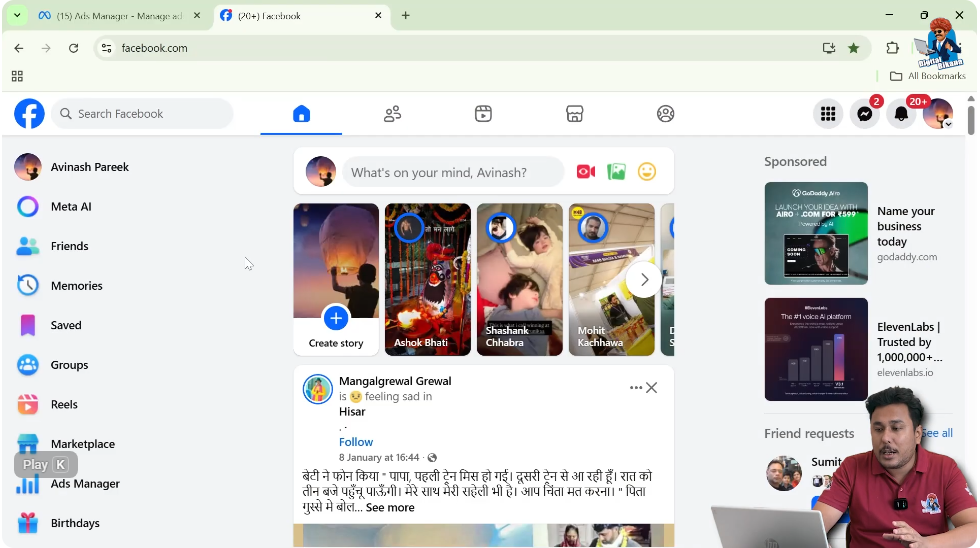
First, log in to your Facebook account and make sure you are on your Facebook homepage.
At this stage, you are using Facebook as a normal user and viewing your personal feed.
Step 2: Locate the Left-Side Toolbar
On the Facebook homepage, look at the left-side toolbar. This toolbar contains multiple options related to your Facebook account.

Step 3: Click on the “See More” Option
In the left-side toolbar, you will find an option called See More.
Click on the See More option to expand the list of available features.

Step 4: Click on Meta Business Suite
After clicking on See More, you will see the option for Meta Business Suite.
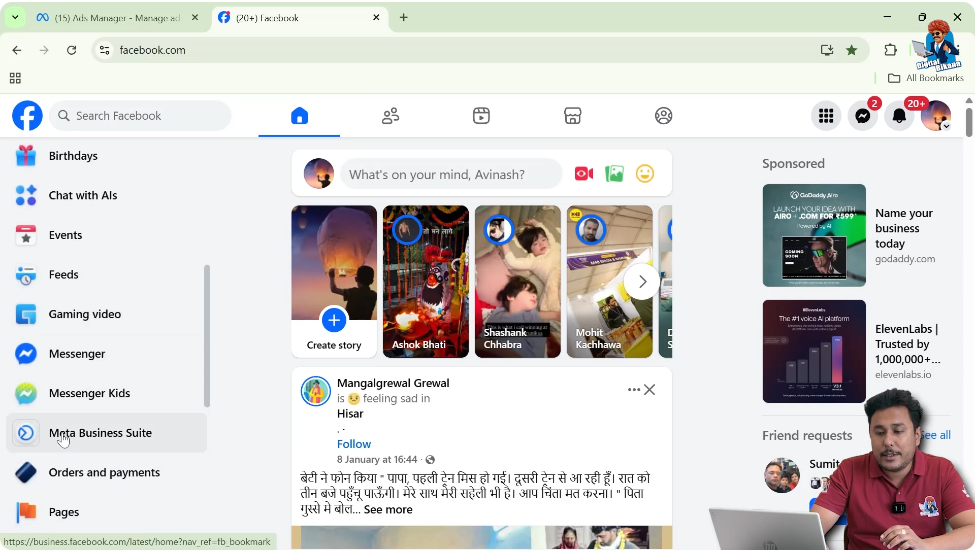
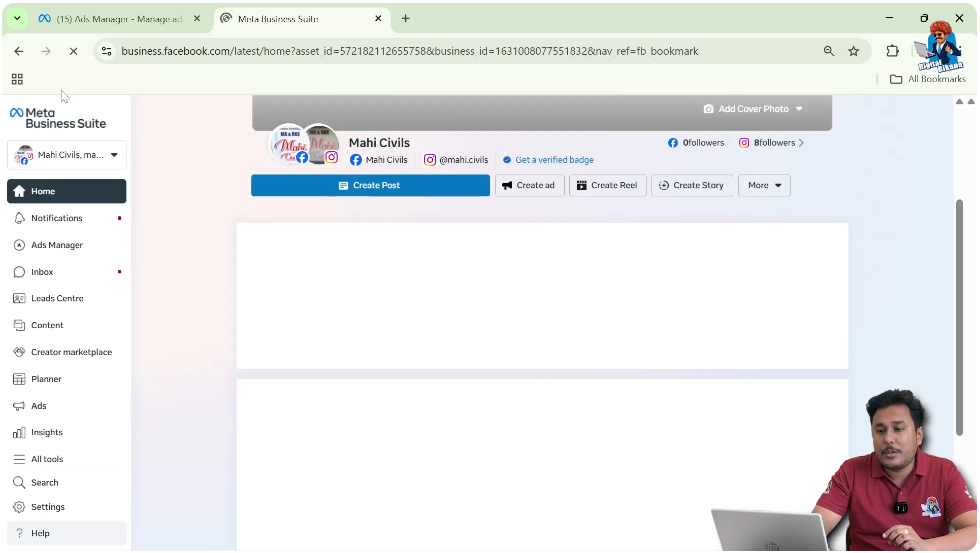
When you click on Meta Business Suite, it will open directly.
This completes the first method of opening Meta Business Suite.
Explanation of Method 1
This method is useful when:
- You are on your Facebook homepage
- You have not switched to your Facebook page
- You want quick access to Meta Business Suite
This is the simplest method because it does not require switching profiles or pages.
Method 2: Open Meta Business Suite After Switching to Facebook Page
The second method works when you switch from your Facebook profile to your Facebook page.
Step 1: Log in to Your Facebook Account
First, log in to your Facebook account as usual.
Step 2: Switch to Your Facebook Page
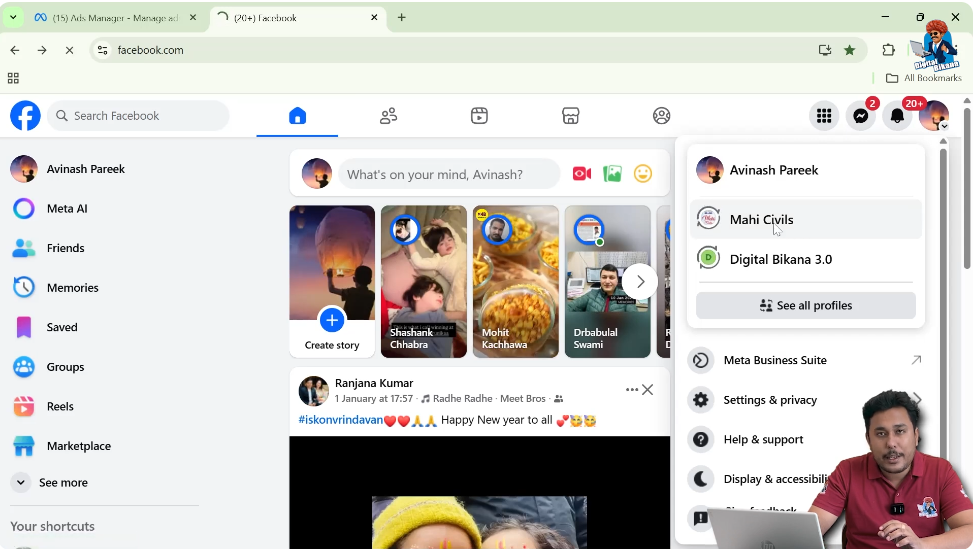
In the top-right corner of your Facebook account, you will see your profile icon.
Click on it and switch from your personal Facebook profile to your Facebook page.
Step 3: Confirm You Are on Your Facebook Page
Once you switch, you will be inside your Facebook page. You are no longer using Facebook as a personal profile.
Step 4: Locate Meta Business Suite in the Left Menu
After switching to your Facebook page, look at the left-side menu.
Here, you will see the option for Meta Business Suite.
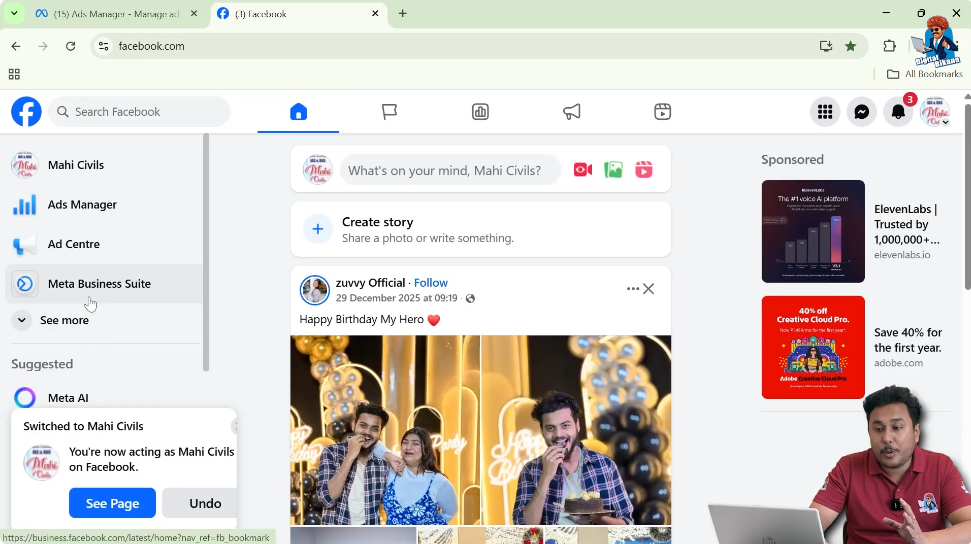
Step 5: Click on Meta Business Suite
Click on the Meta Business Suite option, and it will open immediately.
This completes the second method of opening Meta Business Suite.
Explanation of Method 2
This method is useful when:
- You manage a Facebook page
- You are already working inside your page
- You want to access Meta Business Suite directly from the page view
Facebook provides this option to make business management easier for page owners.
Method 3: Open Meta Business Suite from Facebook Page Profile
The third method allows you to open Meta Business Suite directly from your Facebook page profile.
Step 1: Open Your Facebook Page
First, go to your Facebook account and open your Facebook page.

Step 2: Click on Your Page Name
Click on your page name to open the profile view of your Facebook page.
Now you are on the profile page of your Facebook page.

Step 3: Locate the Left-Side Menu on Page Profile
On the left side of your Facebook page profile, you will see multiple options related to your page.

Step 4: Click on Meta Business Suite
In the left-side menu of your page profile, you will find the option for Meta Business Suite.
Click on it.

Step 5: Visit Meta Business Suite Platform
After clicking on Meta Business Suite, you will be redirected to the Meta Business Suite platform of Facebook.
This completes the third method.
Explanation of Method 3
This method is useful when:
- You are viewing your Facebook page profile
- You want direct access from the page layout
- You prefer opening tools from the page itself
Facebook provides this option to ensure easy accessibility from every page view.
Comparison of All Three Methods
Facebook provides three different ways to open Meta Business Suite so that users can access it from different sections of the platform.
Method 1 Summary
- Accessed from Facebook homepage
- Uses the See More option
- Does not require switching to a page
Method 2 Summary
- Requires switching to a Facebook page
- Meta Business Suite appears in the left menu
- Useful for page-based work
Method 3 Summary
- Accessed from Facebook page profile
- Option appears on the page’s left-side menu
- Direct page-level access
All three methods lead to the same Meta Business Suite platform.
Why Facebook Provides Multiple Access Methods
Facebook understands that users navigate the platform in different ways.
Some users:
- Stay on their homepage
- Work mostly inside their pages
- Prefer managing everything from the page profile
To support all types of users, Facebook provides multiple paths to reach Meta Business Suite.
Common Confusion Among Beginners
Beginners often think that:
- Meta Business Suite is difficult to find
- It exists outside Facebook
- It requires a separate login
In reality, Meta Business Suite is already integrated inside Facebook and can be opened using any of the three methods explained above.
Importance of Knowing All Methods
Knowing all three methods is helpful because:
- Facebook interface may change
- One option may not be visible temporarily
- You may access Facebook from different views
If one method is not visible, you can easily use another.
Final Conclusion
Opening Meta Business Suite in Facebook is very simple if you know where to look.
You can open Meta Business Suite:
- From the Facebook homepage using the See More option
- After switching to your Facebook page
- Directly from your Facebook page profile
All three methods lead to the same Meta Business Suite platform. You can use whichever method is most convenient for you.

Related Posts