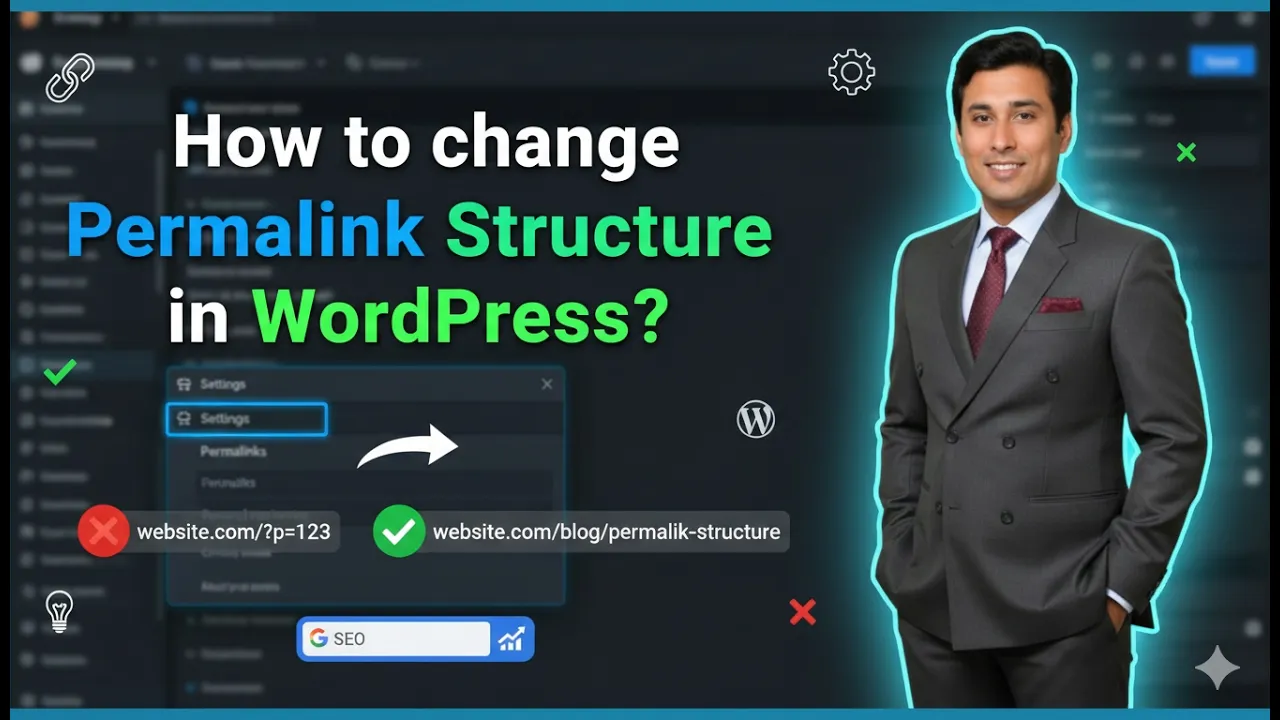
Changing the permalink structure of a WordPress website is an important step while setting up your website. The permalink structure defines how the URLs of your pages and blog posts will appear. A proper permalink structure helps in organizing your website content and is also useful for search engine optimization.
In this article, you will learn how to change the permalink structure of your WordPress website step by step from the WordPress dashboard.
As you can see, we are inside the WordPress dashboard. From here, we can access all the settings related to the website.
Opening Permalink Settings in WordPress
To change the permalink structure, first you need to open the Settings section.
On the left side toolbar of the WordPress dashboard, you will find the Settings option.
Click on the Settings option.
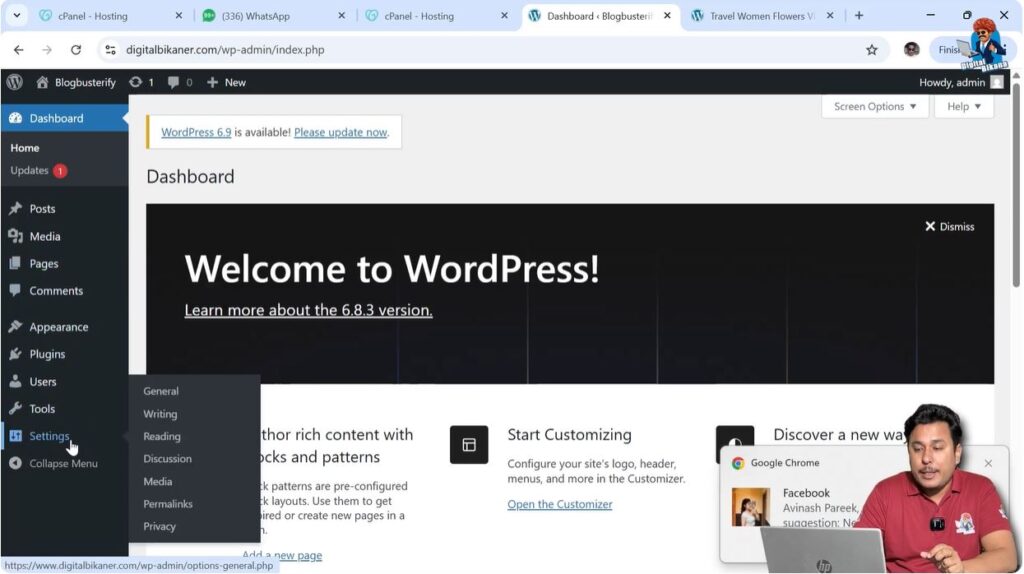
After clicking on Settings, you will find different setting options.
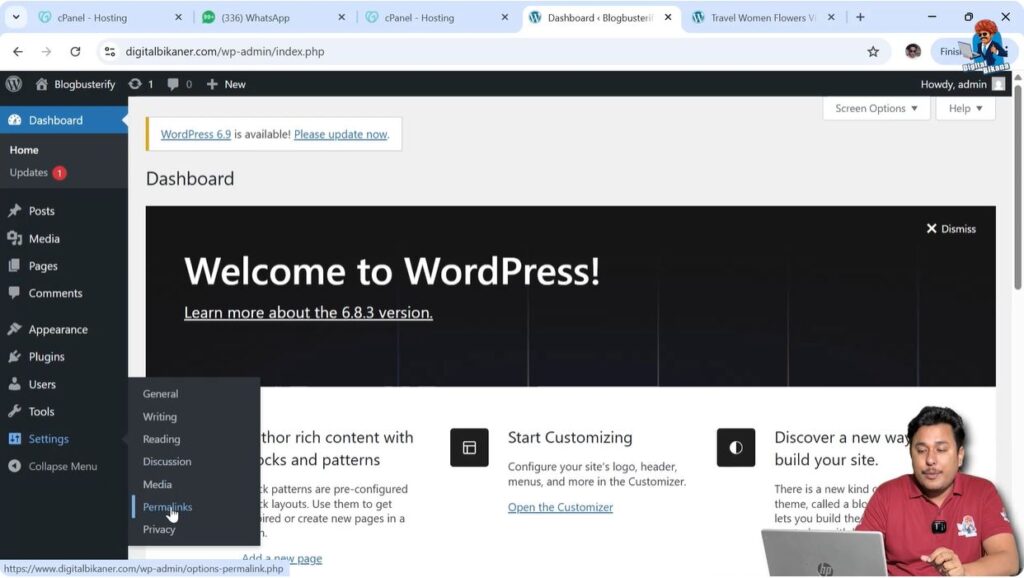
Among these options, you will find the Permalinks option.
Click on the Permalinks option.
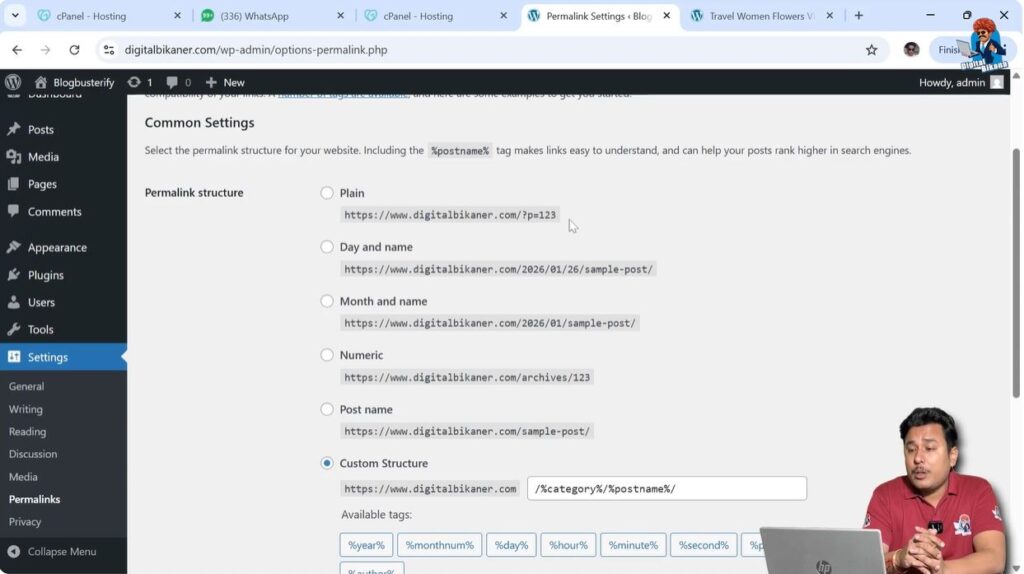
After clicking on Permalinks, the permalink settings page will open where different URL structures are available.
Available Permalink Structures
WordPress provides multiple permalink structures that you can select according to your requirements.
Each permalink structure creates URLs in a different format.
Plain Structure
URL Format
The first permalink structure is the Plain Structure.
In the plain structure, the URL of the page or post appears with numbers.
For example:
https://example.com/?p=123
In this structure, the URL contains numbers that may appear random.
This structure does not contain any keywords in the URL.
Because the URLs contain only numbers, this structure is not recommended.
For this reason, we are not going to select the plain structure.
Day and Name Structure
URL Format
The second permalink structure is the Day and Name Structure.
In this structure, the URL contains the year, month, and date along with the post name.
For example:
https://example.com/2026/02/15/post-name/
This type of URL structure shows the date when the page was created.
This structure is not recommended for SEO purposes.
For example, if the URL shows the year 2026 and later the year becomes 2030, search engines may think that the page is outdated.
As a result, the page may lose ranking in search engine results.
Another reason is that once backlinks are created for a page, changing the URL later becomes difficult.
When URLs are changed, redirects have to be created and redirects do not pass full SEO value.
For these reasons, this structure should not be selected.
Month and Name Structure
URL Format
The next permalink structure is the Month and Name Structure.
In this structure, the URL contains the year, month, and post name.
For example:
https://example.com/2026/02/post-name/
This structure also includes dates in the URL.
Since dates are included, it is also not recommended for SEO purposes.
For this reason, this structure is also not selected.
Numeric Structure
URL Format
Another permalink structure is the Numeric Structure.
In this structure, the URL contains random numbers.
For example:
https://example.com/archives/123
This structure also does not include keywords in the URL.
Because keywords are not included, this structure is not useful for SEO.
For this reason, this structure is also not selected.
Custom Permalink Structure
Category and Post Name Structure
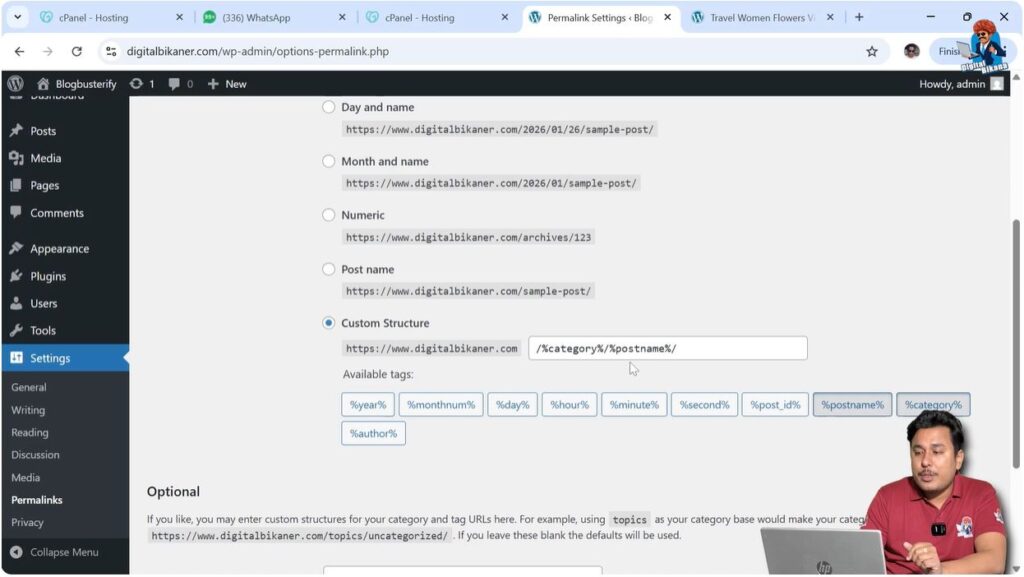
WordPress also allows you to create a custom permalink structure.
In a custom permalink structure, you can design the URL format according to your requirements.
For example, you can include the category and the post name in the URL.
In this structure, the category appears first and then the post name appears.
For example:
https://example.com/food-recipes/how-to-make-pizza/
In this example:
- “food-recipes” is the category
- “how-to-make-pizza” is the post name
This structure looks clean and organized.
This structure also includes keywords in the URL.
Including keywords in the URL is helpful for search engine ranking.
Because of this, the custom structure looks good and can be used.
Post Name Structure
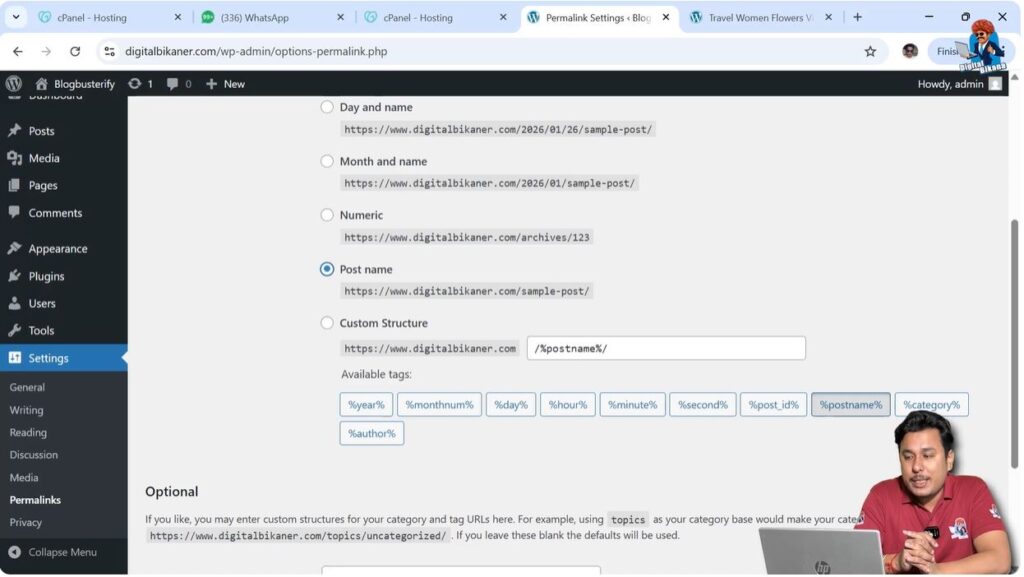
Another good permalink structure is the Post Name Structure.
In this structure, only the post name appears in the URL.
For example:
https://example.com/how-to-make-pizza/
This structure is simple and clean.
It includes the keyword in the URL which is useful for SEO.
This structure is also a good option.
Choosing the Right Permalink Structure
Both the Post Name Structure and the Custom Structure are good options.
You can select either:
- Post Name Structure
or - Category and Post Name Structure
Both structures include keywords in the URL.
Including keywords in the URL is beneficial for search engine optimization.
Keywords in URLs help search engines understand the content of the page.
Because of this, pages can rank better in search engine results.
Saving Permalink Settings
Save Changes
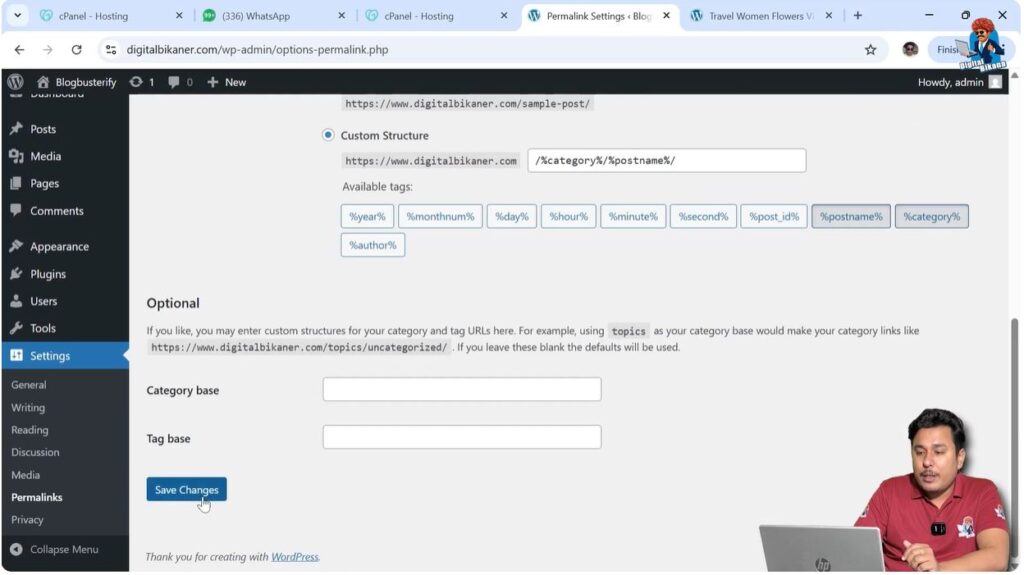
After selecting the permalink structure, you need to save the settings.
Scroll down to the bottom of the page.
Click on the Save Changes button.
Once you click on Save Changes, the permalink structure will be updated.
After saving the settings, all new pages and blog posts will follow the selected permalink structure.
SEO Benefits of Proper Permalink Structure
Using a proper permalink structure helps in SEO.
When keywords are included in the URL, search engines can understand the content of the page more easily.
This helps the page rank better in search engine results.
Clean and readable URLs also improve user experience.
Visitors can easily understand what the page is about by looking at the URL.
Because of these reasons, using keyword-based permalink structures is recommended.
Conclusion
Changing the permalink structure of a WordPress website is a simple process that can be done from the Settings section.
WordPress provides multiple permalink structures such as Plain, Day and Name, Month and Name, Numeric, and Custom structures.
Among these options, the Post Name Structure and Custom Structure are the best choices because they include keywords in the URL.
After selecting the preferred structure, you just need to save the changes and your permalink structure will be updated.

Related Posts