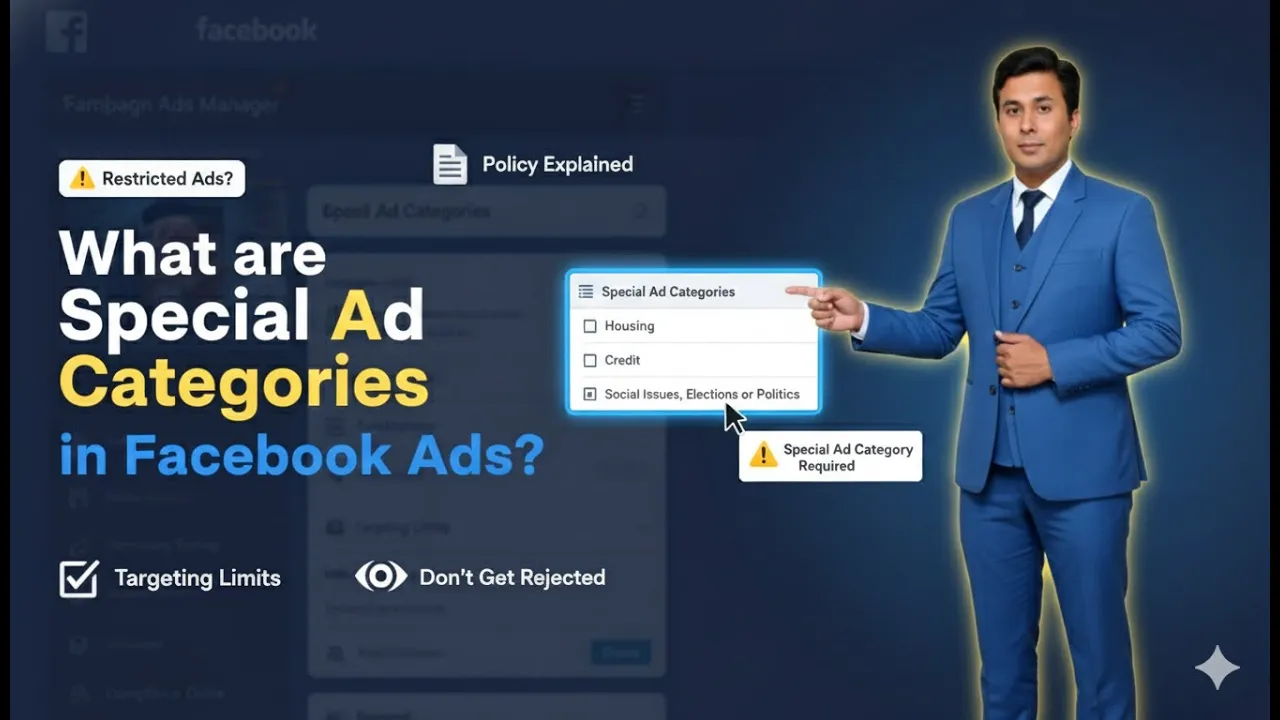
When creating an ad campaign in Meta Ads Manager, advertisers often focus on objectives, audiences, budgets, and creatives. However, one very important section at the ad campaign level is called Special Ad Categories. Understanding this section correctly is critical because choosing the wrong option—or ignoring it when required—can lead to serious issues such as ad rejection, temporary restrictions, or even permanent ad account bans. In this article, we will understand what Special Ad Categories are in Meta Ads, when they should be selected, what types of ads fall under these categories, and what changes occur in your ad campaign when you select a Special Ad Category.
Where You Find Special Ad Categories in Meta Ads Manager
When you create a new ad campaign in Meta Ads Manager, you start at the ad campaign level. At this level, Meta provides a section called Special Ad Categories. This section appears before you move to the ad set level.
At this point, Meta asks whether your ad belongs to any Special Ad Category. You must carefully decide whether to select a category or skip this section.
How Many Special Ad Categories Exist in Meta Ads
Meta Ads Manager provides four Special Ad Categories. These categories are designed for ads that deal with sensitive topics where discrimination or unfair targeting could occur.
The four Special Ad Categories are:
- Financial products and services
- Employment
- Housing
- Social issues, elections, or politics
Each category has specific rules, and selecting the correct category is mandatory if your ad falls under it.
What Are Special Ad Categories in Meta Ads?
1. Financial Products and Services
The first Special Ad Category is Financial Products and Services.
You must select this category if you are running ads related to:
- Credit cards
- Debit cards
- Fixed deposits
- Recurring deposits
- Loans
- Savings opportunities
- Any financial product or financial service
If your ad campaign promotes any of these financial offerings, you must turn on and select this Special Ad Category. If your business does not offer financial products or services, then there is no need to select this category.

2. Employment
The second Special Ad Category is Employment.
You must select this category if you are running ads related to:
- Hiring
- Job openings
- Internships
- Recruitment
- Employment opportunities in your business
If your ad campaign is about providing jobs or hiring people, then you must select the Employment category. If your ad is not related to hiring or employment, then this category should not be selected.

3. Housing
The third Special Ad Category is Housing.
This category applies if you are running ads related to:
- Buying or selling houses
- Flats or apartments
- Agricultural land
- Commercial offices
- Any real estate transaction
If your ad campaign promotes real estate in any form, you must select the Housing category. If your business is not related to real estate or property, then there is no need to choose this category.

4. Social Issues, Elections, or Politics
The fourth and last Special Ad Category is Social Issues, Elections, or Politics.
You must select this category if your ad is:
- Directly related to any politician
- Indirectly related to any political figure
- Related to elections
- Related to social issues
- Related to political activities
This category requires extra attention because Meta is extremely sensitive about political and social content.

Example Scenario Explained
For example, suppose you inaugurated a business such as a school and invited a politician to the inauguration ceremony. You took photos and videos during the event and created an ad creative using that content. Even if your business is not political, the presence of a politician in the ad creative makes it related to politics.
If you promote that ad creative without selecting the Social Issues, Elections, or Politics category, Meta may detect the politician in the content. In such a case, your ad campaign can face temporary restrictions or even a permanent ad account ban.
This is why it is very important to select the correct Special Ad Category when required.
When You Do Not Need to Select Any Special Ad Category
If your ad campaign is related to:
- Restaurants
- Sweet shops
- Salons
- Retail stores
- Any business that does not fall under financial services, employment, housing, or politics
Then you do not need to select any Special Ad Category. In such cases, you can simply skip this section and continue creating your ad campaign normally.
Why Selecting the Correct Special Ad Category Is Important
If your ad belongs to a Special Ad Category and you do not select it, Meta may:
- Temporarily restrict your ad campaign
- Temporarily restrict your ad account
- Permanently ban your ad account in serious cases
Meta reviews Special Ad Category campaigns very strictly, so accuracy is essential.
What Changes When You Select a Special Ad Category
Now let us understand what changes occur in your ad campaign when you select a Special Ad Category.
Change 1: Location Radius Restriction
When you select any Special Ad Category, you must run your ad campaign within a minimum radius of 10 miles (17 kilometers).
You cannot:
- Target a radius of 1 mile
- Target 2 miles
- Target 5 miles
At the ad set level, Meta does not allow you to reduce the radius below 10 miles. This setting cannot be changed.
Change 2: No Detailed Targeting Allowed
The second major change is related to detailed targeting.
In a normal ad campaign, you can:
- Apply interest filters
- Apply demographic filters
- Narrow down audiences
However, in a Special Ad Category campaign:
- You cannot use detailed targeting
- You cannot apply filters
- You must show your ad to everyone in the selected location
Meta enforces this rule because it believes that everyone has equal rights.
Why Meta Restricts Detailed Targeting
Meta believes that:
- Everyone has the right to buy a house
- Everyone has the right to apply for a job
- Everyone has the right to access financial services
- Political ads should reach all people equally
Therefore, Meta does not allow advertisers to discriminate by targeting only specific groups in Special Ad Category campaigns.
Comparison Between Normal Ads and Special Ad Category Ads
In a normal ad campaign:
- You can reduce location radius
- You can use detailed targeting
- You have more control over audience filters
In a Special Ad Category campaign:
- Minimum radius is fixed at 10 miles
- Detailed targeting is disabled
- Ads must be shown to a broader audience
Meta’s Review Process for Special Ad Categories
Meta reviews Special Ad Category campaigns more deeply than normal ad campaigns. These ads go through stricter checks because of the sensitivity involved.
That is why selecting the correct category is not optional—it is mandatory when applicable.
Final Recommendation
If your ad campaign is related to:
- Financial products or services
- Employment or hiring
- Housing or real estate
- Social issues, elections, or politics
You must select the correct Special Ad Category.
If you do not select it when required, your ad account may face temporary or permanent restrictions.
If your ad does not belong to any of these categories, you can safely skip the Special Ad Category section and continue creating your campaign.
Final Summary
Special Ad Categories in Meta Ads are designed to protect fairness and prevent discrimination. There are four Special Ad Categories, and each comes with strict rules regarding targeting and location. Selecting the correct category ensures compliance with Meta’s policies and protects your ad account from penalties.
Always review your ad content carefully and select the appropriate Special Ad Category when needed. This small step can save your ad account from serious issues and ensure smooth ad campaign execution.

Related Posts